Weekly KPI reviews should help executives make faster decisions, assign ownership, and remove execution bottlenecks. In many companies, they do not. The meeting happens, the dashboard is shown, trends are discussed, and then the week ends without clear action, deadlines, or follow-up.
That is where better data analysis reporting matters. Executives do not need more charts. They need a reporting workflow that connects KPI visibility, root-cause explanation, decision-making, and accountability.
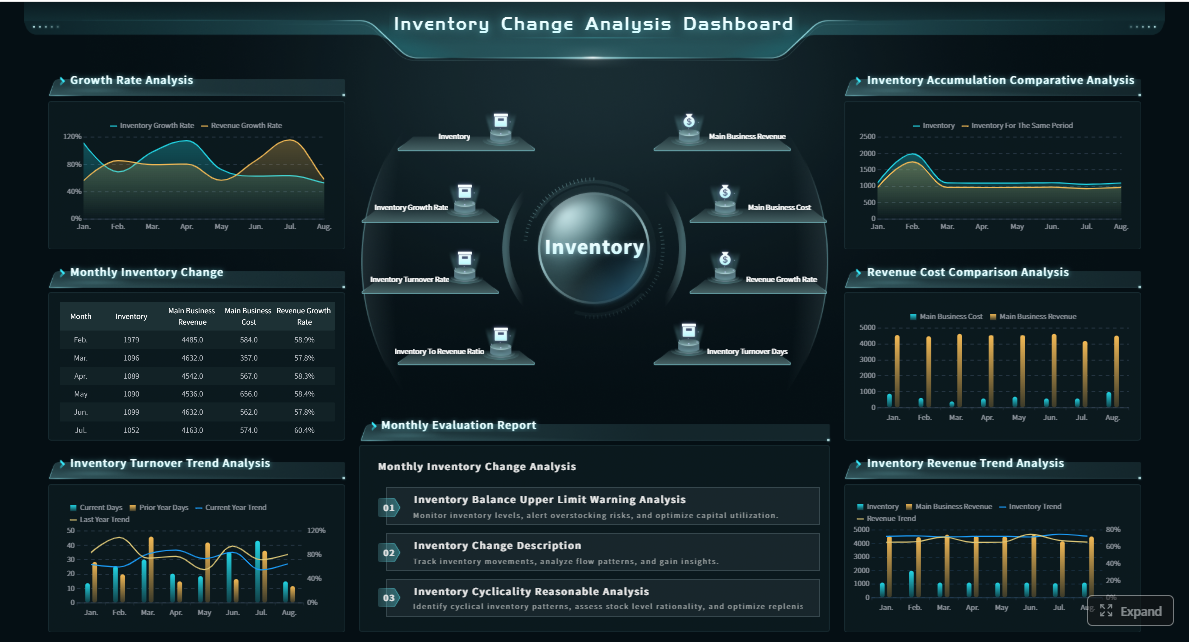
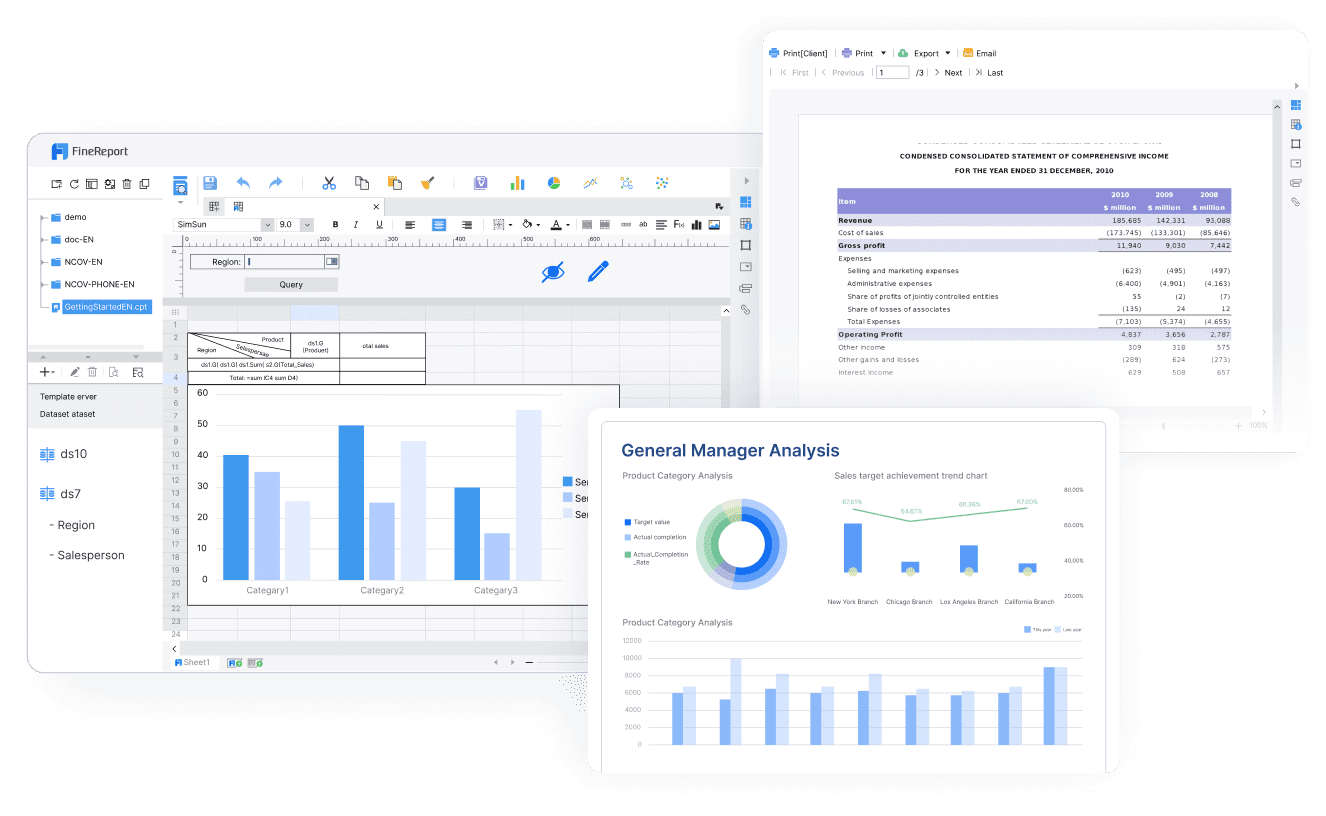
With FineReport + Dora, teams can ask for a report summary in chat, generate structured narratives from trusted report assets, receive scheduled briefings, and push exceptions to the right owner. FineReport provides the reporting and operational cockpit foundation. Dora adds the enterprise Data Agent layer that helps leaders consume reports faster, understand what changed, and follow through on decisions.
Click To Try The Dashboard
All reports in this article are built with FineReport
Executive KPI reviews often fail for a simple reason: the report is built to inform, not to drive execution. A visually polished dashboard is still ineffective if it does not help leaders answer three questions quickly:
What changed?
Why did it change?
What do we need to do next, and who owns it?
Common signs that executive reviews are informative but not decisive
If your weekly review has these symptoms, your data analysis reporting process is likely underperforming:
The same KPI exceptions appear every week with no clear resolution
Leaders debate metric definitions instead of discussing business response
Reports contain too much detail, making signal hard to separate from noise
Root causes are discussed verbally but not documented in a structured way
Meetings end without named owners or follow-up dates
Executives need analysts to explain basic report sections every time
Teams leave the meeting with different interpretations of the numbers
This is not only a reporting problem. It is an operating model problem.
The cost of delayed decisions, unclear ownership, and inconsistent metrics
When weekly KPI reviews do not create action, the business pays for it in multiple ways:
Delayed decisions: revenue, margin, service, or production issues stay unresolved for another cycle
Unclear ownership: everyone agrees a problem exists, but no one is assigned to fix it
Inconsistent metrics: teams lose confidence when KPI definitions vary across departments
Manual follow-up: assistants, analysts, or managers spend time chasing updates after the meeting
Low executive trust: leaders stop relying on the report because it does not consistently help them act
For executives, this means slower response to risk and weaker execution discipline. For IT and reporting teams, it means constant rework. For business users, it means waiting longer for direction.
What leaders need from a weekly review to move from insight to execution
A strong weekly review should do more than display performance. It should support a repeatable action system.
Executives typically need:
A concise view of headline KPI changes
Clear business impact tied to those changes
Diagnostic context explaining the likely drivers
Exception identification with thresholds and urgency
Recommended actions, owners, and deadlines
A follow-up mechanism before the next review
This is why modern data analysis reporting should combine trusted reporting assets with an AI assistant layer. FineReport standardizes the report foundation. Dora helps turn weekly review consumption into a governed AI workflow with summaries, exception alerts, action pushes, and follow-up.
Build a data analysis reporting workflow executives can actually use
Executive reporting should be built backwards from decision needs, not forwards from data availability. The starting point is not “what data do we have?” but “what business decision should this KPI support this week?”
Define the business question behind each KPI before building the report
Every KPI in an executive report should answer a business question. If it does not, it probably does not belong in the weekly pack.
Examples:
Revenue growth: Are we pacing against plan, and where is shortfall emerging?
Gross margin: Is profitability improving, and which product or region is driving change?
On-time delivery: Is service performance creating customer risk?
Inventory turnover: Are we carrying too much stock or risking stockouts?
Collection days: Is working capital pressure increasing?
This approach improves data analysis reporting because it ties metrics to decisions instead of passive observation.
Separate monitoring metrics from diagnostic analysis to avoid information overload
A common failure in executive reporting is mixing all levels of analysis into one screen. Monitoring metrics and diagnostic analysis serve different purposes.
Monitoring metrics show whether core KPIs are on track
Diagnostic analysis explains why a KPI changed
Executives usually need the first view immediately, with drill-down access to the second when exceptions appear. FineReport is well suited for this structure because it can centralize summary dashboards, detail tables, and drill-down views in one governed environment.
Align the report with executive priorities, decision windows, and accountability
A weekly executive report is not a generic management document. It should reflect:
The decisions leaders must make this week
The time window in which action is still useful
The people who can actually respond
For example, if a sales conversion issue needs immediate pipeline intervention, the report should surface it with owner visibility. If a supply chain delay affects next week’s deliveries, the alert must reach operations before the next meeting.
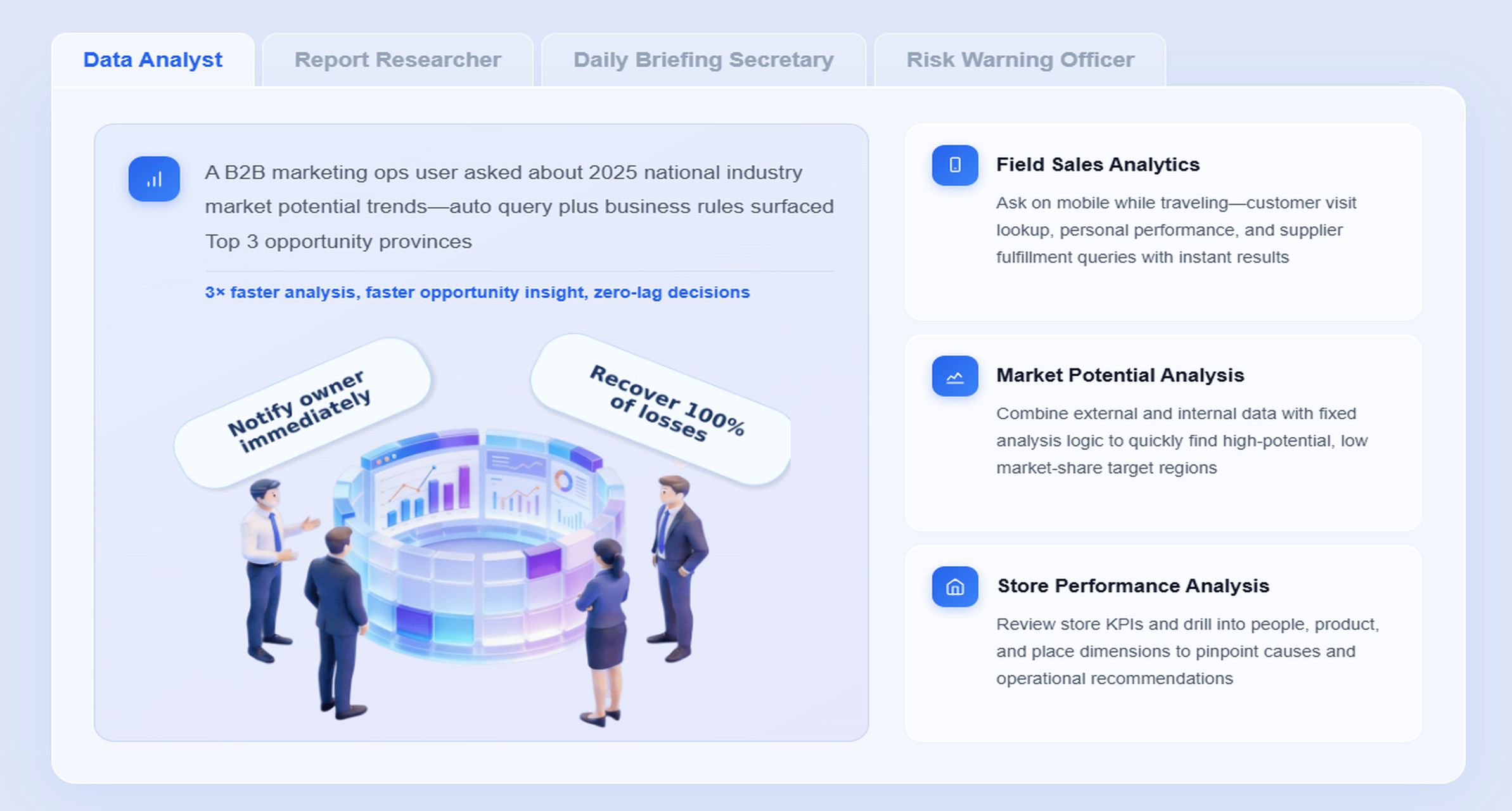
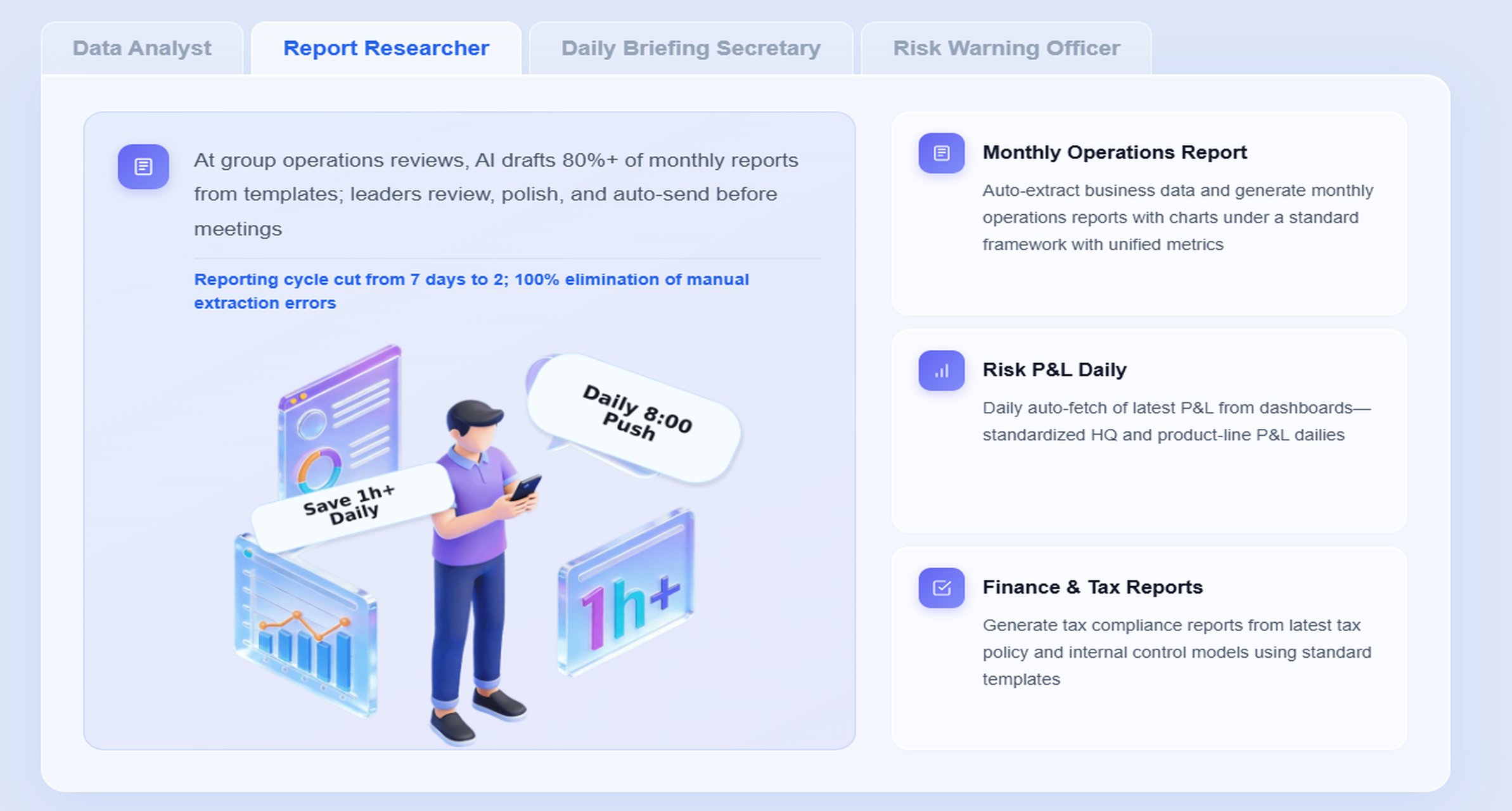
This is where Dora adds practical value. Dora can act as a Daily Briefing Secretary, Report Researcher, or Risk Alert Officer, helping ensure that reporting outcomes are not buried in dashboards but delivered in a timely, actionable format.
A practical structure for a weekly executive report
A weekly executive report should be easy to scan and hard to misinterpret.
Start with headline performance changes and business impact
The opening section should answer:
Which KPIs moved materially this week?
How do they compare with last week, target, and same period trend?
What is the likely business impact?
Examples of headline items:
Revenue down 4.8% vs weekly target
Gross margin improved 1.2 points due to product mix shift
Order backlog rising for a third consecutive week
Collection aging worsening in two key accounts
Report Element: Headline KPI summary. Definition: A top-level view of changes across core weekly KPIs, compared with target and prior periods. Business value: Gives executives an immediate understanding of where attention is needed. AI use:Dora can generate a structured report summary, explain major changes in plain language, and prepare a scheduled management briefing before the meeting.
Highlight root causes, risks, and opportunities behind the numbers
This section should move from observation to interpretation.
Report Element: Root-cause analysis view. Definition: Supporting analysis that explains why KPI movement occurred, often by business unit, region, product, customer segment, or process stage. Business value: Helps leaders avoid surface-level reactions and respond to the real driver. AI use:Dora can retrieve the relevant FineReport views, explain chart patterns, summarize key drivers, and flag risk areas that require follow-up.
Report Element: Risk and opportunity panel. Definition: A structured list of threshold breaches, emerging issues, and positive opportunities worth scaling. Business value: Prevents important changes from being lost in broad dashboards. AI use:Dora can monitor exceptions, push alerts to owners, and include them in weekly or daily executive briefings.
End with recommended actions, owners, and next-step deadlines
This is the section many reports omit, which is exactly why meetings lose momentum.
Report Element: Action tracker. Definition: A list of decisions, assigned owners, due dates, and status updates tied to report findings. Business value: Converts reporting into execution discipline. AI use:Dora can capture action items after review, push reminders, summarize outstanding items before the next cycle, and support follow-up through governed AI workflows.
FineReport + Dora: a practical setup for faster weekly KPI decisions
Building a weekly review process that consistently drives decisions is difficult if reporting, analysis, and follow-up live in separate tools. The practical advantage of FineReport + Dora is that it connects these steps into one enterprise-ready workflow.
Use FineReport to centralize KPI dashboards, data views, and drill-down analysis
FineReport is the reporting foundation. It helps enterprises build:
Reporting workflows with governed templates and permissions
For executive data analysis reporting, this matters because trusted decisions require trusted definitions. FineReport helps standardize KPI logic, filter rules, report layouts, and access control, so executives are not debating whose spreadsheet is correct.
Use Dora to turn review outcomes into tracked actions, follow-ups, and ownership
Dora sits on top of FineReport and existing enterprise report assets as an enterprise Data Agent. It does not replace reporting. It makes report consumption and follow-through much more effective.
Natural-language query over trusted reporting assets
Chat-based report consumption
Structured report summaries and chart explanations
Scheduled daily or weekly briefings
Exception alerts and push notifications
Follow-up reminders and responsibility tracking
Skills-based execution for more controllable and auditable AI workflows
For executives, Dora is not an AI experiment. It is a landed AI digital employee for recurring reporting work such as weekly KPI reviews, management summaries, risk alerts, and owner follow-up.
Create a closed-loop process from data collection to executive decision to execution
The biggest value of FineReport + Dora is the closed loop:
FineReport prepares the trusted KPI and analysis views
Executives review headline changes and supporting diagnostics
Owners receive follow-up tasks, alerts, or reminders
Progress is reviewed before the next KPI cycle
This is the difference between a report that informs and a reporting system that drives action.
Example weekly review flow with FineReport + Dora
Prepare the reporting view before the meeting with consistent definitions and filters
Before the meeting, FineReport can generate the weekly executive pack or cockpit using standardized KPI definitions, fixed comparison periods, and agreed filters. This creates the trusted semantic foundation Dora relies on.
Discuss exceptions, trends, and root causes during the executive review
During the meeting, leaders review the FineReport dashboard, drill into exceptions, and align on what matters most. Dora can assist by answering chart-based questions in chat and summarizing the current discussion into structured notes.
Assign actions in Dora immediately after decisions are made
This reduces manual follow-up after the meeting and increases accountability.
Track progress before the next KPI cycle begins
Before the next review, Dora can send scheduled summaries, overdue reminders, or exception pushes to relevant owners. Executives enter the next meeting with better visibility into what changed and which prior actions are still open.
How to present findings so executives can act quickly
Presentation quality matters because executive attention is limited. The best data analysis reporting for leaders is concise, comparative, and decision-oriented.
Lead with what changed, why it matters, and what decision is needed
Executives should not have to reverse-engineer the message from a dashboard. Present findings in this order:
What changed
Why it matters
What decision or action is needed
For example:
Customer churn rose 2.3 points this week
The increase is concentrated in new accounts onboarded in the last 60 days
Decision needed: prioritize onboarding intervention in two regions and assign service recovery ownership
This framing keeps the review focused on business response.
Use comparisons, trends, and outliers instead of dumping raw tables
Raw tables have a role, but they should support analysis, not lead it. Executive reporting should prioritize:
Week-over-week comparisons
Target vs actual views
Trend lines
Segment outliers
Exception lists with thresholds
FineReport supports this well through chart-based reports, management views, and operational cockpits that balance readability with drill-down access.
Tailor the level of detail for executives while keeping drill-down access available
Executives need enough information to decide, not every line of detail. The summary should stay concise, but the underlying analysis should remain accessible. This is another reason FineReport works well in enterprise settings: users can move from top-level reporting to governed detail without leaving the reporting environment.
Dora strengthens this further by helping users access detail through natural-language questions instead of searching manually through multiple tabs or reports.
Reporting provides the official view of performance:
KPI status
Variance to target
Weekly movement
Department or region summaries
This is FineReport’s core strength as the reporting foundation.
Analytics explains why performance changed and what may happen next
Analytics provides interpretation:
Root-cause exploration
Segment analysis
correlation between drivers
early risk patterns
likely implications of current trends
Dora helps bridge this consumption gap by turning trusted report outputs into chart-based answers, structured explanations, and management-ready summaries.
Strong weekly reviews combine both without confusing their roles
Executives should first see the reporting signal, then access analytics only where needed. When this works well, the meeting becomes faster and more decisive.
The reporting bottleneck in executive reviews is often not report production alone. It is report consumption. Leaders lose time locating the right view, interpreting chart changes, asking analysts for explanations, and manually following up after the meeting.
“Summarize this week’s KPI review, highlight the biggest revenue and margin exceptions, explain the likely drivers, and list the owners who need follow-up before next Monday.”
This is far more efficient than asking an analyst to manually prepare a separate summary after the meeting.
Understand KPI definitions, report templates, filters, and business terms
Because FineReport provides the governed reporting and semantic foundation, Dora can interpret what each KPI means, which filters apply, and how exceptions are defined.
Generate a structured report summary through chat Dora creates a management-ready summary of key changes, chart explanations, and notable outliers in a format executives can read quickly.
Detect exceptions, overdue items, or threshold breaches Dora identifies abnormal changes such as margin drops, backlog growth, service failures, or overdue actions from last week.
Push summaries, alerts, and follow-up requests to responsible users
The relevant owners receive timely notifications, meeting summaries, or action reminders instead of relying on manual email chains.
Produce follow-up records and pre-meeting briefings for the next cycle
Before the next KPI review, Dora can prepare a scheduled briefing showing progress on prior actions and open issues requiring escalation.
Why FineReport is the trusted foundation for Dora
Enterprise AI reporting only works when the underlying reporting assets are governed. FineReport gives Dora a trusted base through:
Standardized KPI definitions
Report templates
Permission governance
Drill-down structures
Operational cockpits
Data quality controls within the reporting process
Without this foundation, AI answers can become inconsistent or untrusted. With it, Dora can provide more reliable report summaries, chart explanations, and governed workflow execution.
How Dora improves execution after the meeting
Dora adds value beyond answer generation. It helps execute the weekly review process through:
Chat-based report consumption
Scheduled weekly management briefings
Structured summary generation
Exception pushes to responsible owners
Follow-up reminders on open actions
Better workflow stability through reusable Skills
More controllable and auditable execution than raw prompt-only agents
This is why Dora should be positioned as fourth-generation Agentic BI: natural-language request, trusted semantic layer, governed query or Skill execution, and then summary, alert, action, and follow-up.
For IT teams, this also changes the role of reporting support. Instead of manually preparing every executive summary, IT can focus on data connection quality, semantic governance, permission boundaries, report templates, and reusable agent Skills.
Step-by-step plan to turn weekly KPI meetings into an action system
Moving from passive KPI reviews to an action-driven process does not require redesigning everything at once. It requires a more disciplined reporting workflow.
Audit your current review process, report format, and decision bottlenecks
Start by mapping the current state:
Which KPIs are reviewed weekly?
Which decisions should those KPIs support?
Where do meetings slow down?
Which actions are discussed but not tracked?
How often are metric definitions challenged?
How much manual work is required before and after the meeting?
This baseline shows where your data analysis reporting process is losing value.
Redesign the report around decisions, not just data completeness
Many executive reports try to be comprehensive. That usually makes them less useful. Redesign the weekly report so every section supports a decision, an exception review, or a follow-up action.
Keep asking:
Does this metric support a leadership decision?
Does this detail belong in the executive layer or the drill-down layer?
Does this page end with a clear business implication?
Standardize weekly templates, escalation rules, and action ownership
This improves both reporting consistency and Dora’s ability to produce stable, governed outputs.
Measure success by speed of decisions, follow-through rate, and KPI improvement
A better weekly review process should improve operating outcomes, not just reporting aesthetics.
Measure:
Time spent in KPI review meetings
Time from issue identification to owner assignment
Percentage of actions completed before next review
Frequency of unresolved recurring exceptions
KPI improvement after action follow-through
These are more meaningful indicators of reporting effectiveness than dashboard usage alone.
Common mistakes to avoid
Overloading the report with too many metrics
If everything is important, nothing is. Keep the weekly executive layer focused on a manageable number of core KPIs and clearly defined exceptions.
Mixing strategic and operational issues in one view
Weekly executive reporting often fails when long-term strategic topics are mixed with immediate operational exceptions. Keep the layers distinct so action remains clear.
Ending meetings without clear owners or deadlines
This is the most expensive mistake. A meeting without ownership is usually just an information session. Dora can help reduce this gap by capturing actions, pushing follow-up, and preparing pre-next-cycle reminders.
Here are practical ways to make executive data analysis reporting land successfully in a real enterprise environment.
1. Standardize KPI definitions, report templates, and business terms
If leaders do not trust metric meaning, they will not trust the conclusions. Standard KPI definitions and reporting templates are the baseline for both FineReport and Dora to work well.
2. Build a semantic layer inside the reporting workflow
Do not treat AI as a layer that guesses business meaning from raw data. Use FineReport to establish trusted report structures, KPI logic, and business context so Dora can operate on governed assets.
3. Start with high-value recurring reports instead of automating everything
The best first use cases are recurring executive scenarios such as:
These use cases have stable structure, clear owners, and repeatable value.
4. Define alert thresholds, responsibility rules, and escalation paths
AI-driven exception pushes only work when the organization agrees on what counts as an exception and who should respond. Dora performs better when thresholds and workflows are explicitly defined.
5. Preserve permission governance and use human review for narratives
AI outputs should respect FineReport access boundaries. Also, executive narratives should be reviewed by humans early in rollout, especially for sensitive topics. Expand Dora Skills gradually as governance and confidence improve.
Building this manually is complex. FineReport helps teams standardize trusted reports, operational cockpits, templates, and reporting workflows. Dora turns those assets into an AI assistant that can answer report questions in chat, generate structured summaries, push scheduled briefings, monitor exceptions, and follow up with responsible owners.
For executive data analysis reporting, this combination is practical because it connects three things that enterprises usually struggle to unify:
FineReport + Dora is not only a reporting upgrade; it is a practical fourth-generation Agentic BI path. FineReport provides governed reports and operational cockpits. Dora provides the AI assistant layer for scenario execution, with more controlled Skills, lower token waste, faster execution paths, and more stable workflows than prompt-only agents.
For executives, the ROI is straightforward: faster weekly decisions, clearer ownership, and stronger follow-through on recurring reporting work.
For IT teams, the value is equally concrete: move from manually supporting every reporting request to building reusable semantic rules, governed report assets, permission control, and agent Skills that scale.
For business users, the result is lower friction: timely summaries, chat-based answers, exception pushes, and easier access to trusted KPI context without hunting through multiple reports.
Get Ready-to-Use Dashboard Templates in Fine Gallery
The strongest Dora pitch is scenario + product + service: FineReport provides the trusted reporting foundation, Dora provides the AI digital employee, and implementation service connects data, governance, semantic setup, Skills, report templates, permissions, and rollout.
If your weekly KPI reviews still produce discussion without execution, this is the right place to start. Upgrade your data analysis reporting process from static review to action system.
A useful weekly KPI review should show what changed, why it changed, and what action needs to happen next. It should also assign clear owners and deadlines so issues do not carry into the next cycle unresolved.
A dashboard mainly displays metrics, while data analysis reporting adds explanation, business context, and recommended next steps. For executives, that extra layer is what turns visibility into decisions.
They often fail because teams spend too much time reviewing numbers and not enough time documenting causes, decisions, and accountability. Inconsistent metrics and unclear ownership also make follow-through difficult.
FineReport provides governed dashboards, drill-down reports, and operational views built on trusted data. Dora adds AI-powered summaries, chat-based report access, scheduled briefings, and exception routing to help leaders act faster.
An executive report should include headline KPI changes, business impact, likely drivers, and the actions required next. It should stay concise while making ownership and follow-up easy to track.
Product Trial
FineReport
Pixel-perfect reports · Interactive dashboards · Easy data entry · Digital twins