Operations Directors do not need more data. They need operational reporting that tells teams what is happening now, what needs attention next, and who should act before delays, quality issues, or service failures spread across the operation.
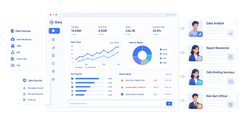
A strong daily KPI report gives frontline leaders a reliable operating view of throughput, backlog, downtime, staffing, quality, and exceptions. An even stronger setup upgrades that report with an AI assistant. With FineReport + Dora, teams can ask for a report summary in chat, generate structured narratives from trusted report assets, receive scheduled briefings, and push exceptions to the right owner.
Operational reporting becomes much more effective when it is not just displayed, but also explained, summarized, and followed up through a governed AI workflow. FineReport provides the trusted reporting and operational cockpit foundation. Dora adds the enterprise Data Agent layer that helps users consume reports faster, understand exceptions, and act with less manual coordination.
Click To Try The Dashboard
All reports in this article are built with FineReport
What operational reporting is and why it matters for Operations Directors
In plain language, operational reporting is the regular reporting of day-to-day business activity so teams can make immediate or near-term decisions. It focuses on what is happening in the operation right now or within the current reporting cycle: today's backlog, this shift's output, this hour's downtime, or current order fulfillment status.
For an Operations Director, this is not a theoretical management tool. It is a working control mechanism. It helps answer questions like:
Are we on track for today's targets?
Which line, site, or shift is underperforming?
Where are delays building up?
Which exceptions need escalation now?
Who owns the next action?
Operational reporting matters because frontline problems usually start small. A missed handover, a machine stoppage, a staffing gap, or a late inbound shipment can become a larger service or cost issue if nobody sees it early. Daily KPI visibility helps teams respond while there is still time to recover.
It is also important to separate operational reporting from long-range analysis. Operational reports are mainly used to monitor current performance and support immediate action. They tell you whether the operation is within control today. Longer-term analytical reporting looks across broader periods to explain patterns, root causes, and future risks.
For Operations Directors, both are necessary, but they serve different decisions:
This distinction matters because many teams overload daily reports with too much historical analysis. That makes reports slower to read and harder to act on. The best operational reporting keeps the spotlight on current status, ownership, and exceptions.
When upgraded with FineReport + Dora, this daily process becomes easier to scale. Instead of relying on managers to manually interpret every chart and email every summary, Dora can help turn trusted operational reports into structured report summaries, daily briefings, exception alerts, and follow-up prompts. That is especially valuable in multi-site or multi-shift environments where the cost of delayed action is high.
The core elements of a daily KPI report that drives faster action
A daily KPI report should not try to describe the entire business. It should help people run today's operation with speed and confidence.
Choose KPIs tied to immediate operational decisions
Operations Directors should begin with metrics that directly support daily intervention. If a metric does not change a same-day decision, it probably does not belong in the top section of an operational report.
Focus on a small set of KPIs that signal exceptions, bottlenecks, service risks, or resource imbalances.
Here is a practical KPI structure:
Throughput: Output completed in the current period. Business value: Shows whether production, fulfillment, or service delivery is meeting plan. AI use:Dora can summarize current throughput gaps by shift or site and explain where output dropped below threshold.
Backlog or queue volume: Work waiting to be processed. Business value: Reveals bottlenecks before service levels are missed. AI use:Dora can identify which teams have rising backlog and include them in a scheduled management briefing.
On-time completion rate: Percentage of work completed within target time. Business value: Signals service reliability and process health. AI use:Dora can generate a chart-based answer showing where timeliness declined and highlight the likely operational area needing review.
Downtime or disruption minutes: Time lost due to equipment, system, or process interruption. Business value: Helps leaders recover capacity quickly and escalate unresolved issues. AI use:Dora can flag abnormal downtime patterns and push exception alerts to responsible owners.
First-pass yield or quality pass rate: Percentage completed without rework or defects. Business value: Protects productivity and customer outcomes by surfacing hidden waste early. AI use:Dora can summarize quality exceptions and produce a structured narrative for operations review.
Staffing coverage or labor utilization: Actual staffing versus requirement. Business value: Supports labor reallocation, overtime decisions, and shift balance. AI use:Dora can identify understaffed teams and include recommendations for manager follow-up.
The key is to prioritize measures that frontline managers can influence the same day. A daily KPI report should create action, not just awareness.
Build a report structure that speeds up action
A strong report layout reduces interpretation time. Operations teams often review reports during standups, shift handovers, or issue escalations. If the report is hard to scan, it fails at the moment it is most needed.
Organize the report so ownership is obvious. Common structures include:
by team
by process
by shift
by site
by production line
by service region
This makes it easier to connect a KPI exception to a specific responsible group.
A practical operational report structure often includes:
Top-line KPI summary for current status
Exception list with threshold breaches
Breakdown by owner such as team or site
Trend snapshot for short recent periods
Simple commentary or action notes
Status indicators also matter. Use visual cues that speed interpretation under time pressure:
green, amber, red status
threshold icons
overdue markers
variance arrows
exception counts
Commentary should stay concise. One sentence that says "Line 3 downtime exceeded target due to changeover delay; maintenance owner assigned" is more useful than a paragraph of generic description.
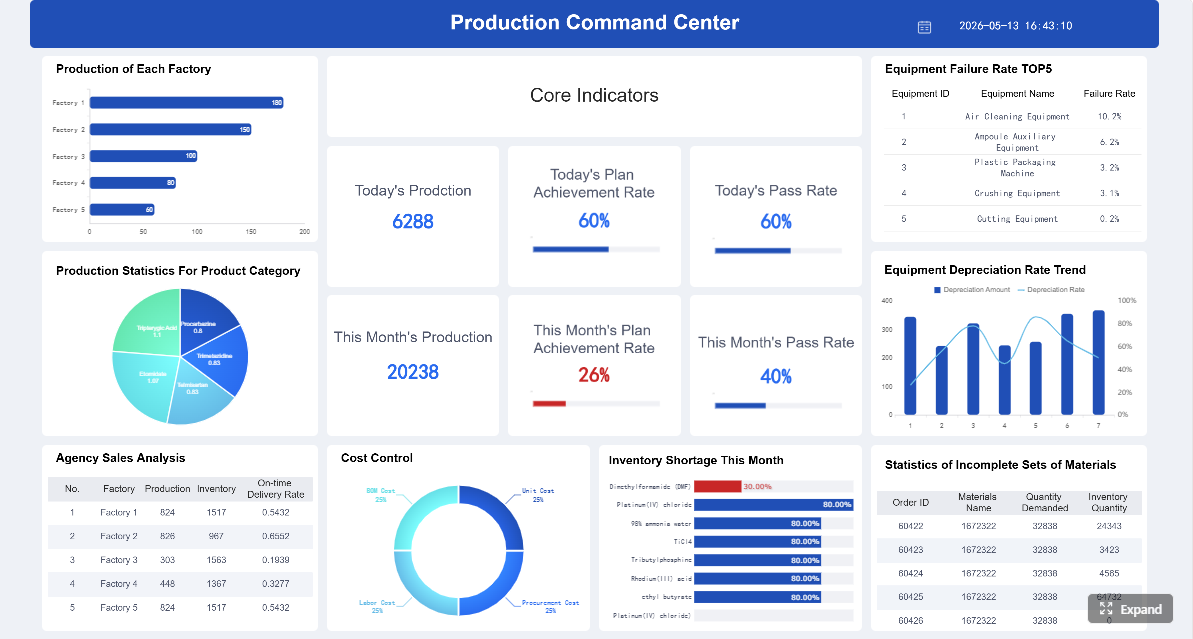
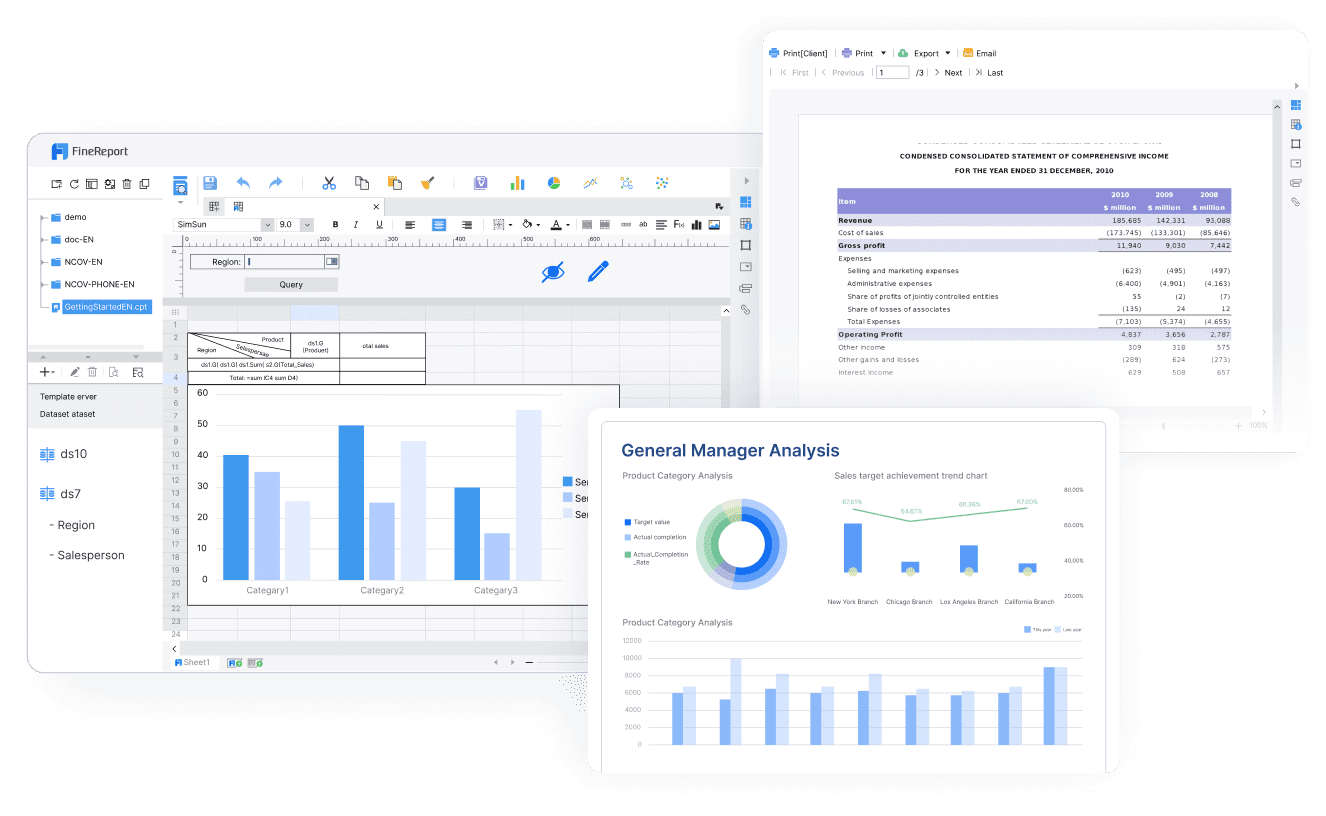
This is where FineReport is especially valuable. It supports formatted reports, complex reports, operational cockpits, and structured distribution. Teams can build a repeatable operational reporting template rather than recreating views in spreadsheets every day.
On top of that, Dora can consume those trusted report assets and convert them into an easier-to-use AI layer. Instead of asking users to inspect every chart manually, Dora can summarize what changed, explain why a section is flagged, and send the right briefing to the right audience.
Not every operation needs the same refresh frequency. The right cadence depends on how fast the process moves and how costly delayed action is.
A simple way to choose:
End-of-day reporting: Best when actions happen in daily cycles and immediate intervention is less critical.
Intraday reporting: Best when multiple checkpoints are needed during the day, such as fulfillment waves, production shifts, or support queue management.
Near real-time or real-time reporting: Best when the process is highly dynamic and delays create material cost or service risk.
Operations Directors should match update frequency to operational reality. If labor allocation decisions happen every four hours, daily reporting is too slow. If inventory replenishment is reviewed once per day, full real-time complexity may not be necessary.
The goal is not maximum speed at all costs. The goal is the right reporting rhythm for the decision window.
FineReport supports the reporting foundation for these different cadences, whether teams need scheduled reports, operational dashboards, or management cockpits. Dora extends that foundation by helping users consume updates more efficiently through periodic summaries, timely exception pushes, and chat-based answers instead of requiring every stakeholder to pull reports manually.
Operational reporting vs. analytical reporting: the differences that matter
Operational reports typically show current queue status, downtime by shift, staffing gaps, or SLA exceptions. Analytical reports might look at six months of downtime trends, defect drivers by product type, or long-term forecasting for demand and labor.
For Operations Directors, the best approach is to use them together:
This is another reason a governed reporting foundation matters. FineReport can support both detailed operational reporting and management-level reporting structures. Dora then adds a more accessible AI assistant layer so business users can ask natural-language questions about trusted reporting assets without bypassing KPI governance or report logic.
In practice, that means a user can consume operational reports faster through chat, while IT and reporting teams still maintain control over definitions, permissions, templates, and report rules.
How to build an operational reporting workflow step by step
Good operational reporting is not just a report design exercise. It is a workflow that connects decisions, data, accountability, and follow-up.
Start with the decisions people need to make every day
Start by identifying recurring operational actions. This keeps the report focused on decisions rather than vanity metrics.
Typical daily decisions include:
reallocating labor across shifts or teams
escalating late orders or service delays
adjusting inventory or replenishment priorities
addressing downtime and maintenance disruptions
responding to quality issues or rework spikes
prioritizing backlog clearance
Each decision should have a supporting KPI and a visible threshold. If a manager sees that a metric is red, they should know what decision that status is meant to trigger.
This step is essential for enterprise AI adoption too. Dora works best when it is connected to repeatable reporting scenarios. A Daily Briefing Secretary, Risk Alert Officer, or Data Analyst digital employee is far more useful when the workflow already reflects real operational decisions.
Define data sources, owners, and business rules
Once decisions are clear, define the reporting foundation.
You need to standardize:
source systems
KPI definitions
calculation logic
ownership by metric
exception thresholds
update frequency
follow-up responsibility
Without this step, teams argue about numbers instead of acting on them.
For example:
What exactly counts as backlog?
When does downtime start and stop?
Is on-time delivery measured by promised date or committed internal date?
Which team owns data correction if a feed fails?
FineReport helps here by giving teams a structured reporting and operational cockpit layer where templates, KPIs, formatted outputs, and reporting workflows can be standardized. This is critical because Dora depends on trusted enterprise context. Its governed AI workflow becomes stronger when KPI semantics, business terms, and report definitions are already controlled.
This is what makes Dora different from a loose prompt-driven tool. It is not meant to guess from scattered files. It works as an enterprise Data Agent on top of governed reporting assets, helping users retrieve reports, understand metrics, summarize findings, and follow up with more control and auditability.
Keep the layout simple. Put top KPIs first. Make exceptions easy to spot. Avoid visuals that require too much interpretation. Under operational pressure, simple tables with status indicators often outperform overly decorative dashboards.
Then connect the report to routines:
daily standups
shift handovers
operations review meetings
escalation huddles
end-of-day summaries
This is where AI can improve adoption. Dora can become the bridge between the report and the meeting. Instead of every supervisor pulling data manually, Dora can generate a timely summary, prepare a briefing, or answer chat-based questions from the same trusted report.
How an AI Data Agent Automates Report Consumption
Operational reporting often breaks down at the consumption stage, not the report-building stage. The dashboard exists, but managers are too busy to inspect every section. Exception lists are available, but follow-up is inconsistent. Daily reports are sent, but users still ask analysts to explain what changed.
FineReport provides the trusted reporting and semantic foundation: KPI definitions, report templates, permissions, operational cockpits, and standardized report outputs. Dora sits on top as an enterprise Data Agent that helps users consume those reporting assets through natural language, summaries, alerts, and governed workflow execution.
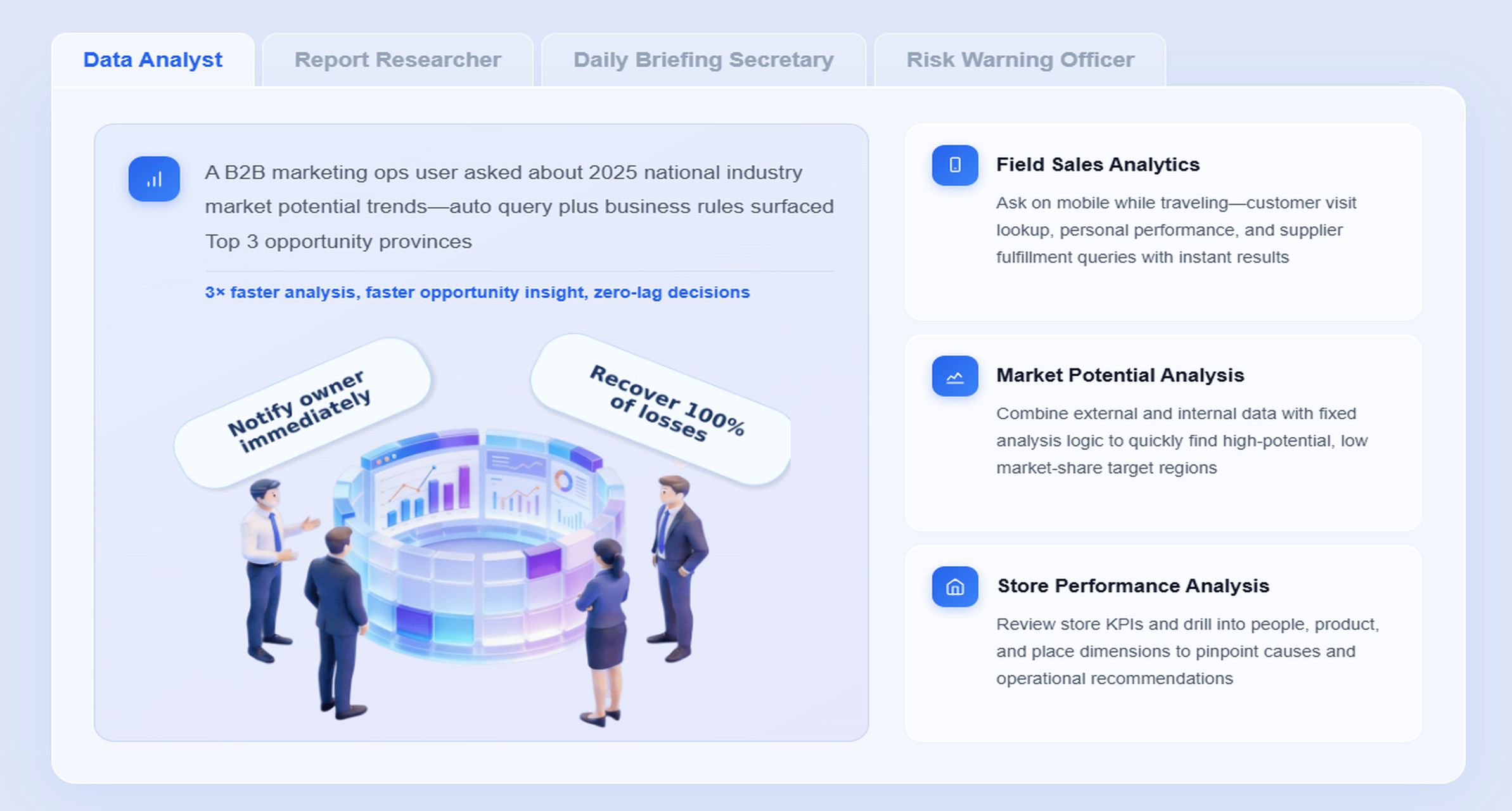
The most relevant digital employee for this scenario is the Daily Briefing Secretary, often working alongside the Risk Alert Officer for exception monitoring.
Scenario-specific chat example:
“Summarize today’s operational reporting dashboard for the East region, highlight any backlog, downtime, or staffing exceptions, and list the owners who need follow-up before the 4 p.m. operations review.”
Retrieve trusted FineReport report or operational cockpit data. Dora pulls the approved operational reporting view, not an ungoverned data extract.
Understand KPI definitions, report filters, ownership rules, and business terms. Dora uses the governed semantic layer behind the report so backlog, downtime, staffing gap, and SLA terms are interpreted correctly.
Generate a structured report summary through chat. Dora produces a concise narrative such as current status, top exceptions, impacted teams, and short recommended focus areas for the meeting.
Detect abnormal changes or threshold breaches.
The Risk Alert Officer can identify overdue items, unusual drops in throughput, staffing shortages, or downtime spikes based on defined business rules.
Push summaries, alerts, and owner-specific follow-up. Dora can send a scheduled briefing to operations leaders, push exception notices to the relevant manager, and link back to the FineReport source report for review.
Produce follow-up records or daily recap summaries.
After the meeting or reporting cycle, Dora can generate a structured recap of exceptions reviewed, owners assigned, and unresolved items pending action.
This matters because operational reporting is rarely just about viewing. It is about execution.
to a more scalable workflow where AI helps people query, summarize, report, push, alert, and follow up.
That does not remove the need for governance. In fact, governance becomes more important. Dora works best when FineReport already provides trusted templates, permissions, semantic rules, and reliable report logic. That is what gives the AI assistant stronger enterprise fit.
It also improves landing capability compared with feature-only agent comparisons. Dora is designed for scenario execution with governed Skills, controllable workflows, and enterprise reporting context. That means better stability for recurring reporting tasks, lower token waste than raw prompt-only approaches, and a more practical path to adoption for Operations Directors who need dependable daily execution rather than AI novelty.
For business users, the value is straightforward: they get timely report summaries, chat-based answers, and scheduled briefings without waiting for analysts or searching through multiple reports.
For IT teams, the role shifts from manually producing every report request to strengthening the enterprise reporting foundation: data connections, semantic setup, KPI governance, report templates, permissions, and reusable agent Skills.
For executives, the outcome is not an AI experiment. It is a landed digital employee approach for recurring reporting work such as daily operations summaries, anomaly alerts, exception follow-up, and periodic management reporting.
Examples, benefits, and best practices for better daily reporting
Common operational reporting examples across teams
Operational reporting can support many frontline scenarios. Common examples include:
Fulfillment throughput report: Units picked, packed, or shipped by site and shift Business value: Helps leaders rebalance labor and avoid downstream service delays. AI use:Dora can summarize which site is below plan and push an exception note to the site manager.
On-time delivery report: Orders delivered within target window Business value: Protects customer service and highlights logistics risk. AI use:Dora can explain which route, region, or carrier segment is causing the performance drop.
Backlog aging report: Open work by age band Business value: Surfaces hidden service risk before missed commitments multiply. AI use:Dora can produce a structured management summary of items requiring same-day attention.
Downtime report: Lost time by machine, line, cause, or plant Business value: Supports immediate recovery and maintenance coordination. AI use:Dora can flag recurring downtime spikes and route alert summaries to responsible owners.
First-pass yield report: Output completed without rework Business value: Connects quality to productivity and cost. AI use:Dora can summarize quality anomalies and prepare commentary for the daily review.
Staffing coverage report: Planned versus actual coverage by shift or role Business value: Helps managers reassign labor and manage risk proactively. AI use:Dora can identify undercoverage and include priority actions in the daily briefing.
Faster response speed: Issues are identified early enough to correct.
Better coordination: Teams work from a shared view of current priorities.
Clearer accountability: Ownership is visible by site, shift, process, or manager.
Greater consistency: Daily routines become more structured and repeatable.
Fewer surprises: Problems surface before they become larger service or cost events.
When FineReport + Dora is added, those benefits become easier to sustain across scale. Reporting is not trapped in dashboards alone. It is supported by structured summaries, natural-language query, exception pushes, and recurring AI-assisted briefings that help users act on the report instead of just receiving it.
Best practices to keep reports useful over time
Operational reporting must evolve with the business. A report that once helped decision-making can become cluttered or ignored if no one reviews it.
Useful best practices include:
Review KPIs regularly and remove metrics that no longer drive action.
Refine thresholds as process capability, service expectations, or staffing models change.
Balance visibility with simplicity so reports stay actionable.
Keep report ownership clear for both data maintenance and follow-up.
Standardize commentary rules so teams describe exceptions consistently.
For AI-supported workflows, it is also important to keep the semantic layer current. If KPI definitions, business terms, and exception rules change, Dora should operate against the updated governed reporting logic, not outdated assumptions.
Many operational reports fail for predictable reasons. Avoid these common mistakes:
Tracking too many metrics without linking them to decisions
A long report feels comprehensive but often reduces focus. If teams cannot tell what to act on, the report becomes background noise.
Using delayed or inconsistent data
Trust is the foundation of operational reporting. Once users doubt the numbers, they revert to side spreadsheets, calls, and manual checks.
Sending reports without clear owners or next steps
Visibility alone does not improve operations. Every major exception needs responsibility, escalation logic, and expected follow-up.
Overcomplicating visuals
Operations teams often review reports under time pressure. The goal is fast interpretation, not visual novelty.
Automating AI summaries without governance Dora can greatly improve report consumption, but only when FineReport provides trusted templates, KPI definitions, permissions, and report semantics. AI-generated narratives should begin with human review and expand gradually as workflows become more mature.
Actionable Best Practices
To make operational reporting land successfully in a real enterprise, Operations Directors should combine reporting discipline with practical AI rollout.
Standardize report templates, KPI definitions, business terms, and exception rules.
This creates the trusted reporting foundation that both people and AI can rely on. FineReport is well suited to this because it supports formatted reports, operational cockpits, management reports, and reporting workflows in a controlled structure.
Start with high-value recurring reports instead of trying to automate every report.
Daily operations summaries, shift briefings, downtime alerts, and backlog follow-up are better first targets than one-off analysis. Dora delivers stronger business value when attached to repeatable reporting scenarios.
Preserve permission governance so AI outputs respect FineReport access boundaries.
Enterprise AI must follow the same security model as enterprise reporting. Users should only receive summaries, answers, and report details they are allowed to view.
Define alert thresholds, responsibility rules, and escalation paths before enabling exception pushes. Dora’s Risk Alert Officer is most useful when the business has already agreed on what counts as an exception and who should receive follow-up.
Use human review for AI-generated report narratives and gradually expand Skills.
Begin with structured report summary and meeting briefing use cases. As data quality, semantic rules, and user confidence mature, expand to broader governed AI workflows.
Building this manually is complex. FineReport helps teams standardize trusted reports, operational cockpits, templates, and reporting workflows. Dora turns those assets into an AI assistant that can answer report questions in chat, generate structured summaries, push scheduled briefings, monitor exceptions, and follow up with responsible owners.
For Operations Directors, that means a practical path from passive dashboards to active operational execution support.
natural-language query over trusted reporting assets
chart explanation and metric interpretation
structured report summaries and management narratives
daily or weekly briefing push
exception alerts and owner follow-up
skills-based execution for more controllable and auditable AI workflows
FineReport + Dora is not only a reporting upgrade; it is a practical fourth-generation Agentic BI path. FineReport provides governed reports and operational cockpits. Dora provides the AI assistant layer for scenario execution, with more controlled Skills, lower token waste, faster execution paths, and more stable workflows than prompt-only agents.
Get Ready-to-Use Dashboard Templates in Fine Gallery
The strongest Dora pitch is scenario + product + service: FineReport provides the trusted reporting foundation, Dora provides the AI digital employee, and implementation service connects data, governance, semantic setup, Skills, report templates, permissions, and rollout.
For enterprise teams, that is what makes operational reporting actually land. Not just a dashboard. Not just AI. A governed reporting foundation plus a scenario-ready Data Agent that helps teams query, summarize, push, alert, and follow up on daily operational work.
Operational reporting is the regular tracking of current business activity so teams can make immediate decisions. It focuses on what is happening now, such as today’s output, backlog, downtime, staffing, and exceptions.
Operational reporting supports same-day or near-term action using current, detailed data. Analytical reporting looks at longer time periods to explain trends, root causes, and future planning.
The best daily KPI reports prioritize metrics tied to fast action, including throughput, backlog, on-time completion, downtime, quality, and staffing coverage. If a KPI does not influence a same-day decision, it usually should not lead the report.
It depends on how quickly the operation changes, but many teams use hourly, shift-based, or daily updates. Fast-moving environments often need near real-time visibility so managers can catch problems before they spread.
FineReport provides the trusted dashboard and reporting layer, while Dora helps summarize reports, explain exceptions, and push follow-up actions to the right owners. This reduces manual interpretation and helps teams respond faster across shifts or sites.
Product Trial
FineReport
Pixel-perfect reports · Interactive dashboards · Easy data entry · Digital twins