A strong test management dashboard gives QA teams an immediate view of release health: what has been tested, what is blocked, what is failing, and where risk is building. In 2026, the best tools do much more than display pass/fail counts. They connect test cases, execution history, requirements, defects, automation pipelines, and team activity into one reporting layer that supports faster and more predictable releases.
If your team is still piecing together spreadsheets, Jira filters, and CI logs to understand testing progress, upgrading to a dedicated dashboard can save time and reduce blind spots. In this guide, we compare eight of the best test management dashboard tools in 2026, including FineReport, TestRail, Zephyr Enterprise, Xray, PractiTest, qTest, Testmo, and QA Touch.
Why a test management dashboard matters for QA teams
A modern test management dashboard should help teams understand software quality at a glance. Instead of digging through separate reports, QA managers, engineering leads, and testers should be able to open one workspace and quickly see:
Current test execution status
Test coverage by requirement, feature, or release
Open defects linked to failed tests
Automation trends over time
Blockers, bottlenecks, and team workload
Readiness for the next deployment
This visibility is especially important for teams shipping frequently. When test results are fragmented across manual runs, automation tools, issue trackers, and release boards, it becomes harder to answer simple but critical questions: Are we on track? What is still untested? Which failures matter most?
A good dashboard helps solve that by turning raw QA activity into decision-ready reporting. Teams can spot risk earlier, prioritize retesting faster, and reduce the delays caused by unclear status updates. Instead of spending meeting time collecting data, they can spend it acting on trends.
Visibility into test coverage, execution status, defects, and quality trends also supports faster releases. For example:
Coverage views help teams identify missing validation for critical requirements
Execution summaries show whether testing is progressing as planned
Defect trends reveal unstable areas or regressions
Historical reports help managers forecast release confidence
Centralized reporting is most useful for teams running both manual and automated testing. That includes:
SaaS teams with frequent sprint releases
Product engineering teams using Jira-heavy workflows
Enterprise QA organizations with multiple projects and environments
Regulated teams that need traceability and audit-friendly reports
Growing QA teams moving away from spreadsheets
In short, a test management dashboard is not just a reporting layer. It is a control center for QA operations.
How we compared the best test management dashboard tools in 2026
To evaluate the best tools, we focused on the capabilities that matter most when teams are choosing a test management dashboard for daily use and executive reporting.
Core comparison criteria
We looked at six major areas:
Usability: How easy the platform is to navigate, configure, and adopt
Integrations: Support for Jira, CI/CD systems, automation frameworks, and defect tracking tools
Customization: Flexibility for fields, workflows, widgets, filters, and dashboards
Reporting depth: Availability of real-time metrics, trend views, traceability reports, and drill-down analytics
Collaboration: Support for comments, assignments, shared views, and cross-functional visibility
Pricing: Whether the value fits small teams, scaling teams, or enterprise programs
Lightweight tools vs enterprise-ready platforms
Not every QA team needs a large, highly configurable platform. Some tools focus on fast setup and clean reporting for smaller teams. Others are built for complex environments with multiple products, compliance requirements, and layered access controls.
In general, lightweight tools are best if you need:
Fast onboarding
Simple test case management
Basic reporting and dashboards
Lower cost per user
Fewer process dependencies
Enterprise-ready platforms are better if you need:
Deep traceability from requirements to defects
Advanced role-based permissions
Portfolio-level reporting
Integration with large DevOps ecosystems
Support for audit, governance, and scale
When free plans, open-source options, or add-ons may be enough
Smaller QA teams do not always need a premium platform on day one. If your process is still relatively simple, one of the following may be enough:
A free plan with limited users or projects
A Jira add-on if your team already works entirely inside Jira
A reporting layer added to an existing test repository
A lower-cost tool focused on structured manual testing
That said, once testing becomes more distributed, automated, or compliance-sensitive, limited reporting can quickly become a bottleneck. Many teams eventually move from “good enough” dashboards to platforms with stronger traceability and analytics.
8 best test management dashboard tools in 2026
1. FineReport
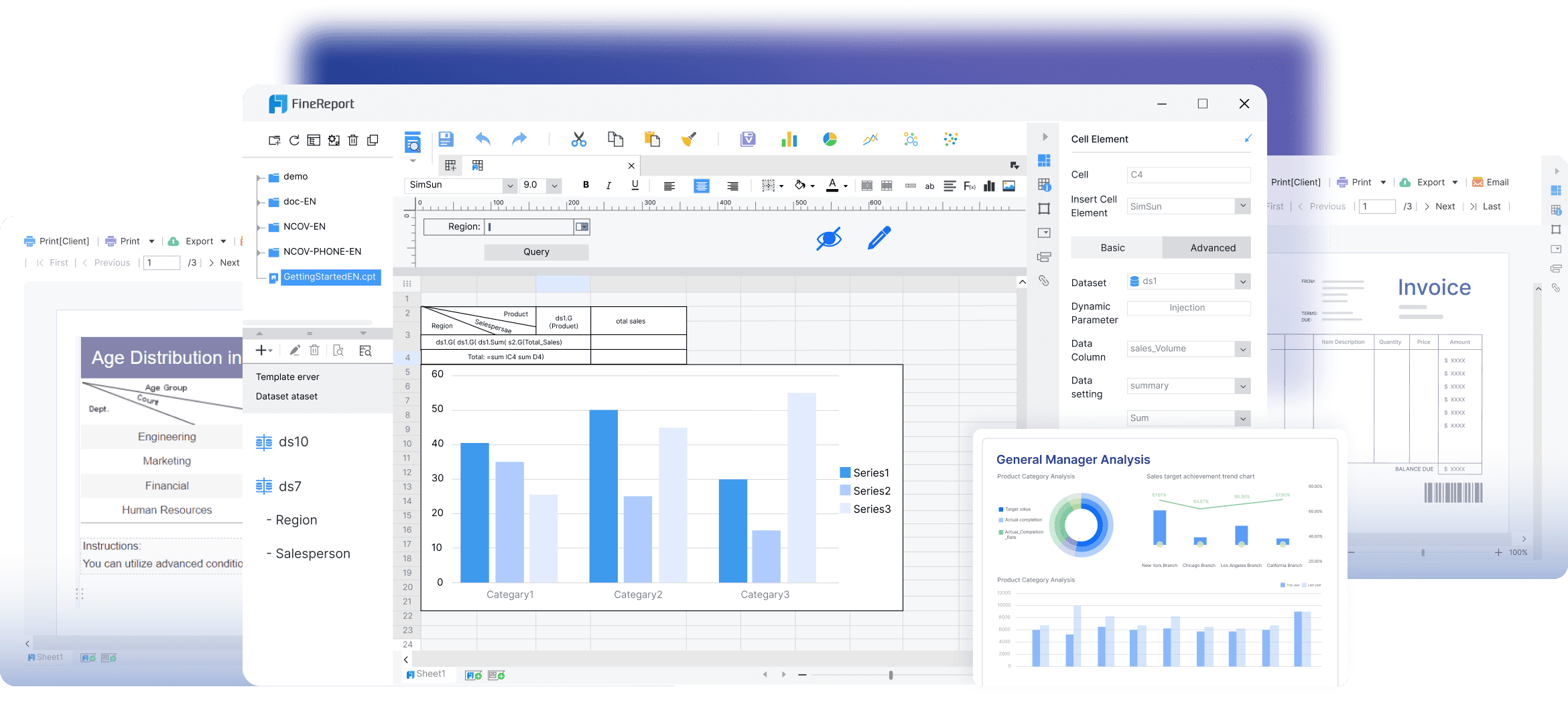
FineReport stands out differently from most products on this list. It is not a traditional test case management platform first. Instead, it is a powerful reporting and dashboard solution that can be used to build highly customized QA reporting across multiple systems.
That makes FineReport a strong option for organizations that already have testing data spread across tools such as Jira, databases, automation logs, defect trackers, and internal platforms, but need a more flexible test management dashboard on top.
Best for
Teams that want custom BI-style test dashboards and advanced reporting across disconnected QA data sources.
TestRail remains one of the most recognized names in test case management, and for good reason. It combines a structured approach to organizing test assets with reporting that works well for both managers and hands-on QA teams.
Best for structured test case management and customizable reporting
TestRail is especially effective for teams that want a central repository for test cases, plans, and runs, along with out-of-the-box reports that are easy to filter and share.
Key strengths
Mature test case management with strong organization features
Customizable reports and dashboards
Good support for manual and automated testing workflows
Broad integrations with Jira, Azure DevOps, and other engineering tools
Scales well from growing teams to larger QA organizations
Its reporting is one of its major advantages. Teams can track execution progress, milestone health, coverage, and defect-linked outcomes without building everything from scratch.
Potential drawbacks
Interface can feel more structured than lightweight modern tools
Advanced customization may take setup effort
Pricing can add up for larger teams
Ideal team size
Best for small-to-large QA teams that want proven, structured test management with dependable reporting.
3. Zephyr Enterprise
Zephyr Enterprise is built for organizations that need scalable testing operations and strong traceability, especially in Jira-centered environments. It is often considered by teams that want broader test governance than simple plugin-style tools provide.
Best for Jira-centered teams that need scalable reporting and traceability
If your development process already revolves around Jira and your testing spans multiple teams, releases, and requirements, Zephyr Enterprise offers stronger coordination and visibility than more basic setups.
Key strengths
Deep Jira ecosystem alignment
Strong traceability between requirements, tests, and defects
Dashboards support project-level and portfolio-level reporting
Useful for distributed QA teams and large programs
Better suited for complex release structures than lightweight tools
Potential drawbacks
Can be heavier to implement and administer
May feel too complex for smaller teams
Cost is often more suitable for medium to large organizations
Ideal team size
Best for medium to large teams, especially enterprises managing multiple products or compliance-sensitive releases.
4. Xray
Xray has become a leading choice for engineering teams that want test management fully embedded inside Jira. Rather than operating as a separate testing system, Xray treats testing as part of the delivery workflow.
Best for engineering teams that want test management inside Jira workflows
For teams that already live in Jira every day, Xray reduces context switching and keeps requirements, test execution, defects, and release workflows connected in one place.
Key strengths
Native Jira experience
Excellent traceability between user stories, tests, and bugs
Strong support for manual and automated testing
Good fit for Agile and DevOps teams
Useful reporting through Jira dashboards and Xray reporting features
Xray is especially strong when engineering and QA want one shared workflow rather than a separate QA-owned platform.
Potential drawbacks
Best experience depends heavily on Jira maturity
Reporting can be powerful, but sometimes less plug-and-play than standalone tools
Teams outside the Jira ecosystem may find it less appealing
Ideal team size
Best for small to large engineering teams already standardized on Jira.
5. PractiTest
PractiTest focuses on end-to-end QA visibility. It is designed to connect requirements, tests, runs, and defects in a way that gives stakeholders a broader view of quality across the entire lifecycle.
Best for end-to-end QA visibility across requirements, tests, and defects
Teams that need more than execution reporting often like PractiTest because it helps connect testing activities back to product scope and risk.
Key strengths
Strong end-to-end traceability
Flexible dashboards and reporting
Supports multiple testing methodologies
Good for tracking coverage and release readiness
Useful collaboration and organizational controls
PractiTest is often appreciated by teams that need clear oversight across multiple testing layers without losing structure.
Potential drawbacks
Can require more configuration upfront
Interface depth may feel substantial for small teams
Pricing may be better suited to teams with established QA processes
Ideal team size
Best for medium to large QA teams that need lifecycle-wide visibility and traceable reporting.
6. qTest
qTest is aimed squarely at enterprise QA programs. It offers advanced test management, broad integrations, and analytics designed for organizations with large teams, complex release pipelines, and cross-functional reporting needs.
Best for enterprise QA programs that need advanced analytics and integrations
If your testing operation includes multiple tools, automation frameworks, and delivery teams, qTest is built to centralize and standardize reporting at scale.
Strong integration support across DevOps and automation ecosystems
Good for large-scale QA governance
Supports both manual and automated test management
Useful for organizations prioritizing standardization
Potential drawbacks
More platform than small teams typically need
Higher implementation and subscription cost
Can involve longer onboarding compared with lighter tools
Ideal team size
Best for large enterprises and mature QA programs with advanced reporting and integration requirements.
7. Testmo
Testmo has gained attention as a modern, unified test management platform. It is designed to bring together manual testing, exploratory testing, and automation reporting within a cleaner, faster interface than many older systems.
Best for unified manual, exploratory, and automation reporting
Teams that want one tool for different testing styles often find Testmo attractive because it avoids splitting reporting across separate systems.
Key strengths
Modern interface with fast navigation
Unified support for manual, exploratory, and automated testing
Strong reporting and metrics views
Good integrations with Jira, GitHub, GitLab, and CI tools
Flexible enough for teams that move quickly
Potential drawbacks
Some enterprises may still prefer more legacy-style governance depth
Feature breadth can exceed what very small teams need
Reporting flexibility may depend on how teams structure projects
Ideal team size
Best for growing to large teams that want modern QA workflows and unified reporting.
8. QA Touch
QA Touch is a practical option for teams that want a simpler setup and accessible dashboards without jumping into enterprise-level complexity. It is often considered by startups and scaling QA teams that need structure without a long implementation process.
Best for growing teams looking for simpler setup and accessible reporting
If your current process relies on spreadsheets or lightweight tools, QA Touch can offer a smoother step up into centralized test management.
Key strengths
Easier onboarding than heavier platforms
Clean reporting for day-to-day QA tracking
Supports manual and automation-related workflows
Suitable for teams building a more formal QA process
More accessible pricing than many enterprise tools
Potential drawbacks
Reporting depth may be lighter than premium enterprise platforms
Large organizations may outgrow it
Some highly customized workflows may need more advanced tools
Ideal team size
Best for small to mid-sized teams that want affordable, usable test management dashboards.
Feature, pricing, and reporting comparison at a glance
Below is a practical side-by-side summary of how these tools generally compare.
Free trial, free plan, and paid pricing considerations
Pricing changes often, so teams should always verify current costs directly with vendors. Still, these general patterns can help narrow the field:
FineReport: Usually priced as a reporting platform rather than a basic test tool; best evaluated for organizations with custom dashboard needs
TestRail: Typically mid-range to premium depending on deployment and team size
Zephyr Enterprise: Usually enterprise-priced
Xray: Often cost-effective for Jira-based teams, though total cost depends on Jira licensing and scale
PractiTest: Usually premium pricing for robust lifecycle visibility
qTest: Enterprise-oriented pricing
Testmo: Mid-range with strong value for unified workflows
QA Touch: Often one of the more budget-friendly options for smaller and growing teams
When comparing pricing, do not look only at seat cost. Also consider:
Implementation effort
Admin overhead
Reporting limitations at lower tiers
Extra cost for integrations or automation connectors
Value gained from replacing manual reporting work
How to choose the right test management dashboard tool for your team
The right test management dashboard depends less on popularity and more on how your team works.
Match the tool to team size, release complexity, and compliance needs
Start by evaluating your operating environment:
Small teams: Often need simple setup, low admin burden, and essential reporting
Scaling teams: Need stronger organization, better trend reporting, and automation visibility
Enterprise teams: Need traceability, governance, advanced permissions, and multi-project analytics
Regulated teams: Need audit-friendly reporting and requirement-to-test traceability
A lightweight platform may be enough if your release process is straightforward. But if multiple teams contribute to one release, or if audit trails matter, a more robust system is usually worth the investment.
Decide whether you need lightweight reporting or deeper test management reports and dashboards
Some teams mainly need better visibility. Others need a full test operations platform.
Choose lighter reporting-focused tools if you need:
Basic execution dashboards
Faster setup
Lower cost
Simpler workflows
Choose deeper test management and dashboard platforms if you need:
Requirement traceability
Defect linkage
Historical and trend analysis
Cross-project visibility
Automation reporting at scale
If your data already lives in several systems and you mainly need custom analytics, a solution like FineReport may be more useful than moving everything into a new test repository.
Questions to ask before switching from spreadsheets or legacy platforms
Before selecting a tool, ask:
Where does our test data live today?
Do we need one source of truth or just better reporting?
How much of our testing is manual vs automated?
Are we deeply tied to Jira, Azure DevOps, or another ecosystem?
Do we need requirement traceability for audits or regulated releases?
Who will use the dashboard daily: testers, managers, developers, executives?
How much admin effort can our team realistically support?
Are we trying to improve test execution, reporting, or both?
These questions help prevent a common mistake: choosing an overpowered platform when the team really needs simplicity, or choosing a lightweight tool when traceability and reporting depth are actually essential.
Final recommendation framework based on budget, integrations, and reporting priorities
Here is a simple way to narrow your shortlist:
Choose FineReport if your priority is highly customized QA dashboards built from multiple systems
Choose TestRail if you want structured test management with dependable reporting and broad adoption
Choose Zephyr Enterprise if you need scalable Jira-centered reporting and enterprise traceability
Choose Xray if you want testing embedded directly in Jira workflows
Choose PractiTest if your top priority is end-to-end visibility across requirements, tests, and defects
Choose qTest if you run a large enterprise QA program with advanced analytics needs
Choose Testmo if you want a modern platform that unifies manual, exploratory, and automated testing
Choose QA Touch if you need affordable, simpler dashboarding for a growing team
Ultimately, the best test management dashboard is the one that makes quality status easier to understand and easier to act on. If your dashboard helps your team spot risk sooner, collaborate faster, and release with more confidence, it is doing its job well.
FAQs
A strong dashboard should show execution status, test coverage, linked defects, automation results, and release readiness in one place. The goal is to help teams spot risk quickly without pulling data from multiple tools.
A test case management tool stores and organizes tests, while a test management dashboard focuses on reporting and visibility. Some platforms do both, but dashboard quality varies a lot between tools.
Teams with frequent releases, mixed manual and automated testing, or Jira-heavy workflows benefit the most. It is also valuable for enterprise and regulated teams that need traceability and audit-ready reporting.
Yes, if your QA data lives across Jira, databases, CI pipelines, and defect tools, a custom reporting layer can work well. FineReport is especially useful when teams need flexible dashboards across disconnected systems rather than a standard built-in view.
Choose a lightweight option if you need quick setup, simple reporting, and lower cost for a smaller team. Pick an enterprise platform if you need deeper traceability, stronger permissions, broader integrations, and portfolio-level reporting.
Product Trial
FineReport
Pixel-perfect reports · Interactive dashboards · Easy data entry · Digital twins


 That makes








