Database management tools is an overloaded term. It covers relational databases, NoSQL stores, cloud-native data services, and data integration platforms — each solving fundamentally different problems. Evaluating them on a single list without classification leads to poor selection decisions and misleading comparisons.
This guide organizes 10 leading tools into three functional categories: traditional DBMS, cloud-native databases, and data integration platforms. Each entry is evaluated against consistent criteria relevant to its category, with clear guidance on when to use each and how they work together in enterprise data architectures.
Tool Categories at a Glance
Before comparing individual tools, understand the three distinct categories this guide covers:
Tool Type
Best For
Examples
Relational DBMS
structured transactional data
Oracle, SQL Server, PostgreSQL, MySQL
NoSQL Database
flexible document/key-value data
MongoDB, Redis
Cloud Database
scalable managed workloads
Aurora, Cloud Spanner
Data Integration Platform
syncing, transforming, governing data across systems
FineDataLink
Key distinction: A DBMS stores and serves data. A data integration platform moves and prepares data between DBMSs and downstream consumers. They are complementary layers, not interchangeable alternatives. FineDataLink is not a database; it is the connective tissue that makes multi-database environments usable for analytics, reporting, and AI.
How to Choose the Right Database Management Tool
Selection criteria differ by category. Use this framework to match tools to your actual requirements:
Criterion
What to Evaluate
Why It Matters
Workload type
Transactional (OLTP), analytical (OLAP), real-time streaming, or mixed
Mismatched workload causes performance failures and cost overruns
SQL compatibility
ANSI SQL compliance, dialect differences, stored procedure support
Migration effort and developer productivity depend on familiarity
Deployment model
Self-hosted, cloud-managed, hybrid, or multi-cloud
Determines operational overhead, scaling flexibility, and vendor lock-in risk
Integration needs
Number of source systems, sync frequency, transformation complexity
Single-database shops need different tooling than multi-system enterprises
Security & governance
Encryption, RBAC, audit logging, compliance certifications, data lineage
Regulated industries cannot compromise; retrofitting governance is expensive
Scalability & cost
Vertical vs horizontal scaling, licensing model, compute/storage separation
Total cost of ownership varies dramatically at scale
Analytics readiness
Native connectors to BI/ETL tools, materialized views, columnar storage
Databases optimized purely for transactions create bottlenecks for analytical workloads
No single tool excels across all criteria. Prioritize based on your primary workload and architectural constraints.
Top 10 Database Management Tools for 2026
1. Oracle Database 23c — Enterprise OLTP and Mixed Workloads
Oracle Database 23c is the industry benchmark for mission-critical transactional processing with advanced analytics capabilities. It supports relational, JSON, graph, and spatial data models within a single engine, making it suitable for complex enterprise applications that require both ACID compliance and flexible schema handling.
Strengths
Considerations
Unmatched scalability and high availability (RAC, Data Guard)
Steep learning curve for administration and tuning
Converged multi-model support reduces architecture fragmentation
Oracle ecosystem dependency for full feature utilization
Long-term support (Premier until 2032) provides stability
Cloud migration requires careful licensing review
Best for: Large enterprises running mission-critical OLTP, financial systems, and complex mixed-workload applications requiring maximum reliability and vendor support.
2. Microsoft SQL Server 2022 — Hybrid Cloud Enterprise Database
SQL Server 2022 offers deep integration with the Microsoft/Azure ecosystem while maintaining strong on-premises capabilities. Built-in AI features, Always Encrypted security, and seamless Power BI/Azure Synapse connectivity make it a natural choice for Microsoft-centric organizations.
Strengths
Considerations
Best-in-class Microsoft/Azure/Power BI integration
Core-based licensing can be expensive at scale
Strong hybrid cloud with Azure Arc-enabled management
Some advanced features restricted to Enterprise edition
Familiar T-SQL environment reduces developer onboarding time
Cross-cloud portability limited compared to open-source alternatives
Comprehensive documentation and community support
Performance tuning required for large-scale analytical workloads
Best for: Microsoft-ecosystem enterprises needing hybrid cloud deployment, integrated BI/analytics, and familiar administrative tooling.
PostgreSQL is the most widely adopted open-source relational database, valued for extensibility, standards compliance, and active community development. It handles diverse workloads from simple web applications to complex geospatial and analytical processing through extensions like PostGIS, TimescaleDB, and pgvector.
Strengths
Considerations
Zero licensing cost; fully open-source
Requires self-managed HA, backup, and monitoring (or managed service)
Extensible architecture supports custom types, functions, and indexes
Horizontal write scaling more complex than distributed databases
Strong SQL standards compliance eases migration from proprietary DBs
Enterprise support available only through third-party vendors
Rich extension ecosystem for specialized workloads
Performance tuning expertise needed for high-concurrency OLTP
Best for: Teams prioritizing flexibility, cost efficiency, and avoidance of vendor lock-in; suitable for OLTP, analytics, and specialized workloads via extensions.
MySQL remains the default choice for web applications, content management systems, and microservices architectures. Its simplicity, broad hosting support, and InnoDB storage engine provide reliable transactional processing with moderate operational complexity.
Strengths
Considerations
Ubiquitous hosting and tooling support; lowest barrier to entry
Advanced features (clustering, encryption) require Enterprise edition
Simple replication and read-scaling for web workloads
Optimizer less sophisticated than PostgreSQL/Oracle for complex queries
MongoDB is the leading document database, designed for applications with evolving schemas, hierarchical data structures, and rapid iteration cycles. Its JSON-native document model aligns naturally with modern application development patterns.
Query optimization differs significantly from SQL; learning curve for DBAs
Best for: Applications with flexible/hierarchical data models, rapid prototyping, content management, IoT telemetry ingestion, and event-driven architectures.
Aurora is AWS's managed database service offering MySQL and PostgreSQL compatibility with cloud-native storage architecture that separates compute from storage. It provides automatic scaling, self-healing storage, and up to 5x throughput improvement over standard engines.
Strengths
Considerations
Cloud-native storage auto-scales to 128TB without provisioning
Cost premium over self-managed equivalents at steady-state usage
Automatic failover, backup, and patching reduce ops burden
Performance characteristics differ from vanilla engines; testing required
Aurora Serverless v2 scales capacity automatically for variable workloads
Cross-region replication adds latency and cost
Best for: AWS-native applications needing managed MySQL/PostgreSQL with elastic scaling, high availability, and reduced operational overhead.
7. Google Cloud Spanner — Globally Distributed Strong Consistency
Website: https://cloud.google.com/spanner
Cloud Spanner is Google's globally distributed, strongly consistent database service designed for applications requiring horizontal scalability across regions without sacrificing transactional integrity. It uniquely combines CAP theorem guarantees that most distributed databases cannot offer.
Strengths
Considerations
Global distribution with strong consistency and 99.999% SLA
Premium pricing; justified only for global-scale requirements
Automatic sharding, replication, and failover
Limited SQL dialect; not fully PostgreSQL/MySQL compatible
Scales horizontally without application-level partitioning logic
Redis is an in-memory data structure store used as cache, message broker, and real-time analytics engine. Its sub-millisecond latency makes it indispensable for session management, leaderboards, rate limiting, and pub/sub messaging.
Strengths
Considerations
Sub-millisecond read/write latency for hot data
Memory-bound; dataset size limited by available RAM
Versatile data structures (strings, hashes, lists, sets, streams)
Persistence options add complexity; not a durable primary database
Pub/Sub and Streams enable real-time event architectures
Enterprise features (clustering, RBAC) require Redis Enterprise or managed service
Best for: Caching, session storage, real-time analytics, message queuing, and rate limiting — as a complement to persistent databases, not a replacement.
Db2 offers mature enterprise database capabilities with strong hybrid cloud positioning through IBM Cloud Pak for Data. It excels in regulated industries requiring advanced compression, federated querying, and AI-integrated data management.
Strengths
Considerations
Advanced compression and query optimization for large datasets
Declining market share; smaller talent pool vs Oracle/PostgreSQL
Federated querying across heterogeneous data sources
Complex licensing and packaging
AI-integrated data management via Watson/Knowledge Catalog
Ecosystem less vibrant than competing platforms
Strong compliance and governance features for regulated industries
Modernization path less clear for new cloud-native applications
Best for: Legacy IBM enterprises, regulated industries (banking, insurance, healthcare), and hybrid environments requiring federated data access.
10. FineDataLink — Connecting and Managing Data Across Multiple Databases
Website: https://www.fanruan.com/en/finedatalink
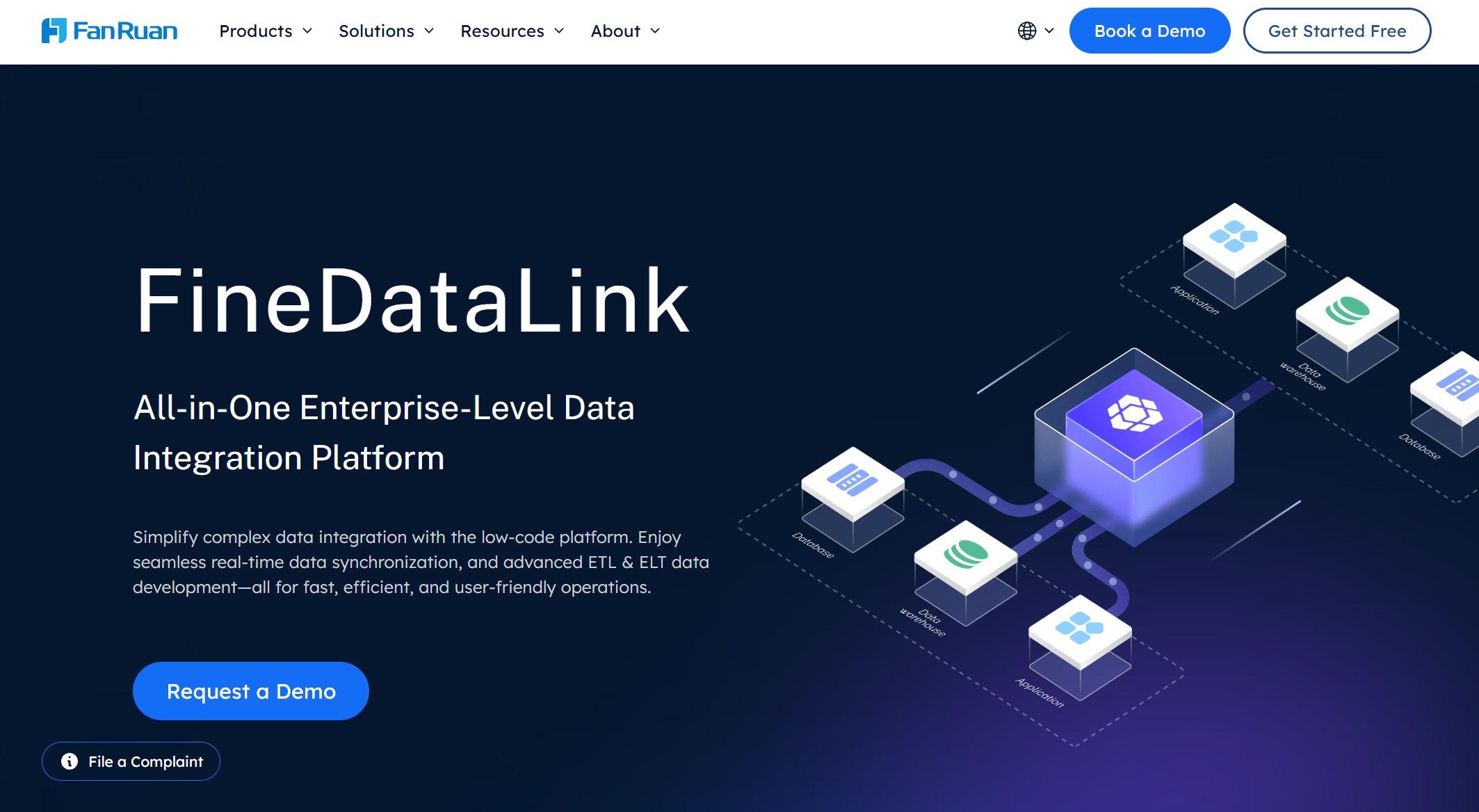
FineDataLink is not a traditional DBMS like PostgreSQL or Oracle. It is a data integration and pipeline platform that helps businesses connect, sync, transform, and govern data across databases and business systems.
In multi-database environments, the bottleneck is rarely storage capacity — it is data movement, consistency, and accessibility. FineDataLink addresses this gap:
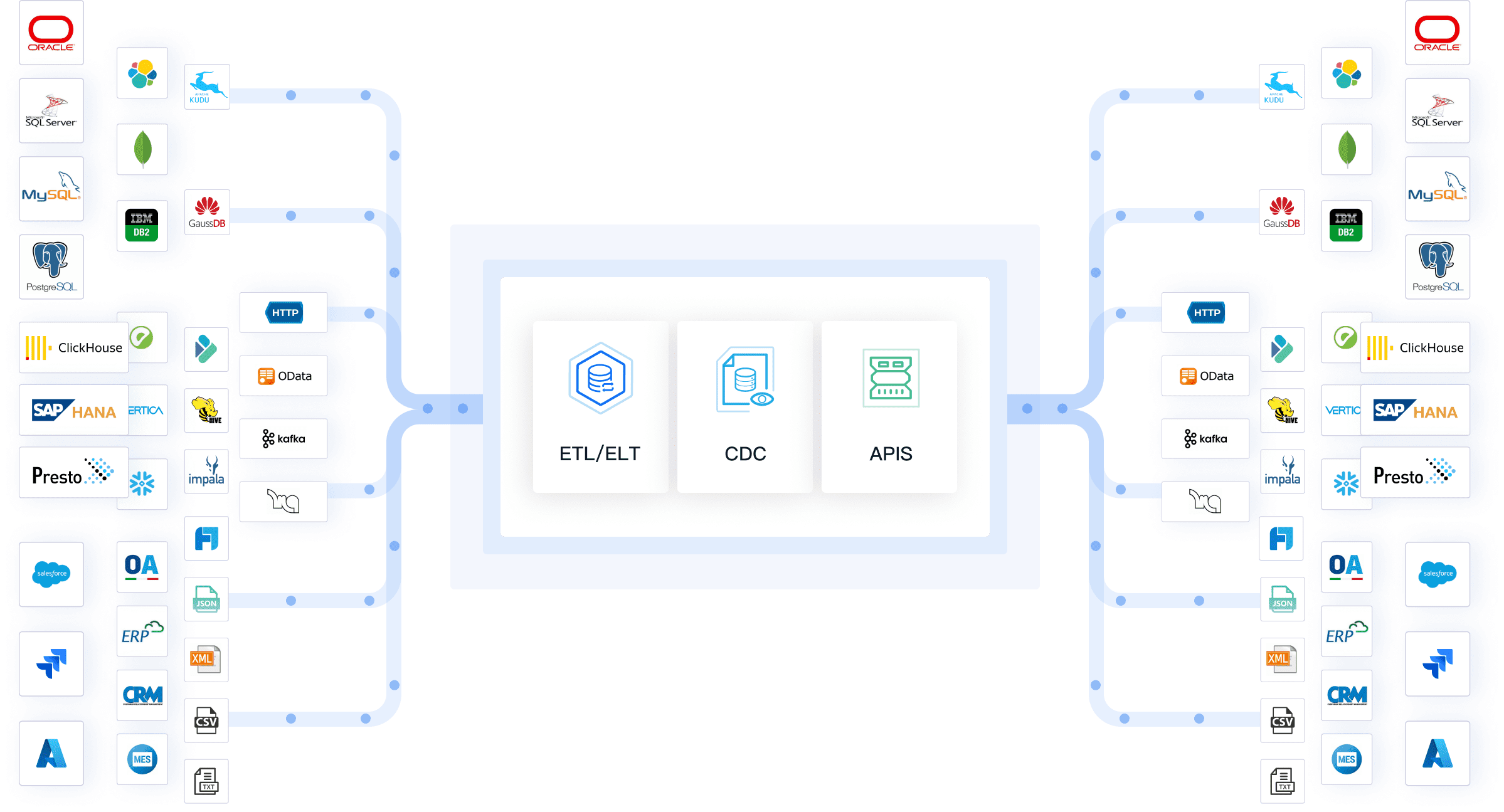
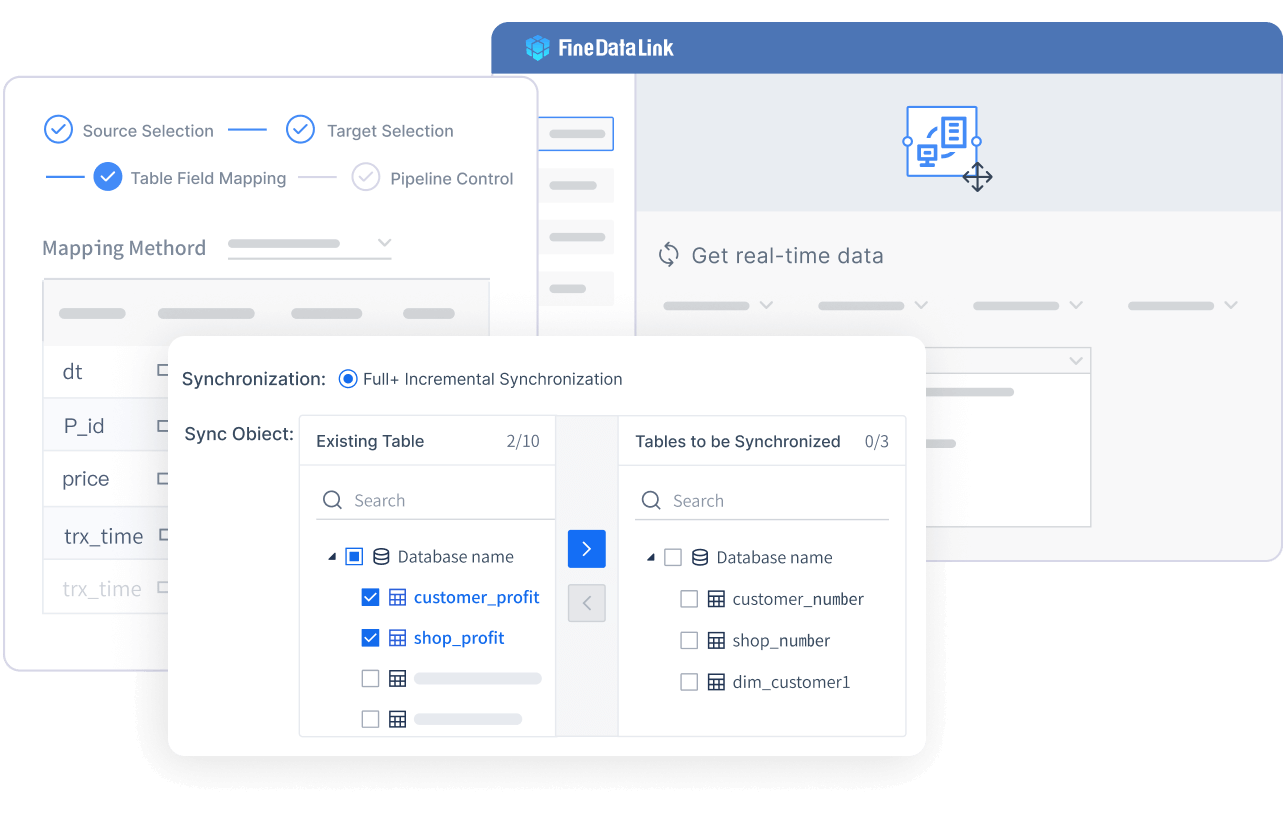
Multi-database synchronization: CDC-based real-time replication and scheduled batch sync between Oracle, SQL Server, PostgreSQL, MySQL, MongoDB, cloud warehouses, and file-based sources.
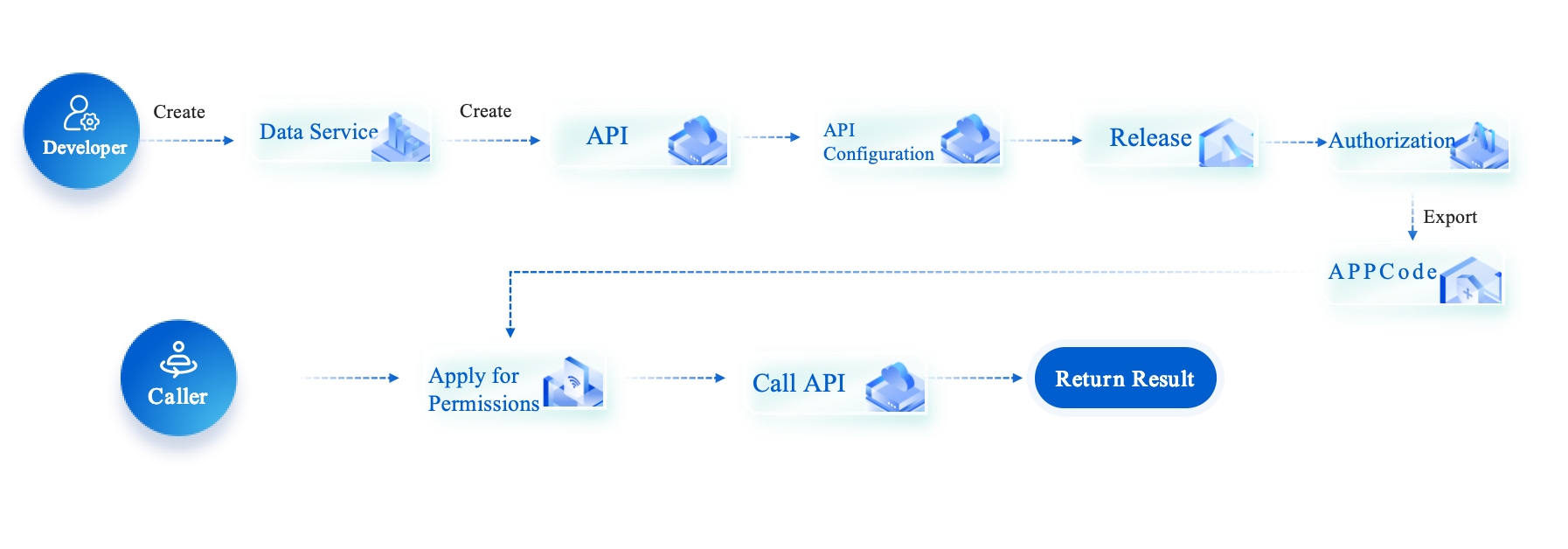
ERP/CRM/MES/API integration: Native connectors for SAP, Salesforce, manufacturing execution systems, and REST/SOAP APIs unify operational data fragmented across business applications.
ETL/ELT automation: Visual low-code pipeline design for encoding conversion, schema mapping, hierarchical flattening, and field-level transformations without custom scripting.
Real-time data warehouse feeding: Continuous synchronization into analytical targets ensures BI dashboards and AI models operate on current data.
Data quality and governance: Inline validation, deduplication, referential integrity checks, and end-to-end lineage tracking prevent bad data from reaching downstream consumers.
Analytics-ready data preparation: Transforms raw transactional data into clean, standardized formats optimized for BI, reporting, and AI analysis.
FineDataLink complements — not replaces — your existing database investments. It ensures those databases work together as a unified, governed data foundation rather than isolated silos.
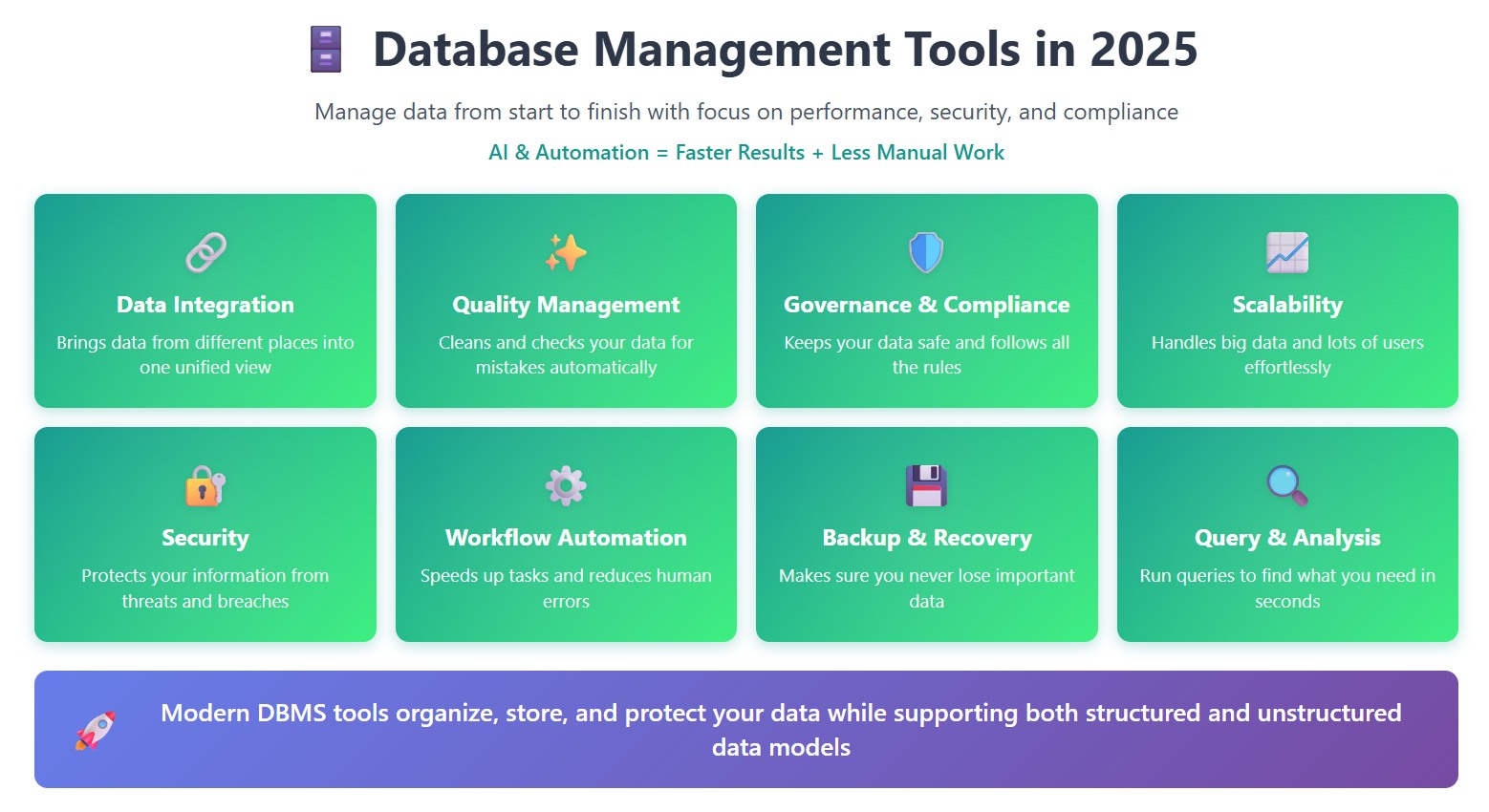
You’ll notice that most dbms tools now offer automation, strong security, and support for more than one data model. Many also include features like backup, restore, and monitoring to keep your storage safe and your data ready for action.
When a Database Is Not Enough: Why Teams Need a Data Integration Layer
Most enterprises operate 5–20+ database instances across departments, applications, and cloud providers. Each DBMS performs well within its domain. The problem emerges at the boundaries:
Symptom
Root Cause
Integration Layer Solution
Reports always stale
Batch exports manually refreshed weekly
CDC-based real-time sync to analytics target
Duplicate customer records
Same entity stored differently in CRM, ERP, and support systems
Cross-system deduplication and master record resolution
Dashboard metrics disagree
Different teams calculate KPIs from different source tables
Centralized semantic layer with governed transformations
New analytics project stalled
Data trapped in legacy format or inaccessible system
Automated extraction, transformation, and loading pipeline
Compliance audit fails
Cannot trace data from report back to source system
End-to-end lineage and immutable transformation logs
AI model underperforms
Training data inconsistent, incomplete, or outdated
Continuous data quality validation and refresh pipelines
Databases store data. Integration platforms make that data usable across organizational boundaries. Investing in DBMS selection without investing in the integration layer leaves valuable data stranded in silos.
FineDataLink: Modern Data Integration Platform
Key Features and Advantages
When you look for a modern database management system, you want something that makes your life easier. FineDataLink gives you just that. You get a low-code platform that lets you build data pipelines with simple drag-and-drop actions. You do not need to write code for most tasks. This dbms connects to over 100 data sources, so you can bring all your information together in one place. You can sync data in real time, which means you always work with the latest numbers. FineDataLink also helps you automate ETL and ELT processes, making data movement smooth and fast.
You can use FineDataLink to manage data quality management, automate workflows, and handle complex queries. The platform supports both structured and unstructured data, so you can work with any data model you need. If you want to build a real-time or offline data warehouse, this dbms has you covered. You can even set up API integrations in minutes, which helps you share data between different systems. FineDataLink stands out among data integration tools because it is user-friendly and cost-effective. You get a visual interface that makes database management systems less intimidating.
Use Cases and Industry Applications
You might wonder how FineDataLink works in real businesses. Many companies use this dbms to solve tough problems. For example, some need to sync data across many departments. Others want to cut costs or improve decision-making. FineDataLink helps you break down data silos and improve storage, making your data more useful every day.
FanRuan, the company behind FineDataLink, has earned recognition from Gartner and Forbes. Many organizations trust this dbms for its reliability and innovation. If you want a relational database management system that grows with your business, FineDataLink is a smart choice.
How Dora Uses Governed Database Data for AI Analysis
When FineDataLink connects and standardizes data from multiple databases, Dora can help business users interact with that trusted data through natural language.
Dora does not connect to raw databases directly. It operates on governed, integrated data assets produced by FineDataLink and downstream BI/reporting platforms. Business users can ask questions like "Which production line had the highest downtime last week?" or "Summarize Q2 revenue variance by region" — and receive answers grounded in validated, current data rather than stale exports or unverified sources.
This completes the enterprise data value chain: databases → FineDataLink integration → governed analytics layer → Dora conversational access. Each layer solves a distinct problem; skipping any one undermines the others.
Access a wealth of case studies, industry insights, and solution guides to accelerate digital transformation.
FAQ
What is the best database management tool for a small business?
You should look for tools that are easy to use and affordable. MySQL, PostgreSQL, and FineDataLink work well for small businesses. They offer simple setup, strong community support, and flexible pricing.
How do I choose between cloud and on-premises database solutions?
Ask yourself how much control you want. Cloud solutions give you flexibility and easy scaling. On-premises options offer more control over security and data. Consider your budget and how fast you plan to grow.
Can I integrate data from different sources with these tools?
Yes! Many modern tools, like FineDataLink, let you connect over 100 data sources. You can sync, transform, and manage data from cloud apps, databases, and files—all in one place.
Do I need coding skills to use a database management system?
Not always. Some platforms, such as FineDataLink, offer low-code or no-code interfaces. You can build data pipelines with drag-and-drop tools. This makes it easy for beginners and non-technical users.