

A logical model shows how you set up and link data for business needs. You use it to see and arrange data without thinking about technology. Many groups have trouble with data silos. About 76% say they have issues sharing data between departments. Logical modeling helps you find missing information and make business work better. This helps people make better choices. FineDataLink gives you tools to join data from many places and remove barriers.
Logical Model Basics
Definition of Logical Model
A logical data model helps you organize business data. It works like a map for your data. This model shows how different data pieces connect. It explains how data elements, entities, and attributes relate. You look at business ideas and rules, not at technology. You do not worry about how the data is stored. This makes it easier to understand your data.
- Logical data models work as a layer that shows how data elements, entities, and attributes connect.
- They look at business ideas and rules, not at a certain database system. This makes them different from physical data models.
- Logical data models are important in data management. They link how you think about data to how it is stored.
You can see how logical data models and physical data models are different in this table:
Purpose
A logical data model lets you define data attributes, relationships, and structures. This model gives more detail than a conceptual model. You can see how entities connect and work together. Logical data models do not use system-specific rules. They stay technology-agnostic.
- Logical data models show data attributes, relationships, and structures.
- They give more detail than conceptual models about how entities connect.
- Logical models do not use system-specific rules.
Logical data models help you organize and see your data. You get clear details about data elements, their attributes, and relationships. You can see how data pieces fit together. This helps you and your team understand your data better. Logical data models act as blueprints. They do not change when your technology changes. This makes it easier to manage your data.
- Logical data models give clear details about data elements, their attributes, and relationships.
- They help you see how data pieces fit together, so everyone understands better.
- These models act as blueprints and stay the same even if your technology changes.
Tip: Using a logical model makes your data easier to understand and manage. It also helps your organization get ready for new technology in the future.
Key Components of a Logical Model

Entities and Attributes
When you make a logical data model, you first find entities and attributes. Entities are things or ideas that are important to your business. For example, Customer and Order are entities. Attributes tell more about these entities. A Customer entity might have Customer Name or Customer ID as attributes. These parts help you sort your data and make it simple to understand.
In big companies, entities are often things like customers, products, or accounts. Attributes give details about these things. In an online store, customer data links to orders and products. This setup lets you use information again and stops you from saving the same data twice.
Here is a table that lists the main parts of a logical data model:
Relationships
Relationships show how entities are linked in your logical data model. You use relationships to connect things, like a Customer making an Order. These links help you see how data moves in your business. Setting up relationships keeps your data neat and useful.
Relationships also stop you from having the same information twice. For example, you connect customer data to orders. This way, you do not need to put customer details in every order. This keeps your data tidy and easy to handle.
Normalization
Normalization is an important part of data modeling. You use normalization to arrange your data and stop repeats. This means you only save each piece of information once. You follow special rules called normal forms to set up your tables and attributes.
- Normalization arranges columns and tables to follow normal form rules.
- You keep links between attributes and relations clear.
- Updates, insertions, or deletions do not mess up your database.
Here is a table that explains normalization:
"Normalization helps make sure the data in the database is correct and matches. By removing extra copies, normalization stops mistakes and problems that can happen when there are different versions of the same data."
When you use normalization in your logical data model, your data becomes more trustworthy. You avoid mistakes and keep your information current. This step is important for building strong data structures for your business.
Why Logical Model Matters
Data Understanding
You need to know your data before you use it. A logical data model helps you see how your data connects. It gives you a simple map of your information. When you use a logical data model, you can find missing parts and fix problems early. This makes your job easier and helps you get better results.
- A logical data model sets clear rules and relationships. This keeps your data correct and stops mistakes.
- You see how data moves in your business. This helps you make smart choices.
- Teams work together better because everyone uses the same words for data.
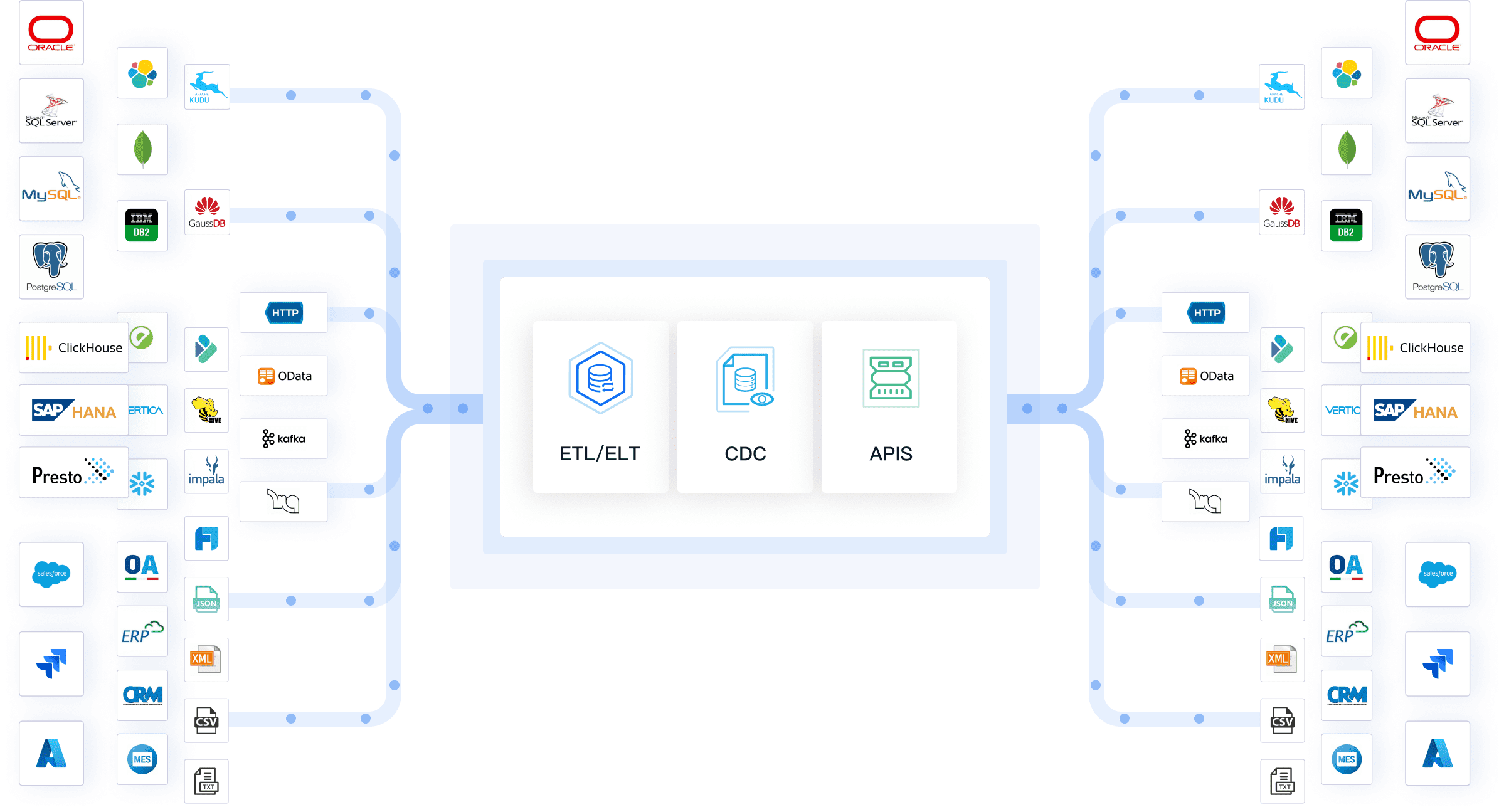
FineDataLink helps you understand your data. You can link data from many places and see it all together. The platform keeps your data fresh and correct, which is important for data integrity.
Communication
Good communication between teams is needed for any business. A logical data model gives everyone the same way to talk about data. You can share ideas and solve problems faster when you all see the same data setup.
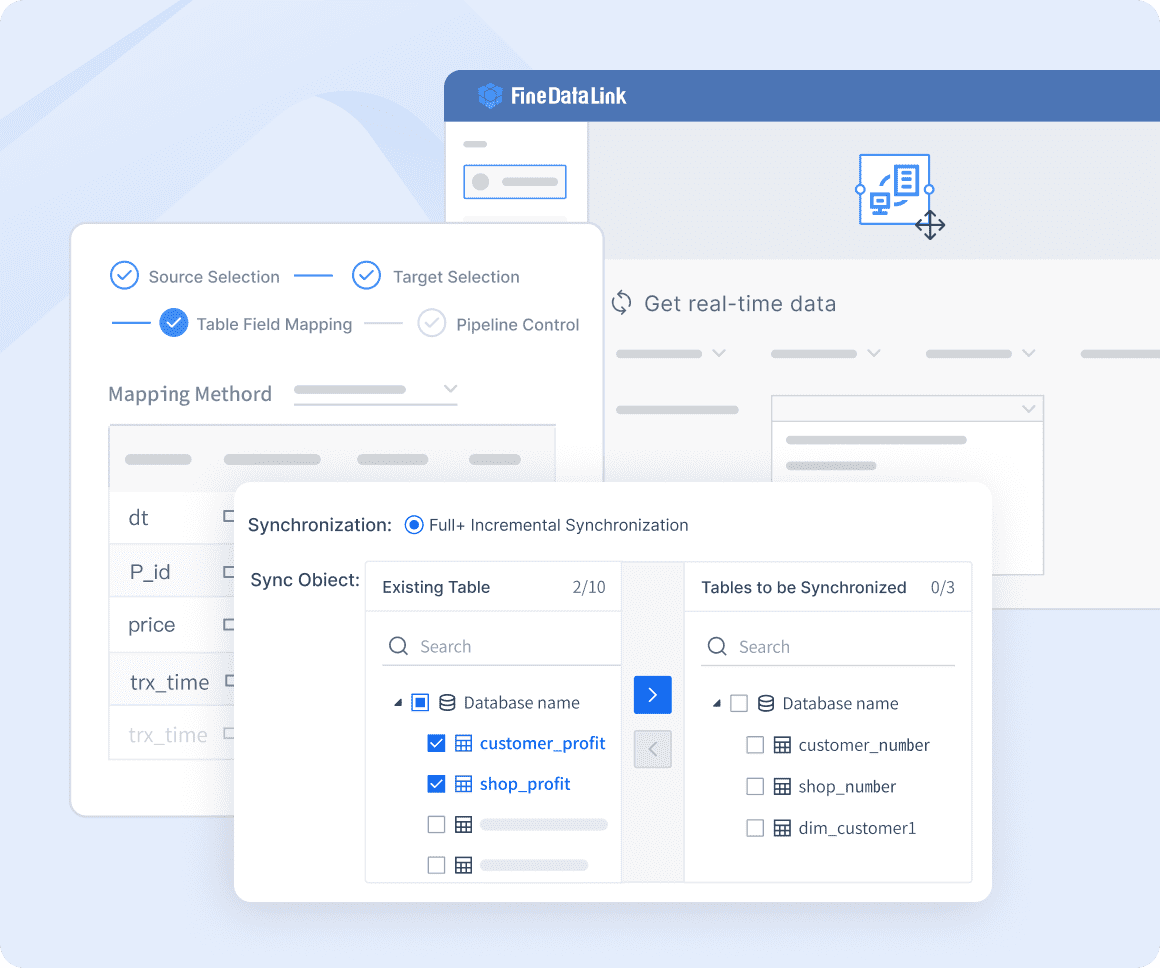
FineDataLink helps by being a main spot for your data. You can use its easy tools to set up data models fast. This makes it simple for both tech and business teams to work together. You do not need to be a coding expert to use it.

Adaptability
Business needs change often. You must change your data models to keep up. A logical data model lets you make changes without starting over. You can add new data or update rules as your business grows.
- Market adaptation: You can change your data models for new market trends. This helps you make better choices.
- COVID-19 response: You can quickly add new health rules to your data model. This keeps your business safe and following the rules.
- Company integration: When companies join, you can mix different data easily. This lowers risk and helps everyone work together faster.
FineDataLink makes this easy. You can link to over 100 data sources and change your models right away. The platform keeps your data current, so you always have the latest information. This helps you keep your data correct even when things change.
Data Quality
Good data is needed for smart business choices. A logical data model helps you keep your data clean and trustworthy. You set clear rules, so there are fewer mistakes and less confusion.
FineDataLink makes your data better by keeping it up-to-date and linking it well. You can trust your data to be correct and fresh. This helps you make good choices every day.
Tip: Using a logical data model with FineDataLink helps you build strong data, better teamwork, and business growth.
Challenges and Solutions of a Logical Model
Complexity
Building a logical model can be hard for your business. Data modeling gets tricky very quickly. You need your model to fit what your business needs. If you forget important things, your data might not help your team. Here are some problems you might run into:
- Sometimes, not enough team members help with data modeling. This means your model might miss what your business really needs.
- If you do not explain entities and relationships well, people get mixed up. This can make mistakes in your data.
- Using different names for the same thing can confuse your team. This makes it easy to make mistakes when joining or mapping data.
- Picking the wrong amount of detail can slow you down. If your model is too simple or too hard, it will not work well.
- If you do not think about how your team uses data, your model may not help your business.
You should plan ahead and ask the right people to help. This way, you can avoid these problems and make a strong logical model.
Maintenance
It is important to keep your logical model updated. As your business changes, your data changes too. You need to update your model to match new rules and needs. Good care keeps your data clean and helpful. Here are some ways to keep your model working well:
Taking care of your model also helps you follow rules and keep data safe. You need to show where your data comes from and how it moves. This makes audits easier and helps your customers trust you.
Tip: Updating your logical model often helps you get ready for new business needs and changes in the law.
FineDataLink by FanRuan
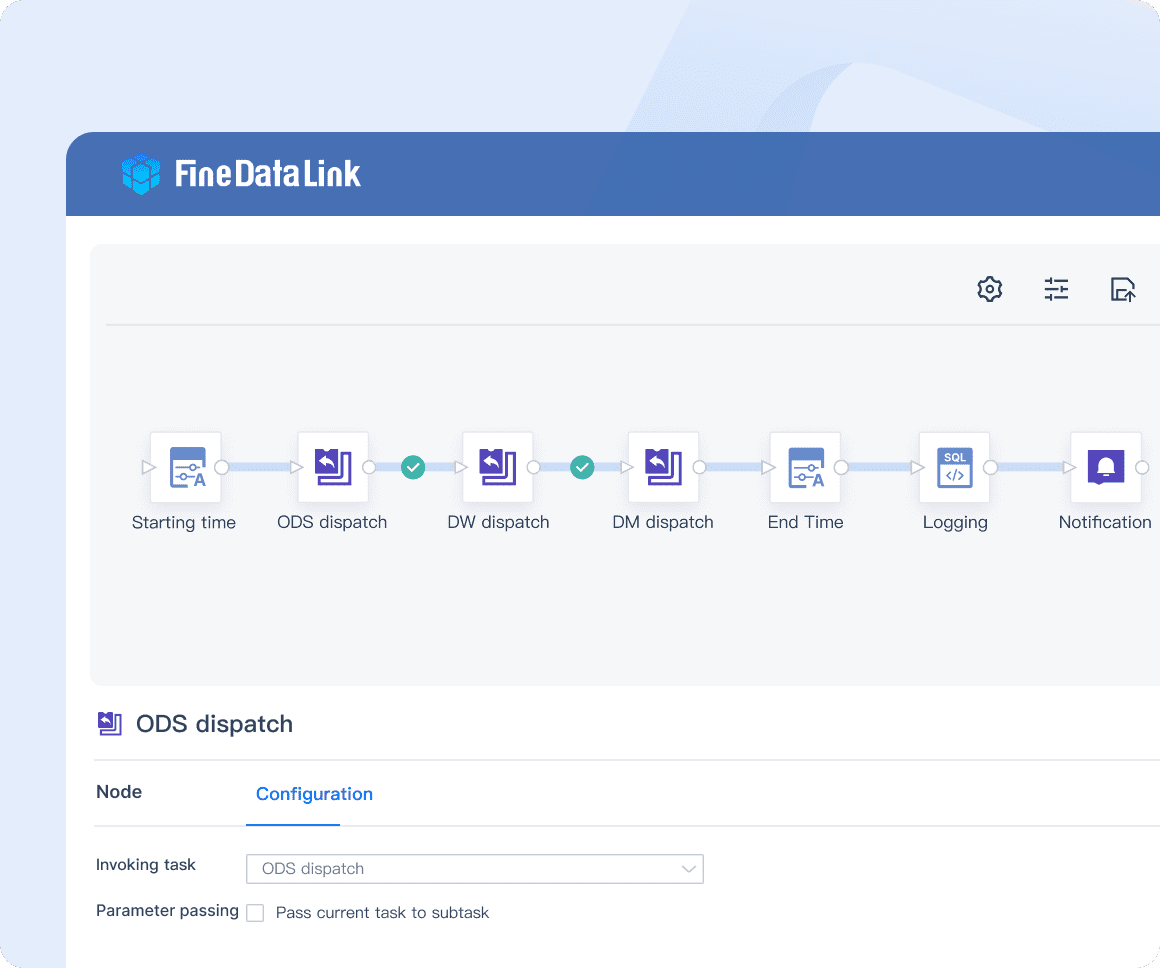
FineDataLink by FanRuan gives you tools to fix many data modeling problems. You can connect and manage data from over 100 sources. The platform uses real-time data integration, so your data stays fresh and correct. You do not need to write code to set up data pipelines or APIs. The visual interface is easy for anyone to use, even if you are not a tech expert.
FineDataLink uses a low-code platform to make data modeling easy. You can handle lots of data and keep things running well. The platform helps you build strong data models that grow with your business.
Real-World Applications of a Logical Model

Industry Examples
Logical data models are used in many fields. These models help you sort and use your data to fix real problems. Here are some ways they help:
- In finance, you use a logical data model to handle transactions and customer data. You also follow rules for compliance. This helps you find fraud and make smart money choices.
- In retail, you sort product, customer, and sales data. This helps you watch inventory and plan marketing for each customer.
- In manufacturing, you track production and supply chain data. This helps you plan better and keep quality high.
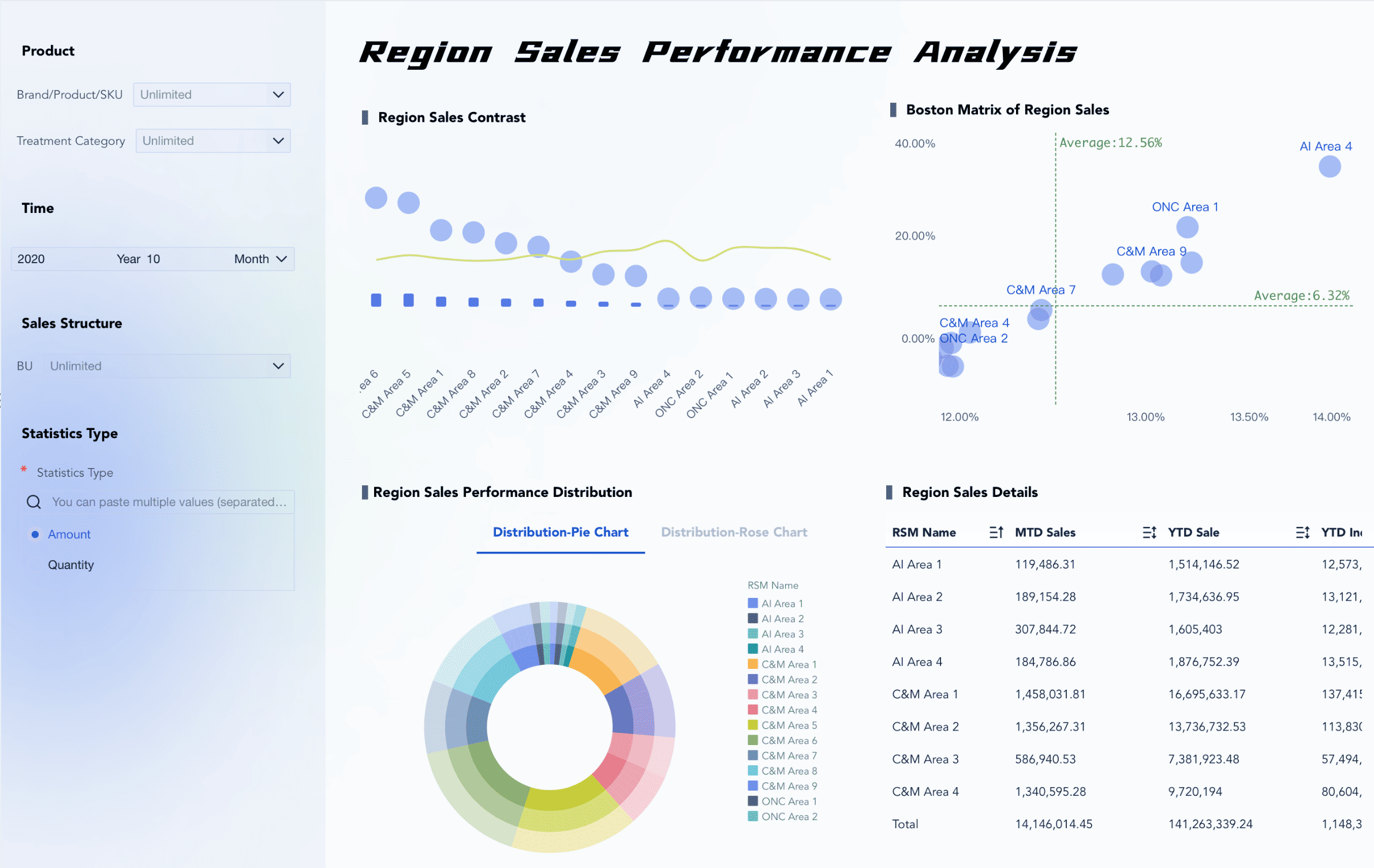
Sales performance dashboard created by FineBI (click to engage)
A logical data model lets you see your data clearly. You can spot trends, fix issues, and make good business choices.
FineDataLink in Action
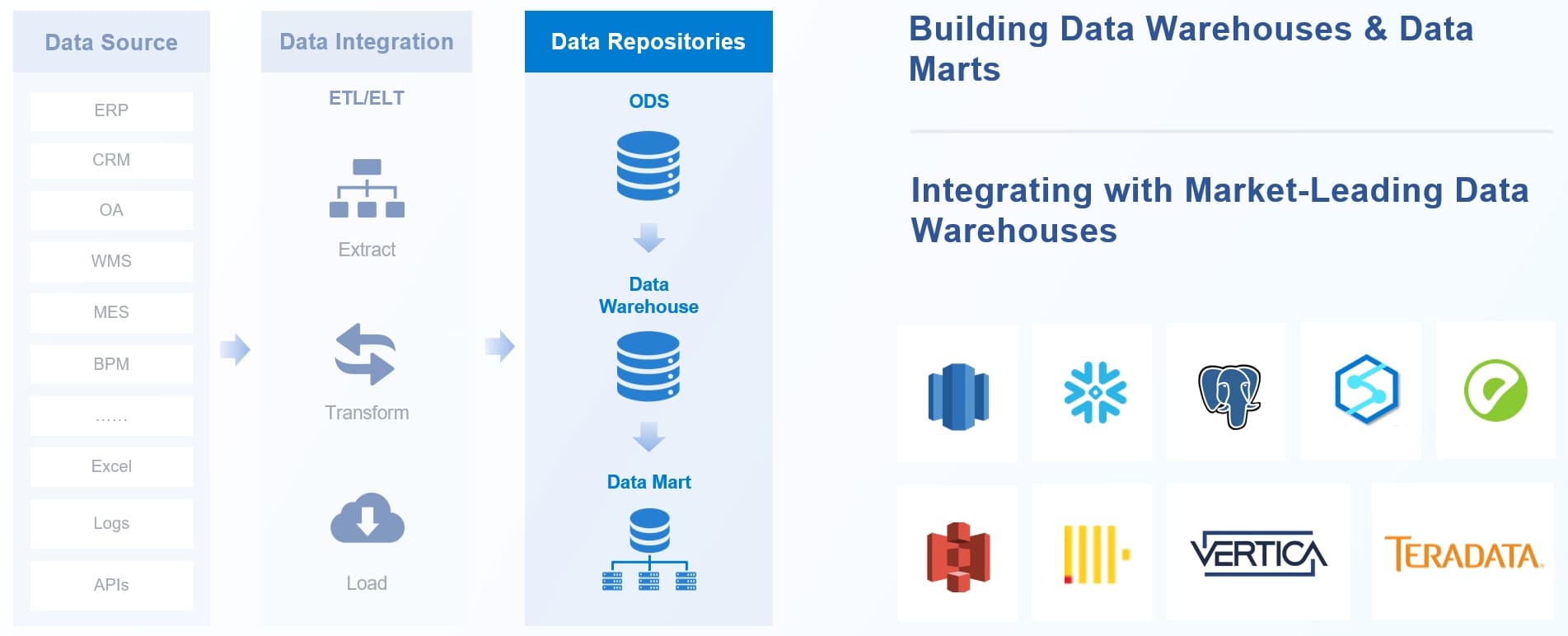
FineDataLink helps you use your logical data model every day. You can join data from many places and keep it current. The platform makes sure your data is ready for reports and decisions. Here is how FineDataLink helps your business:
FineDataLink gives you tools to handle your data with less work. You spend more time using your data and less time fixing problems.
You can see how logical data models and FineDataLink work together. They help you keep your data neat, correct, and helpful every day.
You can use a logical model to sort your data. This helps you make better choices. It lets you see how your business works. You can organize your data in a simple way. This also helps you study your data and learn more. FineDataLink lets you join data from many places. It keeps your data correct and breaks down walls between teams. Experts say you should use business ideas when you build your model. You should also use normalization and plan for growth. The right model helps you handle data and work with others. It also gets you ready for changes in the future.
Tip: Begin with a clear logical model. Use tools like FineDataLink to get the most from your data.
FanRuan
https://www.fanruan.com/en/blogFanRuan provides powerful BI solutions across industries with FineReport for flexible reporting, FineBI for self-service analysis, and FineDataLink for data integration. Our all-in-one platform empowers organizations to transform raw data into actionable insights that drive business growth.
FAQ
What is the difference between a logical model and a physical model?
A logical model helps you plan how to organize and link data. It is used for business needs. A physical model shows how data is saved in a database. You use a logical model first, before building the real system.
Why should you use a logical model in your business?
A logical model makes your data simple to understand. It helps you find missing pieces and work better with your team. It also helps you get ready for changes in your business.
How does FineDataLink help with logical modeling?
FineDataLink lets you join data from many places. You can use its easy tools to make and change logical models fast. You do not have to write any code.
Can you change your logical model if your business grows?
Yes! You can change your logical model whenever you need. FineDataLink helps you add new data or update rules as your business gets bigger.