Below is a quick comparison of the best lawn care reporting software options for businesses that need better scheduling, invoicing, and performance visibility.
Tool
Best For
Scheduling & Routing
Invoicing & Payments
Reporting Depth
Mobile Usability
Team Management
Pricing Transparency
LawnPro
Lawn care companies wanting field-service-specific tools
Strong
Strong
Good
Good
Good
Generally clear
Jobber
Service businesses wanting polished workflows
Strong
Strong
Good
Strong
Good
Clear
Service Autopilot
Scaling lawn care operations
Advanced
Strong
Advanced
Good
Advanced
Demo-based for some tiers
Housecall Pro
Teams needing simple dispatch and payments
Strong
Strong
Moderate
Strong
Good
Fairly clear
Aspire
Established lawn and landscape companies
Advanced
Strong
Very advanced
Good
Advanced
Quote-based
Kickserv
Small teams needing simplicity
Moderate
Strong
Basic to moderate
Good
Moderate
Clear
FieldPulse
Businesses wanting customization
Strong
Strong
Good
Good
Good
Clear
mHelpDesk
Work-order-driven service teams
Strong
Strong
Moderate
Good
Good
Often sales-led
For most buyers, the right lawn care reporting software depends less on a single feature and more on how well the platform balances five daily needs:
Scheduling
Invoicing
Reporting
Mobile access
Crew coordination
Here is the fast shortlist by business stage:
Best for solo operators: LawnPro, Kickserv, Jobber
Best for growing crews: Jobber, Housecall Pro, FieldPulse
Best for multi-route or complex operations: Service Autopilot, Aspire
Best if reporting is your top priority: Aspire, Service Autopilot, FineReport as an analytics layer
A few standout strengths and tradeoffs are worth noting:
LawnPro stands out for lawn-care-focused workflows without feeling overly complex.
Jobber is one of the easiest platforms to adopt for quoting, scheduling, and customer communication.
Service Autopilot offers strong automation, but implementation can take longer.
Aspire delivers the deepest business control, though it is better suited to established operations than very small teams.
Kickserv keeps costs and complexity down, but reporting is lighter.
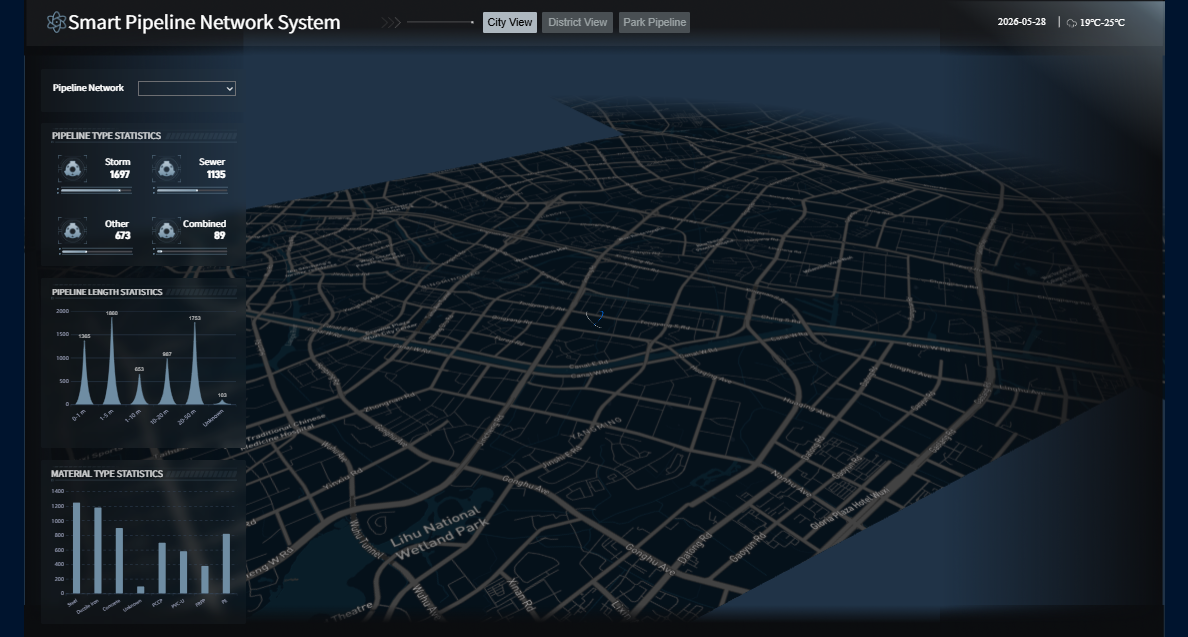
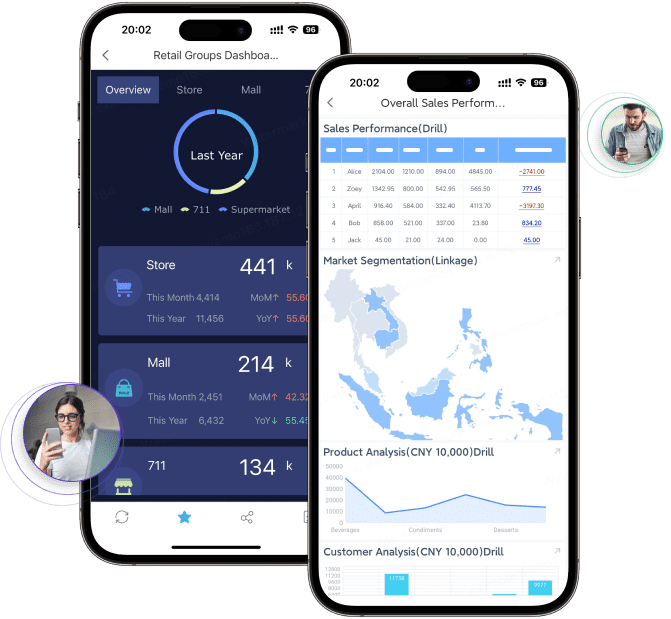
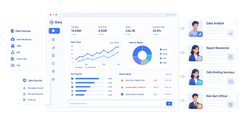
FineReport is especially useful when you want to unify data from your field service stack and build custom dashboards for route efficiency, recurring service revenue, and crew performance.
Click To Try The Dashboard
What to look for in lawn care reporting software
Choosing lawn care reporting software is really about finding a system that reduces admin work while giving you better visibility into operations.
Scheduling and route optimization
Lawn care businesses run on repeatable field execution. The best platforms help you:
Schedule recurring mowing and maintenance visits
Reassign jobs quickly when weather changes
Optimize routes to reduce windshield time
Dispatch the nearest available crew
Avoid missed or duplicated service stops
If your business manages several crews across multiple neighborhoods, route visibility matters as much as calendar scheduling. A tool with map-based dispatch and recurring-job logic will save more time than a basic appointment book.
Invoicing, payments, and estimating
Cash flow is another major decision factor. Strong lawn care reporting software should support:
Fast estimate creation
Approval-to-job conversion
Automated invoicing after service completion
Recurring billing for contract customers
Online card or ACH payments
Payment reminders and account tracking
For lawn maintenance businesses, recurring invoicing can be especially valuable because it reduces manual billing for repeat work and helps stabilize monthly collections.
Reporting dashboards and business visibility
Reporting depth separates basic software from true management software. At minimum, look for reporting on:
Revenue by service type
Jobs completed vs. scheduled
Recurring service retention
Outstanding invoices
Crew productivity
Route efficiency
Job profitability
This is where FineReport deserves special attention. If your field service software has useful but limited native reporting, FineReport can help create custom dashboards across departments. For example, you can combine scheduling exports, invoice data, and payroll inputs into one visual reporting layer for owners and office managers.
Because lawn care work happens in the field, mobile usability is critical. Good mobile apps should let crews:
View daily schedules
Open customer notes and property details
Mark jobs in progress or complete
Capture photos or notes
Collect signatures or payments
Receive route updates without phone calls
The office side also benefits when updates sync in real time. That improves customer communication, reduces dispatch confusion, and creates cleaner reporting data.
If you expect to grow, choose software that can support additional crews, service lines, and reporting needs without forcing a full system change in a year.
8 best lawn care reporting software tools compared
1. LawnPro
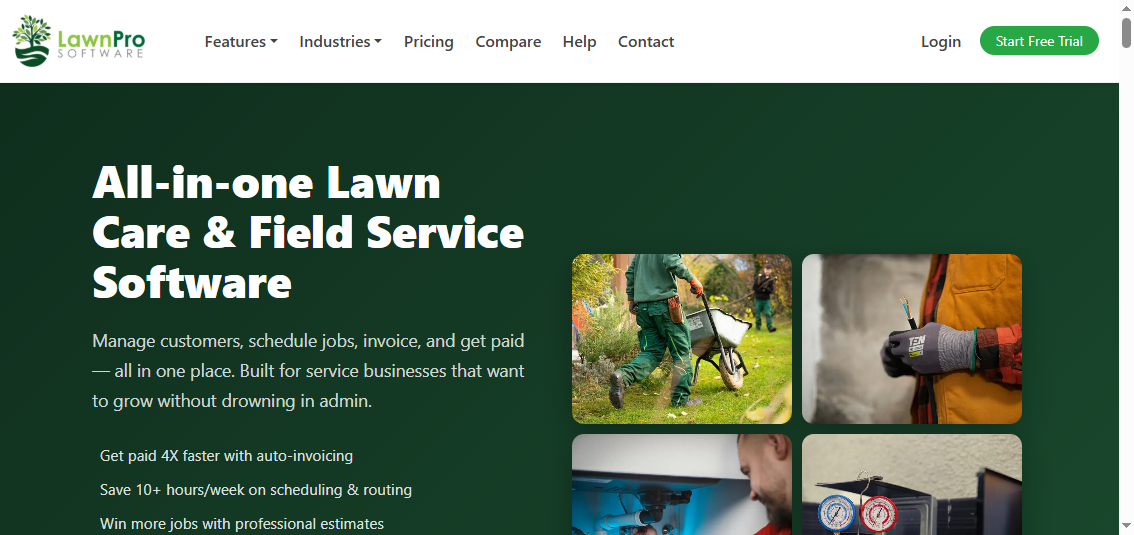
One-sentence overview: LawnPro is a field-service-focused platform built for lawn care and similar service businesses that need core scheduling, invoicing, routing, and reporting in one place.
Key Features:
Recurring job scheduling
Drag-and-drop calendar
Routing and dispatch support
Estimates and invoicing
Online payments
Customer CRM and history
Crew views and time tracking
Core reporting dashboards
Pros & Cons:
Pros:
Purpose-built for lawn care and field service workflows
Good balance of usability and operational depth
Supports recurring services well
Helpful for small to midsize teams
Cons:
Reporting is solid, but not as customizable as dedicated BI tools like FineReport
Best For (Target user/scenario): Lawn care businesses that want industry-aligned software with practical reporting and day-to-day job management.
LawnPro is one of the strongest fits for buyers specifically searching for lawn care reporting software rather than general contractor software. Its feature set centers on the daily needs of mowing, maintenance, routing, estimates, and repeat invoicing.
From a reporting standpoint, LawnPro covers the fundamentals well. Owners can track jobs, payments, and business activity without stitching together spreadsheets. For many small and midsize operators, that is enough. If your team later needs multi-source dashboards or more advanced performance reporting, FineReport can complement LawnPro by turning exported data into more tailored management views.
2. Jobber
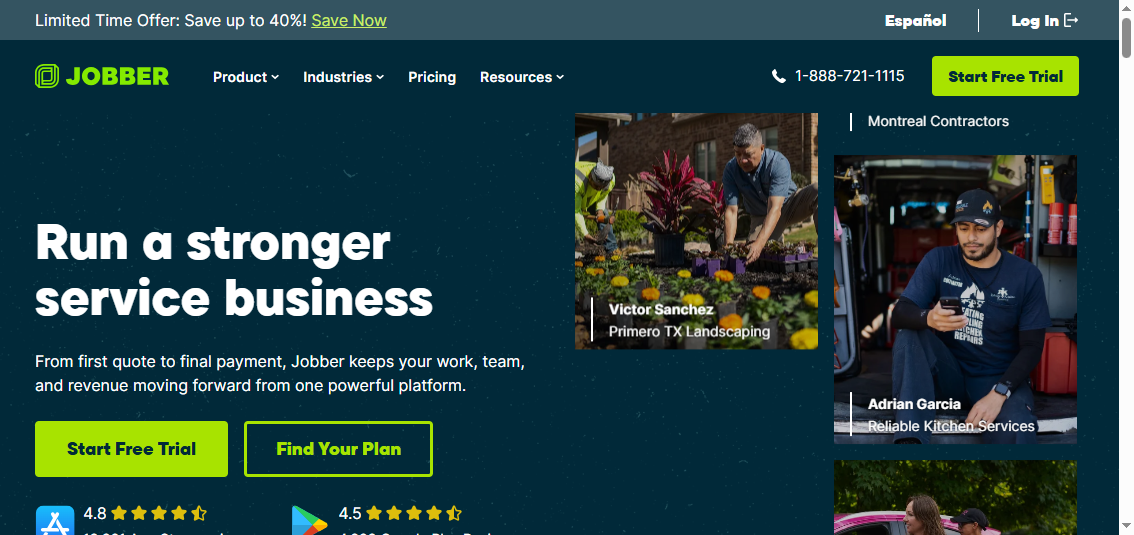
One-sentence overview: Jobber is a polished service management platform that combines scheduling, quoting, invoicing, and customer communication in an easy-to-use system.
Key Features:
Quotes and approvals
Schedule and dispatch board
Recurring jobs
Automated invoicing and follow-ups
Client hub and messaging
Mobile app for field teams
Revenue and job reporting
Pros & Cons:
Pros:
Clean interface and fast onboarding
Strong customer communication tools
Good automation for estimates and invoices
Well suited to service teams that value simplicity
Cons:
Reporting is useful, but deeper custom analytics may be limited
Can become expensive as teams grow and add features
Best For (Target user/scenario): Service businesses and lawn care companies that want a refined, easy-to-manage workflow for office and field operations.
Jobber is often shortlisted because it handles the entire front-to-back service cycle smoothly. Scheduling, quotes, invoices, reminders, and client interactions feel tightly connected, which matters for businesses trying to reduce office friction.
For reporting, Jobber gives owners enough visibility into revenue, jobs, and team activity for routine decision-making. However, if you need custom KPI dashboards by route, crew, or service package, pairing Jobber data with FineReport can create stronger executive reporting than native dashboards alone.
3. Service Autopilot
One-sentence overview: Service Autopilot is a more advanced lawn care operations platform designed for larger or fast-scaling businesses that need deeper automation and control.
Best For (Target user/scenario): Growing lawn care companies that need automation, route control, and stronger reporting across a larger team.
Service Autopilot is a serious contender for businesses that have outgrown lightweight scheduling apps. It is better suited to owners who want systems and repeatability, not just a digital calendar.
Its reporting tends to be stronger than simpler tools, especially when paired with automation and recurring service management. For companies that want even more board-level visibility, FineReport can sit on top of Service Autopilot outputs to build custom profitability, route density, and crew utilization reports.
4. Housecall Pro
One-sentence overview: Housecall Pro is an easy-to-adopt field service platform for teams that want scheduling, dispatch, invoicing, and payments in one system.
Key Features:
Scheduling and dispatch
Estimates and invoices
Online payments
Customer notifications
Technician mobile app
Reporting dashboards
Automated reminders
Pros & Cons:
Pros:
Friendly interface for office staff and techs
Strong payments and invoicing workflow
Good mobile functionality
Useful for businesses moving off manual processes
Cons:
Not as lawn-care-specific as some alternatives
Reporting is practical, but not deeply granular
Best For (Target user/scenario): Lawn service teams that want broad field service functionality without heavy implementation.
Housecall Pro works well for companies that care most about reducing administrative drag. Scheduling and customer payment workflows are straightforward, and crews can stay aligned through the mobile app.
If your reporting needs are mostly around daily activity, invoice status, and team scheduling, Housecall Pro can be enough on its own. For more advanced operational reporting, FineReport can add custom dashboards without requiring you to change field software.
5. Aspire
One-sentence overview: Aspire is a robust business management platform for established lawn and landscape companies that need detailed reporting, job costing, and financial control.
More complex and likely more expensive than SMB-focused tools
Overkill for solo operators or very small teams
Best For (Target user/scenario): Established lawn and landscape businesses that want high-control operations and deeper business insight.
Aspire is one of the strongest options if reporting is central to your buying decision. It goes beyond basic dispatch and billing by offering stronger job costing and business control than many SMB tools.
That said, companies with highly specific reporting requirements may still want FineReport alongside Aspire. FineReport can help standardize dashboards across branches, service categories, and management roles, especially when you need highly customized views for finance, operations, and ownership.
6. Kickserv
One-sentence overview: Kickserv is a simpler service management tool for smaller teams that need basic scheduling, invoicing, and customer/job tracking without major complexity.
Reasonable fit for businesses replacing spreadsheets
Cons:
Reporting is lighter than more specialized platforms
Less suitable for larger, more operationally complex teams
Best For (Target user/scenario): Small lawn care businesses that want a budget-conscious platform for scheduling and invoicing.
Kickserv is attractive when simplicity matters more than feature depth. It handles the basics without overwhelming small operators.
The tradeoff is reporting. If your business starts demanding better KPI visibility, FineReport can help extend Kickserv’s value by building more decision-ready reports on top of exported operational data.
7. FieldPulse
One-sentence overview: FieldPulse is a flexible field service management platform that supports customizable workflows, technician coordination, and reporting.
Industry-specific lawn care features may not be as deep as dedicated platforms
Best For (Target user/scenario): Lawn care and service companies that want more configurable workflows than basic scheduling platforms provide.
FieldPulse is a good middle-ground choice. It is not the simplest tool on this list, but it offers more room to shape processes around your business.
For reporting, it can handle many common management needs. Businesses wanting more sophisticated cross-functional dashboards can use FineReport to merge FieldPulse data with accounting, payroll, or CRM inputs.
8. mHelpDesk
One-sentence overview: mHelpDesk is a field service platform centered on work orders, dispatch, invoicing, and operational visibility.
Key Features:
Work order management
Scheduling and dispatch
Estimates and invoicing
Mobile field updates
Customer records
Reporting dashboards
Recurring maintenance support
Pros & Cons:
Pros:
Strong work-order orientation
Useful operational visibility for dispatch-heavy teams
Covers core office-to-field workflows
Supports repeat service models
Cons:
Interface preferences may vary by user
Reporting is useful but may not satisfy highly analytical teams
Best For (Target user/scenario): Businesses that prioritize dispatch, work orders, and service execution tracking.
mHelpDesk can work well for lawn maintenance businesses that think in terms of dispatch and service tickets. It gives managers a practical way to keep jobs moving while maintaining visibility into status changes.
For advanced reporting use cases, especially around profitability, crew trends, or branch comparisons, FineReport can provide a more customizable analytics layer.
Which lawn care software is best for your business type
Best for solo operators and small teams
If you run a one-person business or a small crew, your priorities are usually straightforward:
Affordable monthly cost
Easy scheduling
Fast estimate-to-invoice workflow
Mobile access in the field
Minimal setup time
The strongest options here are:
LawnPro for lawn-care-focused workflows
Kickserv for simplicity and affordability
Jobber for polish and customer communication
For this group, heavy reporting usually is not the first priority. Still, as the business grows, having a reporting add-on like FineReport can help owners understand which properties, service types, or neighborhoods generate the best margins.
Best for growing lawn care businesses
Growing businesses need more than basic invoicing. They typically need:
At this stage, reporting starts to influence hiring, pricing, and route decisions. FineReport becomes more valuable here because it can centralize operational and financial data into management dashboards that support growth planning.
Best for larger operations with multiple crews
Larger lawn care businesses usually need more sophisticated control across routes, finances, and back-office processes. Priorities often include:
Advanced route management
Job costing
Multi-crew visibility
Contract and recurring revenue tracking
Department-level reporting
Executive dashboards
The strongest fits are:
Service Autopilot
Aspire
For companies at this level, native reports are often not enough on their own. FineReport is particularly useful as a reporting and dashboard layer because it can consolidate data across software systems and turn it into role-based insights for owners, dispatchers, operations managers, and finance teams.
If you want the best overall lawn care reporting software for balanced field operations, LawnPro is one of the strongest choices for businesses that want lawn-care-specific scheduling, invoicing, and practical reporting in one platform.
If you want the best budget-friendly option, Kickserv is worth considering for small teams that want core functionality without a steep learning curve.
If advanced reporting and financial visibility are the top priority, Aspire is the strongest all-in-one option on this list, while FineReport is the best choice when you need to enhance reporting across almost any software stack.
The best buying decision comes down to your current workflow:
Choose a simpler platform if you mainly need scheduling and invoicing.
Choose a more advanced system if you manage recurring routes, multiple crews, and tighter margins.
Choose a flexible reporting layer like FineReport if your operational data is spread across multiple systems or your native reports are too limited.
Before committing to a demo or subscription, ask these questions:
How well does the software handle recurring lawn maintenance?
Can crews update job status easily from the field?
What reports are available out of the box?
Can I track revenue, route performance, and crew productivity?
Does it integrate with accounting tools?
Will it still fit if I double my crew count next year?
Can I export data into a platform like FineReport for custom dashboards?
The right lawn care reporting software should not just help you book jobs. It should help you understand your business, improve route efficiency, speed up payments, and make better growth decisions with less guesswork.
FAQs
For small teams, LawnPro, Kickserv, and Jobber are often the easiest starting points because they balance scheduling, invoicing, and basic reporting without too much complexity. The best choice depends on whether you value simplicity, mobile usability, or room to grow.
It should include scheduling, routing, invoicing, payment collection, mobile access, and reports for revenue, crew productivity, and job completion. If you manage recurring services, recurring billing and route visibility are especially important.
Good tools let you set recurring jobs in advance and quickly reassign visits when weather, delays, or urgent requests change the day. Map-based dispatch and live crew updates help reduce missed stops and wasted drive time.
Yes, FineReport can work as a reporting layer alongside your current field service tools if you need deeper dashboards than the built-in reports provide. It is especially useful for combining scheduling, invoicing, payroll, and performance data in one place.
Aspire and Service Autopilot are strong options for larger lawn care businesses that need deeper reporting, automation, and multi-crew visibility. If you want even more customized analytics, FineReport can extend reporting across your software stack.
Product Trial
FineReport
Pixel-perfect reports · Interactive dashboards · Easy data entry · Digital twins