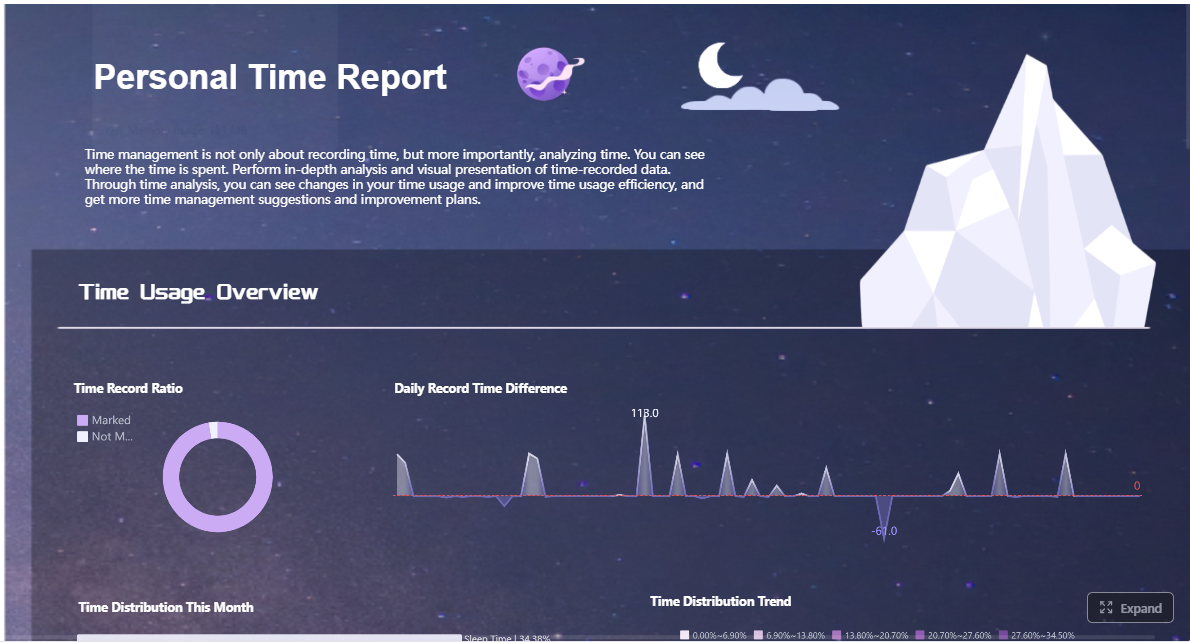
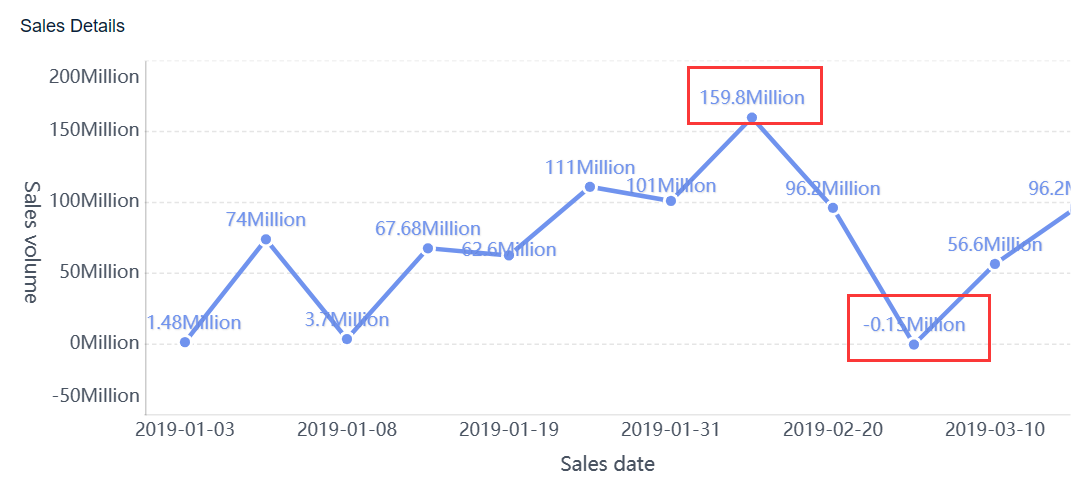
A daily dashboard is a simple, high-visibility view of the few metrics your team needs to review every morning to understand performance, spot risk early, and decide what to do next. For operations teams, that matters because most daily problems are expensive when discovered too late: backlog grows, service levels slip, customer issues stack up, and teams lose time debating priorities instead of acting on them.
If you manage operations, customer support, sales, or service delivery, a daily dashboard gives you a faster start to the day. Instead of waiting for weekly reporting, you can identify exceptions in real time, align owners around the right actions, and prevent small issues from becoming end-of-week surprises.
Click To Try The Dashboard
What a daily dashboard is and why operations teams use one every morning
A daily dashboard is a compact performance view updated at least once per day, often before the workday begins. It is designed for action, not historical analysis. The purpose is to answer a few critical questions quickly:
What changed since yesterday?
Where are we off target?
What needs attention first?
Who owns the response?
That is what makes a daily dashboard different from weekly or monthly reporting. Weekly and monthly reports are useful for trend analysis, planning, and executive review. A daily dashboard is operational. It supports immediate decision-making.
How a daily dashboard differs from weekly or monthly reporting
A daily dashboard is built for speed and intervention. Weekly and monthly reports are built for reflection and optimization.
Here is the practical difference:
Daily dashboard: Helps teams take action today
Weekly reporting: Helps managers review patterns and team performance
Monthly reporting: Helps leaders assess strategy, budgets, and broader outcomes
In other words, if a metric should trigger a same-day response, it belongs on a daily dashboard. If it only informs quarterly planning, it probably does not.
Why teams review it every morning
The morning review matters because it sets direction before distractions take over. A well-designed daily dashboard helps teams:
Spot issues early before they affect customers or revenue
Align priorities across managers and frontline leads
Reduce meeting time by showing the facts upfront
Improve accountability by tying signals to owners
Make faster decisions with current data instead of assumptions
For operations leaders, the real business value is consistency. When the team starts each day from the same source of truth, execution improves.
Which teams benefit most from a daily dashboard
While the term daily dashboard can apply broadly, it is especially valuable for teams with fast-moving workflows and measurable daily output.
The strongest use cases include:
Operations teams: Monitor throughput, backlog, staffing, utilization, and service levels
Customer support teams: Track ticket volume, response times, escalations, resolution rates, and CSAT signals
The core metrics to include in a practical morning dashboard
A useful daily dashboard is not a giant scorecard. It is a focused decision tool. Most teams should start with five to eight metrics that directly affect daily execution.
Key Metrics (KPIs)
Below are the core KPI categories most operations teams should consider for a practical morning dashboard:
Throughput: The volume of work completed in the prior day or current period
Backlog: The amount of open work still waiting to be completed
Cycle time: The average time it takes to complete a unit of work from start to finish
Capacity: The amount of work the team can realistically handle today
Utilization: How much of available team capacity is currently being used
Service level or SLA adherence: Whether the team is meeting required response or delivery standards
Sales pace: Progress toward daily, weekly, or monthly revenue targets
Conversion rate: The percentage of leads, opportunities, or interactions that move to the next stage
Churn signals: Early warning indicators of customer drop-off, cancellations, or declining engagement
Customer satisfaction: A quick read on customer experience through CSAT, NPS-related pulse data, or feedback trends
Response time: How quickly the team replies to customer or internal requests
Daily priorities: The top tasks or objectives that must be completed today
Blockers: Issues preventing progress, such as approvals, staffing shortages, or system failures
Overdue work: Tasks or cases that have missed the planned completion date
Ownership status: Clear assignment of who is responsible for each priority or exception
Operational health metrics
Operations teams need leading indicators, not just lagging results. These metrics show whether the team is on track before the day gets away from them.
Common operational health metrics include:
Throughput: How much work was completed yesterday and whether output is rising or falling
Backlog: Whether open work is building faster than the team can resolve it
Cycle time: Whether tasks are moving efficiently through the workflow
Capacity: Available staff hours, shift coverage, machine time, or team availability for today
Utilization: Whether resources are underused or overloaded
Service level indicators: Missed SLAs, queue wait times, dispatch times, or on-time completion rates
These metrics help operations managers answer a crucial question: can the team absorb today’s demand without compromising quality or speed?
Revenue and customer performance metrics
Not every daily dashboard needs revenue data, but most customer-facing teams should include at least a few commercial and experience signals.
Important daily metrics in this category include:
Sales pace: Whether the business is on track against target at this point in the month or quarter
Conversion trends: Daily movement in lead-to-demo, demo-to-close, or quote-to-order conversion
Customer satisfaction: Same-day or rolling feedback signals that reveal service quality
Response times: First response time, average handle time, callback delays, or time to resolution
These indicators connect daily execution to business outcomes. That is important because a daily dashboard should not only track activity. It should show whether activity is producing results.
Task and execution metrics
For many teams, a daily task dashboard is the operational layer that turns strategy into visible work.
The most practical task and execution metrics include:
Daily priorities: The top few deliverables the team must finish today
Blockers: Constraints that need escalation or support
Overdue work: Tasks, orders, or tickets that are already behind schedule
Ownership status: Named owners for every critical item or exception
Completion status: Progress against today’s must-do work
This category is often what makes a daily dashboard actionable. Without clear tasks and owners, metrics become passive observations instead of management tools.
How to design a dashboard people will actually use every day
A daily dashboard only works if people open it, trust it, and know what to do after reading it. Design matters because overloaded dashboards get ignored.
Keep the layout fast to scan
A morning dashboard should be readable in under two minutes. That means the most urgent information should appear first.
Best practices for layout:
Put exceptions and alerts at the top
Highlight metrics that are off target with clear visual signals
Group related KPIs into simple sections
Use concise labels and consistent formatting
Limit the primary screen to the few numbers that drive action
Teams do not need a wall of charts at 8:00 a.m. They need clarity. If everything is emphasized, nothing stands out.
Choose the right level of detail
One of the biggest dashboard design mistakes is trying to serve every audience with a single crowded page.
A better approach is layered visibility:
Leadership view: Summary KPIs, trend direction, major exceptions
Manager view: Team- or queue-level breakdowns, ownership, and operational alerts
The summary should answer, “What is happening?” Drill-downs should answer, “Where is it happening and who needs to respond?”
Build a morning review routine
Even the best daily dashboard fails without a review habit. A dashboard is not just a visual. It is part of an operating rhythm.
A strong morning review routine includes:
A consistent review time every day
A clear owner for each KPI or section
A standard way to flag red or yellow signals
Agreed actions for each type of issue
A follow-up checkpoint to confirm progress
This is where dashboards become management systems rather than reporting tools.
4 best practices to implement a daily dashboard successfully
Here is the consultant view: keep implementation simple, disciplined, and operationally grounded.
1. Start with one decision, not one hundred metrics
Define the main daily business question first. Examples:
Are we staffed correctly for today’s workload?
Which accounts or tickets are at risk this morning?
Are we pacing toward revenue target?
What must be escalated before 10:00 a.m.?
Then choose only the metrics needed to answer that question.
2. Standardize definitions before rollout
If backlog, utilization, or response time mean different things to different managers, adoption will fail. Create one agreed definition for every KPI and one update schedule for the entire team.
3. Assign action owners to every exception
A daily dashboard should not just show that something is wrong. It should show who is responsible for responding. Red metrics without owners create noise, not accountability.
4. Build alerts around thresholds that matter
Do not alert on every fluctuation. Set thresholds that signal meaningful operational risk, such as SLA breach likelihood, conversion drop, staffing shortfall, or high-priority overdue work.
Common dashboard formats and examples across tools and industries
A daily dashboard can live in many forms. The right format depends less on sophistication and more on whether your team will reliably use it every morning.
Business and productivity dashboard examples
Teams typically choose from three broad formats:
Web-based daily dashboard app: Best for shared visibility, live data, automated refresh, and multi-user access
Spreadsheet-based tracker: Useful for fast setup, lower complexity, and teams still validating what to measure
Notebook-based routine: Works for personal reflection or small-team planning, but scales poorly for business operations
A web-based dashboard is usually the best option when teams need consistent updates, low manual effort, and role-based visibility. Spreadsheets can work early on, especially for pilot use cases. Manual notebook routines may support discipline, but they are not ideal when operational speed, auditability, and shared ownership matter.
Industry-specific dashboard examples
Different industries use the daily dashboard concept in different ways, but the pattern is similar: review what matters most before the day unfolds.
Examples include:
Location-based field teams: Daily activity dashboards often track jobs scheduled, route completion, technician productivity, and service delays
Dental practices: AI-assisted dashboard views may flag patients requiring prep, opportunities for additional treatment, schedule efficiency gaps, and provider productivity signals
Support teams: Communication-focused dashboards can consolidate ticket queues, response times, escalation trends, and customer sentiment into one operational view
The takeaway is not the industry-specific terminology. It is the structure: daily visibility, clear exceptions, and immediate action paths.
Personal and team habit dashboards
Some people use a daily dashboard for personal mindfulness, planning, or habit tracking. That can be useful for individual productivity, but operations teams need a stronger link to business outcomes.
For enterprise teams, the dashboard should prioritize:
Operational execution
Customer impact
Revenue risk
Resource allocation
Ownership and follow-up
The more closely the dashboard maps to measurable business performance, the more valuable it becomes.
Mistakes to avoid when building a daily dashboard
Most dashboard failures are not technology failures. They are prioritization failures.
Tracking too many metrics
The most common mistake is dashboard bloat. Teams include every available metric, then bury the few that actually matter in the morning.
Avoid this by asking:
Would we act differently today if this number changed?
Does this signal require daily review?
Is this metric directly tied to performance, risk, or customer impact?
If the answer is no, remove it.
Using stale data or unclear definitions
A daily dashboard loses trust quickly when the numbers are outdated or inconsistently calculated. If updates happen at different times across systems, morning users will question every KPI.
To prevent this:
Set a fixed refresh window
Document metric definitions
Validate calculations before rollout
Show last updated time clearly
Trust is the foundation of dashboard adoption.
Failing to link metrics to actions
A dashboard is not complete until each signal has a response path. If backlog spikes, what happens next? If conversion drops, who investigates? If response time increases, what gets reprioritized?
Every critical metric should connect to:
An owner
A threshold
A response action
A review cadence
Without this, the dashboard becomes an information display rather than an operating tool.
How to get started with your first daily dashboard
The best first version of a daily dashboard is small, practical, and easy to maintain. Do not wait for perfect data architecture before proving value.
Start small and refine quickly
Choose one business goal for the first version. Then select five to eight metrics that directly support it.
A strong pilot approach looks like this:
Pick one team or workflow
Define one primary daily objective
Select five to eight KPIs
Run the dashboard for two weeks
Review what drove action and what did not
This creates fast feedback and avoids overengineering.
Decide where your dashboard will live
The best dashboard is the one your team will actually open every morning. Accessibility matters as much as feature depth.
Choose a tool based on:
How often the team already uses it
Whether data updates can be automated
How easily managers can drill down
How quickly users can access it from desktop or mobile
Whether ownership and alerts can be embedded into the workflow
Low-friction access is essential. If users have to dig for the dashboard, adoption will drop.
Review, improve, and scale
After the first two weeks, evaluate what worked.
Ask questions like:
Which metrics changed decisions?
Which visuals slowed people down?
Which KPIs caused confusion?
What alerts were ignored?
What should be removed before anything new is added?
Then improve in phases. Remove low-value metrics first. Add segments, filters, or alerts only when the team is ready for them. Scale by use case, not by dumping more data on the same screen.
Build your daily dashboard faster with FineBI
Building a reliable daily dashboard manually is more complex than it looks. You need clean data pipelines, consistent KPI definitions, automated refreshes, role-based views, and a design that people will actually use every morning. That is a lot to maintain with spreadsheets or disconnected reporting tools.
This is where FineBI becomes the practical choice for enterprise teams.
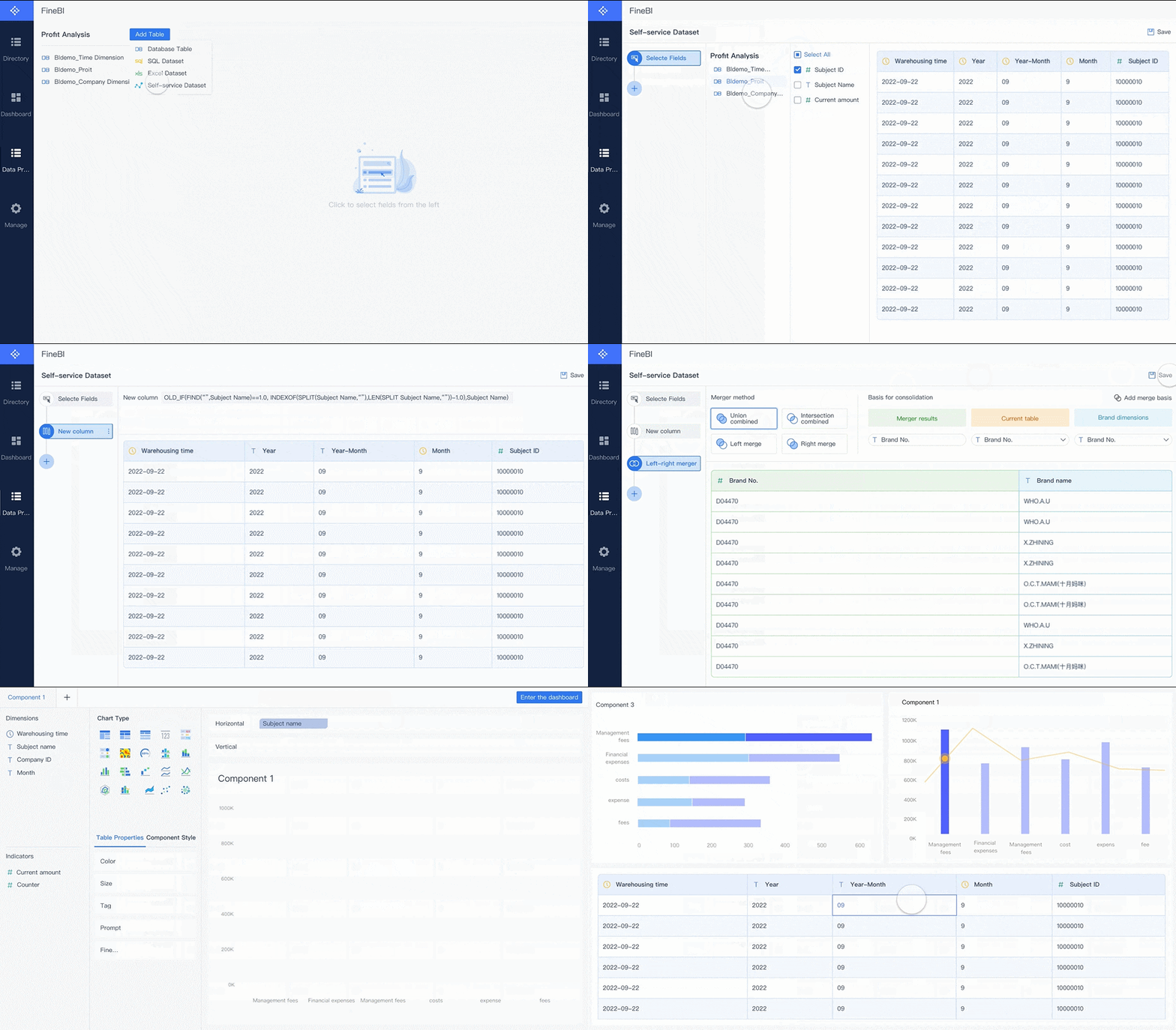
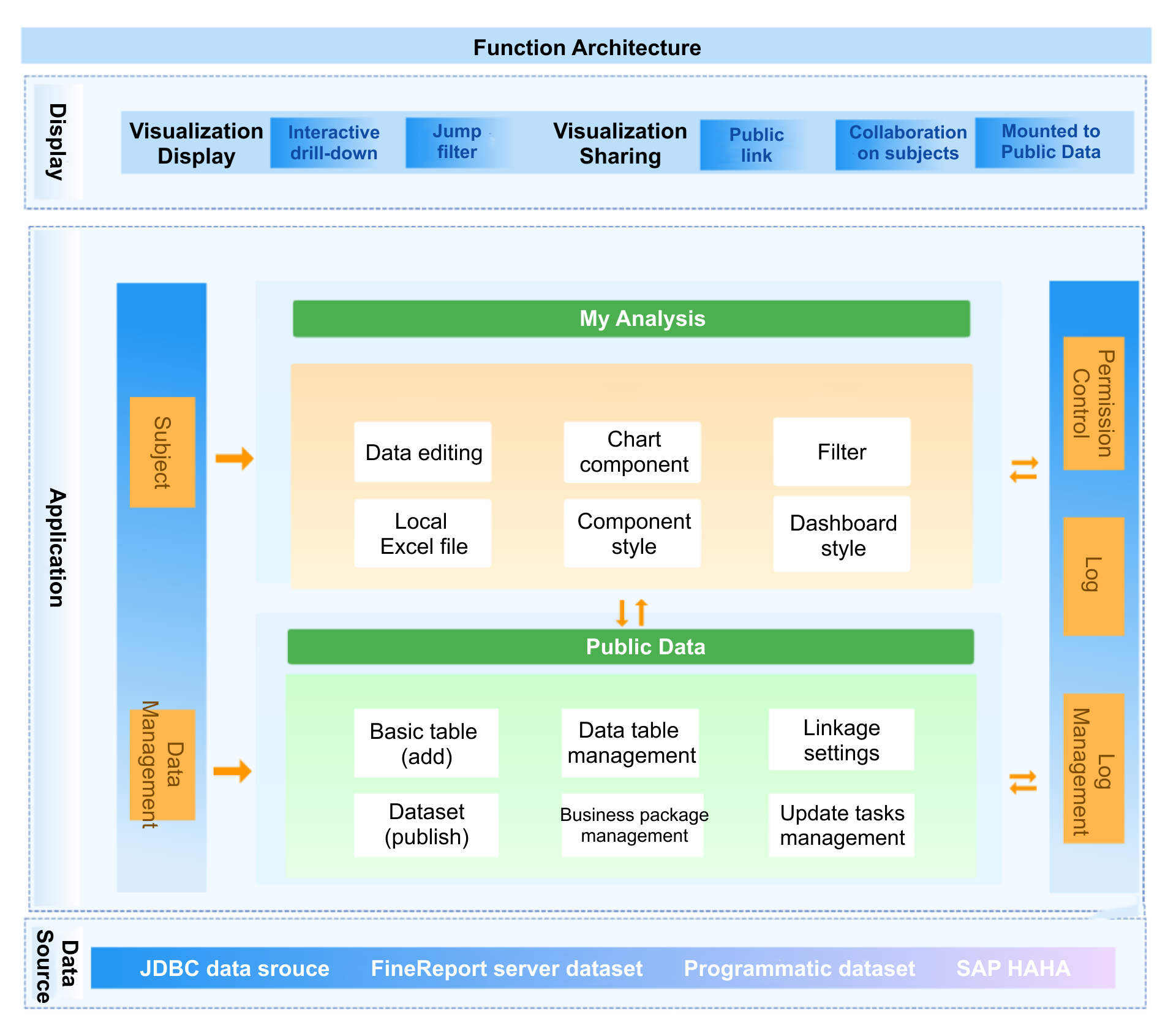
Instead of stitching the process together by hand, use FineBI to build a daily dashboard with ready-made templates, self-service analysis, and automated workflows that reduce manual reporting effort. Operations leaders can create clear morning views for throughput, backlog, capacity, service levels, sales pace, customer response times, and daily task dashboard tracking without forcing analysts to rebuild reports every day.
Connect data from multiple business systems into one trusted dashboard
Standardize KPI definitions across departments
Automate updates so morning reviews use current data
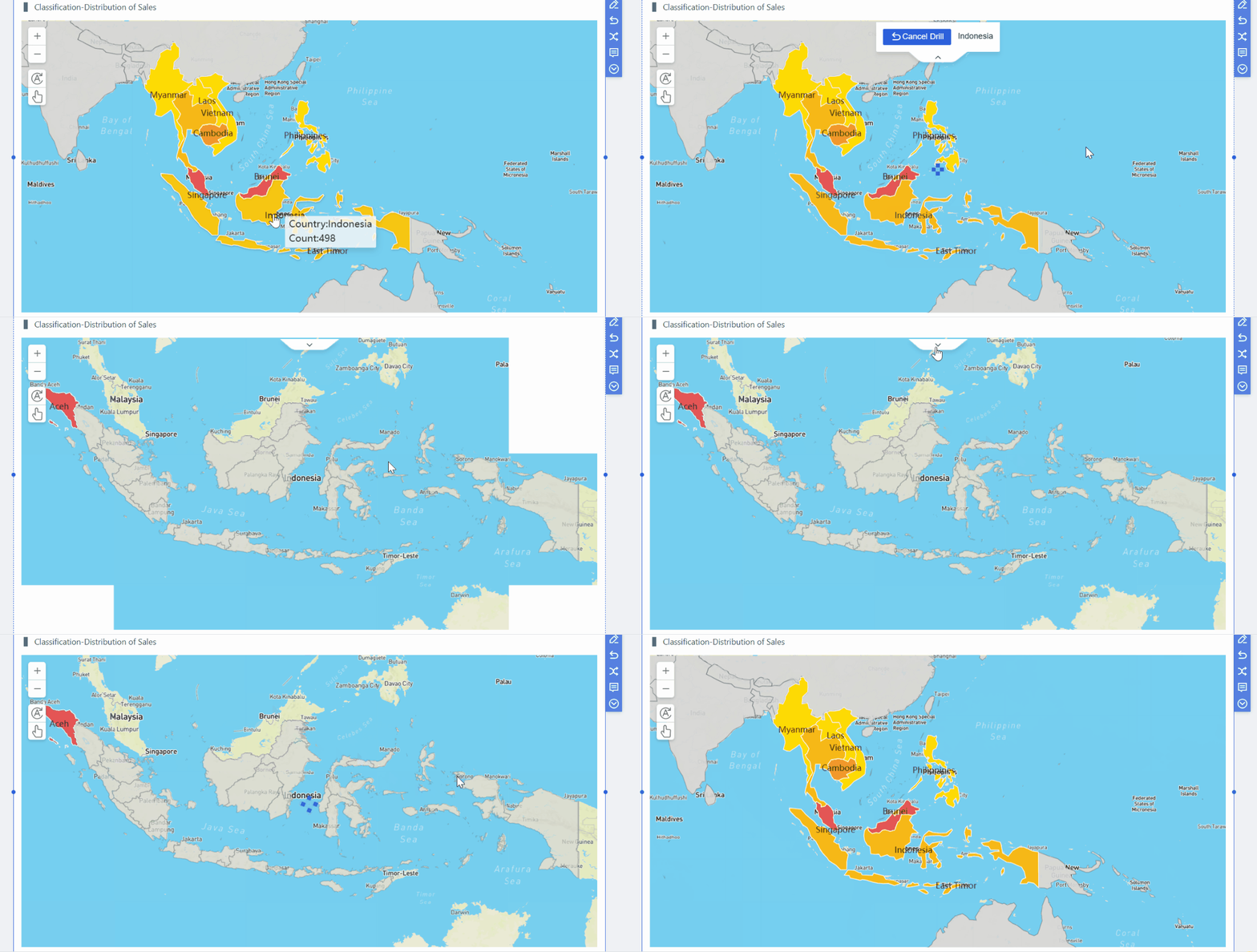
Create drill-down views for leadership, managers, and frontline teams
Use templates to launch faster and scale with less complexity
Turn dashboards into repeatable operating routines instead of one-off reports
If your goal is to make every morning review faster, sharper, and more actionable, a daily dashboard is the right operating tool. And if your goal is to implement that capability without the overhead of building everything from scratch, use FineBI to utilize ready-made templates and automate this entire workflow.
FAQs
A daily dashboard helps operations teams review the most important metrics each morning so they can spot issues early, set priorities, and assign action quickly. It is built for same-day decisions rather than long-term reporting.
A daily dashboard focuses on what changed since yesterday and what needs attention today. Weekly and monthly reports are better for trend analysis, performance reviews, and planning.
Most teams should track a small set of action-oriented KPIs such as throughput, backlog, cycle time, capacity, utilization, SLA performance, overdue work, and ownership status. The right mix depends on what your team can influence within the same day.
In most cases, five to eight KPIs is enough for a practical morning dashboard. Too many metrics make it harder to focus on exceptions and decide what to do first.
Operations managers, team leads, frontline supervisors, and any team responsible for fast-moving work should review it. It is especially useful for operations, customer support, sales, and service delivery teams that need to react within hours.
Product Trial
FineReport
Pixel-perfect reports · Interactive dashboards · Easy data entry · Digital twins