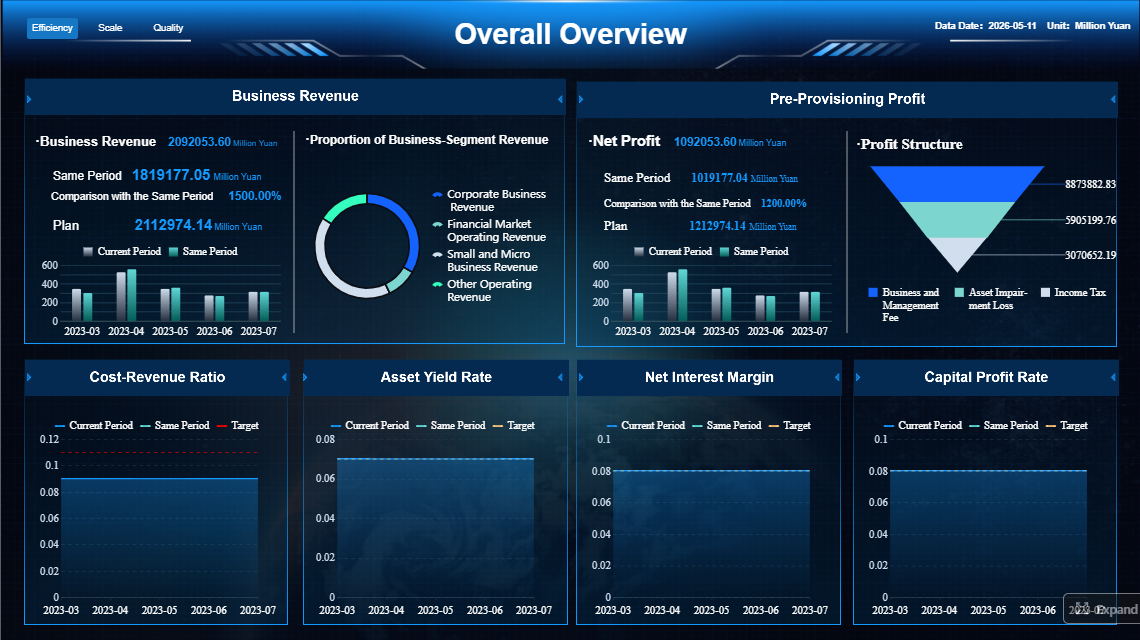
A bank dashboard is a decision-making interface that turns fragmented banking data into a fast, visual, actionable view. For banking leaders, analysts, and operations teams, that matters because critical decisions cannot wait for end-of-month spreadsheets, static board packs, or manually consolidated reports.
If you manage branch performance, lending growth, liquidity, risk exposure, service operations, or digital banking adoption, you already know the pain points: too many systems, inconsistent metrics, delayed reporting, and limited visibility into what is changing right now. A well-designed bank dashboard solves that by bringing the right metrics, alerts, and drill-downs into one governed view.
In practical terms, a bank dashboard helps teams answer questions like:
Are revenue and margins on plan?
Which branches or portfolios are underperforming?
Where are compliance exceptions increasing?
Are delinquency and fraud indicators worsening?
How are customers behaving across digital and physical channels?
This guide explains what a bank dashboard is, what it should include, which KPIs matter most, and how modern banking teams use it to improve performance and control risk.
Click To Try The Dashboard
What Is a Bank Dashboard?
A bank dashboard is a centralized visual workspace that displays the most important banking metrics in near real time or on a scheduled refresh cycle. It combines charts, scorecards, alerts, and interactive filters so users can monitor performance and act quickly.
In plain language, it is the banking equivalent of a control tower. Instead of forcing teams to open multiple systems and reconcile different versions of the truth, the dashboard provides a single, decision-ready view of what is happening across the institution.
Who uses a bank dashboard?
A modern bank dashboard is not just for executives. Different teams depend on it for different decisions:
Commercial banking teams monitor pipelines, loan growth, relationship profitability, and portfolio concentration.
Operations managers watch service levels, exception queues, turnaround times, and process bottlenecks.
Risk and compliance teams follow delinquency trends, fraud alerts, policy breaches, and regulatory thresholds.
Finance teams monitor revenue, net interest margin, fee income, cost performance, and forecast variance.
Executive leadership uses enterprise dashboards to compare business units, identify trends, and align action across the bank.
How a bank dashboard differs from reports and spreadsheets
A bank dashboard is fundamentally different from static reporting tools.
Static reports usually summarize the past. They are useful for documentation, but weak for rapid intervention.
Spreadsheets are flexible, but often depend on manual updates, inconsistent formulas, and one-off logic that does not scale well across departments.
One-time presentations may tell a story for a specific meeting, but they are not designed for daily operational monitoring.
A bank dashboard is different because it is:
Dynamic, not fixed
Interactive, not one-directional
Continuous, not occasional
Role-based, not generic
Operational, not just descriptive
That is why banks use dashboards to move from hindsight to active management.
Core Components of an Effective Banking Dashboard
A high-performing bank dashboard is more than a screen full of charts. It is a governed operating layer that combines trusted data, smart visual design, and strict controls.
Data integration and sources
Banking data rarely lives in one place. A useful dashboard must pull together information from multiple internal and external systems so teams can see the full picture.
Core banking systems for balances, transactions, deposits, and account activity
Payments platforms for ACH, wires, cards, settlements, and payment exceptions
Lending systems for origination, approvals, utilization, delinquency, and portfolio trends
CRM platforms for customer segmentation, relationship activity, and sales pipeline visibility
Treasury systems for liquidity, funding, cash positions, and interest rate exposure
Compliance and AML systems for alerts, sanctions checks, case management, and exception handling
External market feeds for rates, benchmark movements, macro indicators, and market pricing
The value of a bank dashboard increases when these sources are integrated under common definitions. Without that foundation, users may see conflicting loan growth numbers, mismatched profitability calculations, or different versions of customer activity depending on the source system.
Visual layout and usability
A bank dashboard should reduce cognitive load, not increase it. Good design makes the most important insights obvious in seconds.
The best layouts typically include:
Scorecards for top-line KPIs like revenue, deposits, NIM, and delinquency
Trend charts to show direction over time
Comparative views to benchmark branches, regions, segments, or teams
Alerts and thresholds to flag exceptions before they become larger issues
Filters by branch, region, line of business, customer segment, product, and time period
Drill-down paths so users can move from enterprise-level metrics to transaction-level detail
For example, an executive may start with a high-level branch performance dashboard, notice that one region is missing deposit targets, then drill into branch-level trends, product mix, and relationship-manager activity in minutes. That is the operational power a bank dashboard should deliver.
Governance, accuracy, and security
In banking, a dashboard is only as valuable as the trust behind it. If users question the numbers, adoption collapses.
That is why governance is a core component, not an afterthought. An enterprise-grade bank dashboard should support:
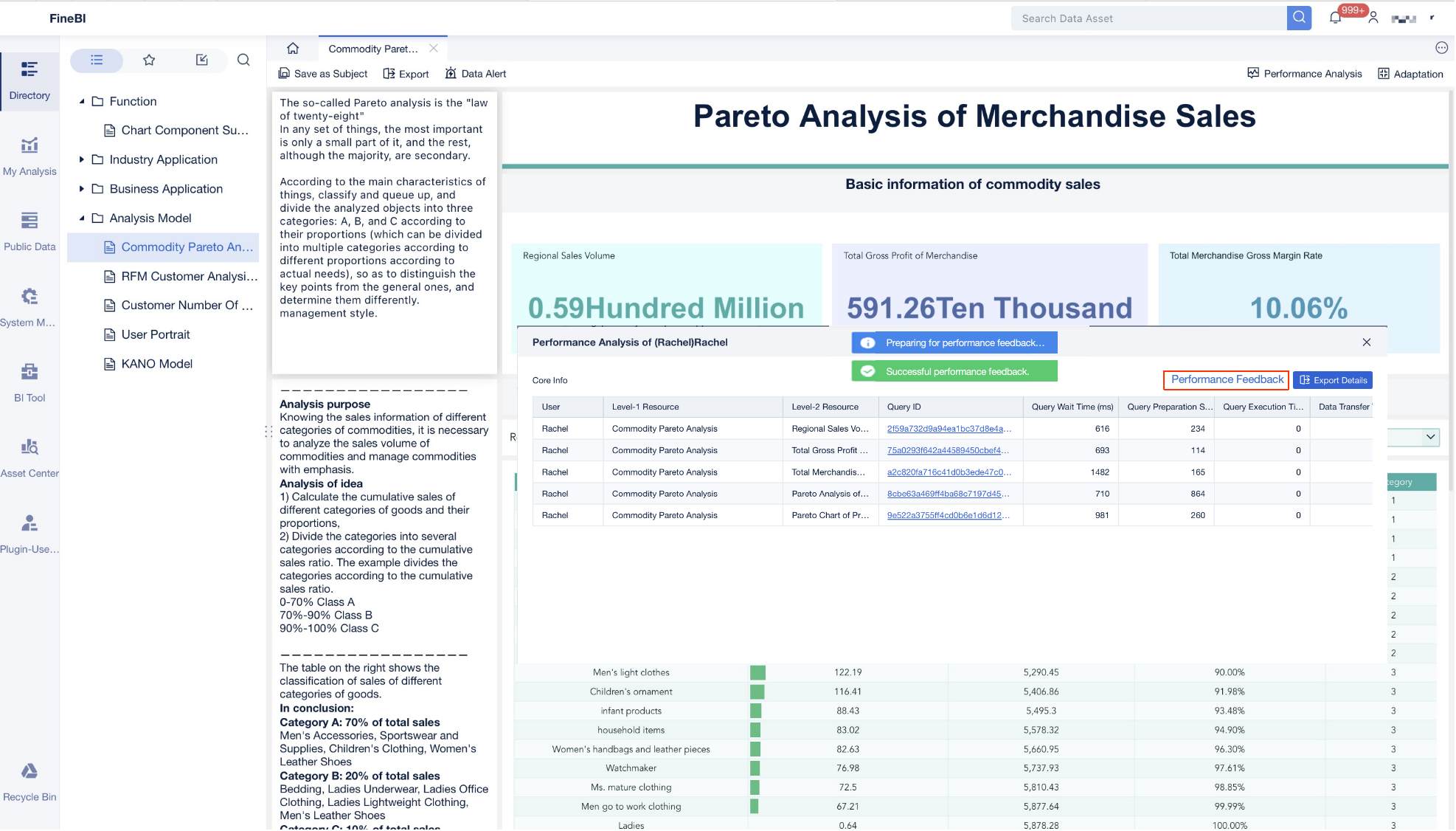
Data quality checks to catch duplicates, missing values, timing gaps, and broken mappings
Standard metric definitions so all teams calculate KPIs the same way
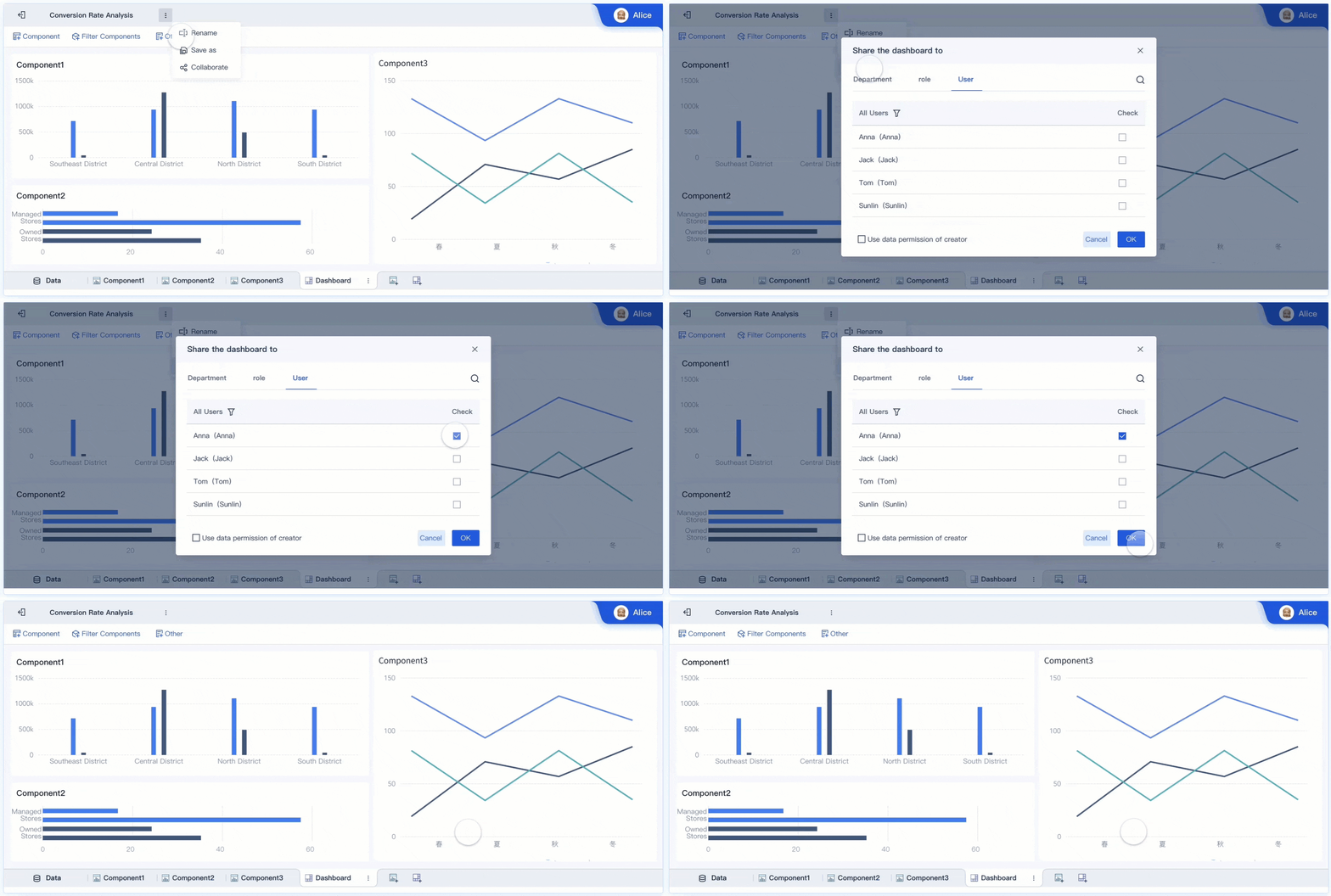
Role-based permissions to control who can view sensitive customer, risk, or financial data
Audit trails to record changes, access, and refresh history
Privacy controls to protect personally identifiable information and confidential banking data
Compliance alignment with internal risk policies and regulatory requirements
A dashboard used by finance may need broad visibility into profitability and margin metrics. A frontline branch dashboard may require restricted access to only local performance data. Risk teams may need exposure views unavailable to retail teams. Strong governance ensures the right users see the right data at the right level.
The right KPIs depend on the institution’s strategy, line of business, and user role. But most banking organizations track a core set of metrics across financial performance, risk, operations, and customer engagement.
Financial and growth metrics
These metrics show whether the bank is growing profitably and sustainably.
Key Metrics (KPIs)
Revenue: Total income generated across lending, deposits, fees, treasury, and other products.
Net interest margin (NIM): The spread between interest earned on assets and interest paid on liabilities, relative to earning assets.
Loan growth: The rate at which the loan portfolio is expanding over a defined period.
Deposit growth: Change in deposit balances across products, branches, or customer segments.
Fee income: Non-interest income from service charges, payments, advisory services, cards, and other fees.
Customer profitability: Net value generated by a customer or segment after funding, service, and risk costs.
Cost-to-income ratio: Operating cost relative to income, used to measure efficiency.
Budget variance: Difference between actual performance and plan or forecast.
These KPIs help finance leaders and executives understand not just whether the bank is growing, but whether it is doing so with healthy margins and efficient economics.
Risk, compliance, and operational metrics
These indicators help control losses, protect liquidity, and ensure operational resilience.
Key Metrics (KPIs)
Delinquency rate: Percentage of loans past due beyond a defined threshold.
Non-performing assets ratio: Share of assets not generating expected income.
Liquidity ratio: Measure of the bank’s ability to meet short-term obligations and funding needs.
Fraud alerts: Volume and severity of suspicious activity requiring investigation.
Exception volume: Number of policy, process, or transaction exceptions awaiting review or resolution.
Turnaround time: Average time to complete processes such as loan approvals, onboarding, dispute handling, or exception review.
Service-level performance: Degree to which operations meet defined SLAs across teams and workflows.
Exposure concentration: Risk concentration by borrower, sector, geography, or product type.
AML or compliance case backlog: Open alerts or investigations not yet resolved.
These KPIs are critical for early intervention. A rising exception queue or worsening delinquency trend often appears in the dashboard before it escalates into a broader balance-sheet or regulatory problem.
Customer and channel performance metrics
Modern banks must see not just financial outcomes, but how customers engage across channels and products.
Key Metrics (KPIs)
Digital adoption: Share of customers actively using online or mobile banking services.
Product usage: Frequency and breadth of customer interaction with accounts, cards, payments, loans, or treasury services.
Customer retention: Percentage of customers maintained over time.
Branch activity: Traffic, sales, service interactions, and transaction volume at branch level.
Support resolution trends: Patterns in contact center or service desk resolution time, backlog, and issue type.
Cross-sell ratio: Average number of products held per customer or segment.
Customer acquisition rate: Volume and speed of new customer onboarding.
Engagement by channel: Distribution of activity across branch, call center, mobile, web, and relationship manager touchpoints.
For retail and digital banking leaders, these metrics reveal where experience is improving, where friction exists, and which channels are driving growth.
A bank dashboard becomes most valuable when tied directly to day-to-day decisions. The following scenarios show how different teams use dashboards in practice.
Executive and branch performance monitoring
Executives and regional leaders use a bank dashboard to compare branch and business-unit performance against targets. Instead of waiting for periodic reviews, they can identify underperformance early and respond faster.
Typical use cases include:
Comparing deposit growth across branches
Tracking loan production against plan
Monitoring fee income by branch or product line
Identifying branches with low conversion, high attrition, or weak cross-sell
Reviewing staff productivity and sales activity trends
A branch manager may use a localized dashboard to see daily account openings, loan referrals, service backlog, and target attainment. An executive version may roll those same metrics up to region or enterprise level.
Risk, treasury, and markets monitoring
Risk and treasury teams need highly specialized views that update frequently and support rapid assessment.
A dashboard in this context may track:
Liquidity positions and funding gaps
Interest rate sensitivity
Portfolio exposure by sector or borrower group
Market rate movements
Trading or treasury risk thresholds
Fraud and compliance alerts
Watchlist or exception trends
The advantage of a dashboard here is speed. When funding conditions shift, delinquency worsens, or market volatility rises, users need a consolidated monitoring layer that supports action immediately.
Small business and digital banking experiences
Bank dashboards are not only internal tools. They can also support customer-facing or relationship-driven experiences, especially in small business and digital banking.
Examples include:
A relationship manager dashboard showing customer profitability, product gaps, onboarding status, and recent interactions
A small business dashboard aggregating balances, transaction patterns, cash flow indicators, and service tasks
A digital banking dashboard personalized to show spending, product usage, payment activity, and recommended next actions
These use cases improve both internal productivity and customer experience. Relationship teams can identify cross-sell opportunities faster, while digital users gain a simpler view of their financial activity.
How Specialized Banking Dashboards Differ
Not every bank dashboard should look the same. The strongest implementations are tailored to the role, business question, and decision cadence of the user.
An enterprise-wide banking dashboard usually focuses on institution-level performance. It gives executives a broad view of revenue, growth, asset quality, operational health, and strategic KPIs across the bank.
A branch manager dashboard is narrower and more tactical. It emphasizes local targets, staffing, sales, customer service, and branch activity trends.
A risk dashboard is built around exception monitoring, exposure visibility, delinquency, liquidity, and compliance controls. These views prioritize thresholds, alerting, and drill-down investigation.
A market or treasury dashboard highlights rate sensitivity, funding structure, liquidity buffers, and market-linked indicators that may shift throughout the day.
A digital banking dashboard may be designed around customer self-service, product engagement, app usage, or personalized financial insight. In some cases, customers can even customize the cards and widgets they see.
Some dashboards are designed for regulatory oversight, helping institutions track required controls and risk metrics. Others focus on business performance, such as margin improvement, branch optimization, or customer growth. Still others are built for customer-facing personalization, especially in online and mobile banking environments.
Banks may also use different branded solutions or public-interest dashboards depending on their goals. The brand name matters less than the operating model behind it: trusted data, role-based relevance, and fast decision support.
If you are selecting or designing a bank dashboard, start with business questions, not visuals. Too many projects begin by choosing charts before agreeing on what decisions the dashboard should improve.
Ask first:
What business questions must this dashboard answer?
Who will use it, and how often?
Which actions should it trigger?
Which metrics truly indicate success or risk?
What systems must be integrated to make the view complete?
Once those questions are clear, match the dashboard to the audience.
Match the dashboard to user needs
Different stakeholders need different levels of detail:
Executives need concise scorecards, trends, and cross-business comparisons
Analysts need flexible filtering, drill-down, segmentation, and ad hoc exploration
Frontline teams need task-oriented metrics, alerts, and simple next-step visibility
Customers need intuitive, personalized views with limited complexity
Trying to force one dashboard design on all audiences usually creates clutter and low adoption.
Prioritize the features that make the dashboard useful long term
A scalable bank dashboard should prioritize:
Real-time or near-real-time visibility where operational responsiveness matters
Reliable data definitions across products, channels, and business units
Strong governance and permissions
Easy customization for new products, teams, and regulatory changes
Consistent user experience across desktop and mobile environments
Alerting and workflow integration so insight leads to action
Actionable best practices for implementation
If I were advising a bank on rollout, I would recommend these four practical steps:
1. Define the operating decision, not just the metric
Start each dashboard with a decision use case. For example: “Identify branches likely to miss deposit goals this month” is stronger than “show deposit data.” This sharpens KPI selection and improves adoption.
2. Standardize KPI definitions before building visuals
Do not let different departments calculate loan growth, profitability, or service levels differently. Create a metric dictionary first. This avoids credibility problems after launch.
3. Design by role and action frequency
An executive dashboard should not look like a fraud analyst workspace. Build role-specific views based on what users must review daily, weekly, or monthly.
4. Use drill-down paths to connect summary to root cause
Every headline KPI should support investigation. If delinquency worsens, users should be able to drill into region, product, segment, and account-level drivers without leaving the environment.
5. Launch with a focused KPI set, then expand
Do not overload version one. Begin with the KPIs that support the most important banking decisions, validate trust and usage, then extend the model to more teams and workflows.
Bank dashboard evaluation checklist
Use this checklist to assess whether a bank dashboard is useful, scalable, and aligned with banking goals:
Does it answer clearly defined business questions?
Are the KPIs aligned to strategy, risk, and operational priorities?
Is the data integrated from the right systems?
Are metric definitions standardized across teams?
Can users filter, drill down, and compare performance easily?
Are alerts built in for threshold breaches or exceptions?
Is the interface role-based and easy to scan?
Are permissions, audit trails, and privacy controls in place?
Can the dashboard scale to new products, branches, or regulatory needs?
Does it reduce manual reporting effort rather than add another reporting layer?
If the answer to several of these is no, the dashboard may look attractive but fail operationally.
From Methodology to Execution: Why FineBI Makes a Bank Dashboard Easier to Build
The methodology is straightforward: define the business questions, integrate the right data, standardize KPIs, tailor views by role, and build governance in from day one. The challenge is execution.
In most banks, building this manually is complex. Teams must connect multiple systems, clean inconsistent data, create secure role-based access, maintain dashboards for different users, and continuously update logic as products, regulations, and reporting needs evolve.
That is where FineBI becomes the practical solution.
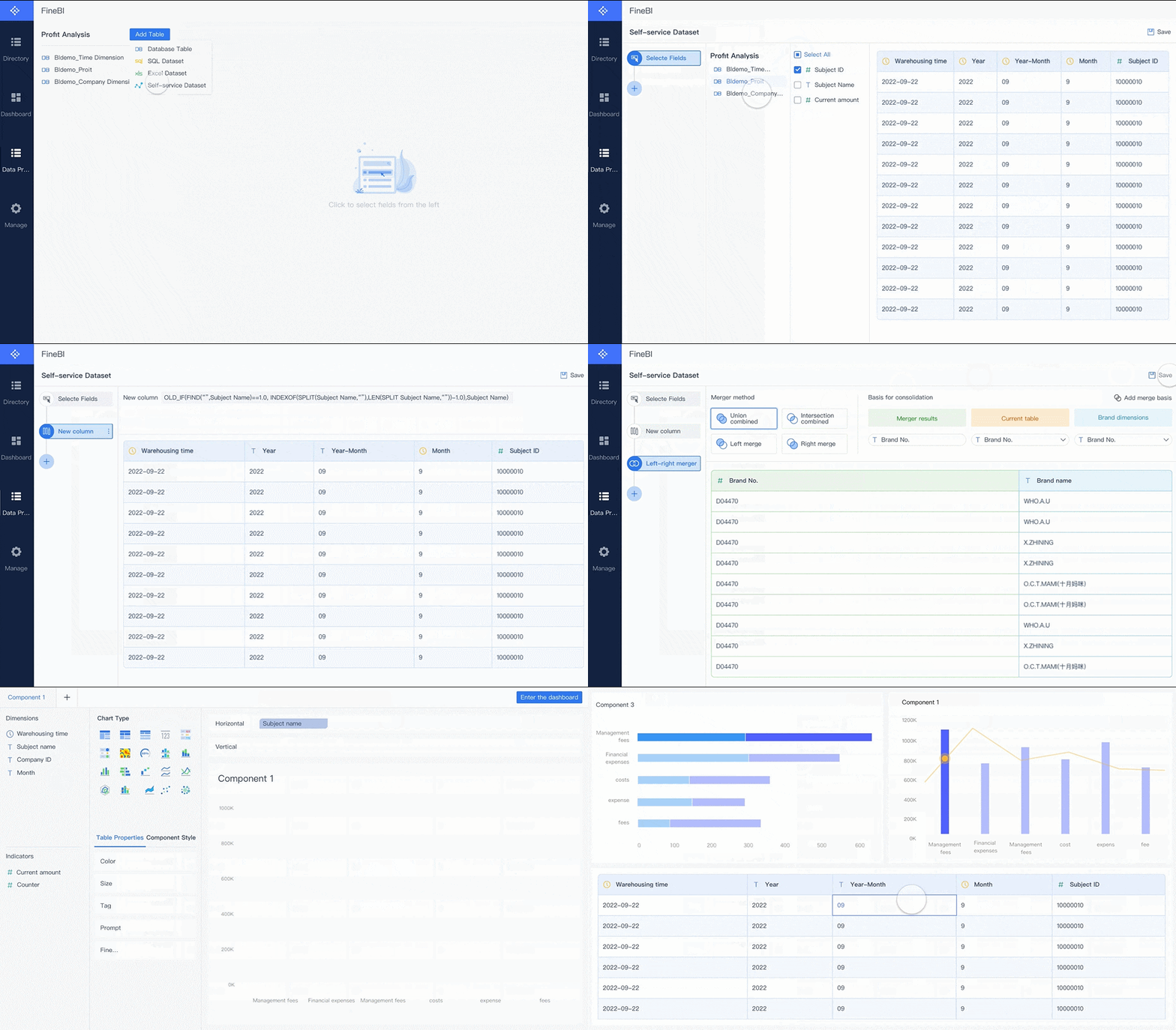
With FineBI, banks can utilize ready-made templates and automate this entire workflow. Instead of relying on fragile spreadsheet chains or custom-built reporting stacks that are expensive to maintain, teams can:
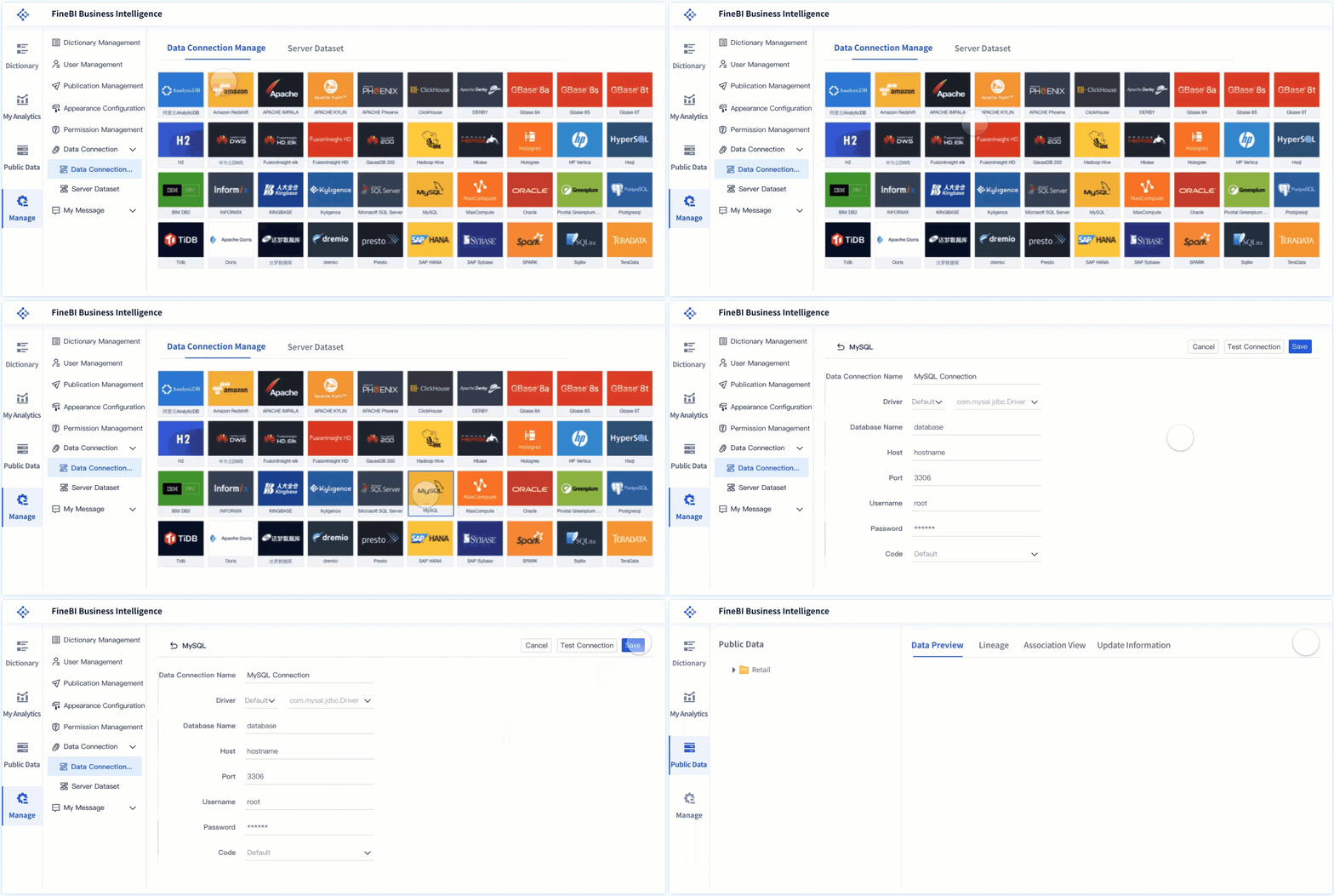
Connect data from core banking, lending, CRM, operations, and external sources
Build governed, interactive bank dashboard views faster
Standardize KPI definitions across departments
Deliver role-specific dashboards for executives, branch leaders, analysts, and risk teams
Enable self-service analysis with drill-downs, filters, and visual exploration
Reduce manual reporting cycles through automated refresh and distribution
For enterprise decision-makers, the real value is not just better visualization. It is faster alignment between data, decisions, and action.
If your bank is still piecing together insight from static reports and disconnected tools, now is the right time to modernize. A well-implemented bank dashboard gives leaders visibility, gives teams accountability, and gives the institution a more agile operating model. And if building it manually feels too slow or too risky, use FineBI to accelerate deployment with proven templates and automation built for scalable business intelligence.
FAQs
A bank dashboard gives teams a centralized view of performance, risk, operations, and customer activity so they can make faster decisions. It helps replace fragmented spreadsheets and static reports with a more actionable, current view.
Common banking KPIs include revenue, deposits, loan growth, net interest margin, fee income, delinquency, liquidity, fraud alerts, and branch performance. The right mix depends on whether the dashboard is built for executives, finance, operations, or risk teams.
A traditional report is usually static and focused on summarizing past results, while a dashboard is interactive and designed for ongoing monitoring. Users can filter, drill down, and respond to issues faster.
Bank dashboards are used by executives, branch leaders, finance teams, operations managers, and risk and compliance staff. Each group relies on different views to track the metrics most relevant to their role.
An effective bank dashboard combines trusted data sources, clear visual design, relevant KPIs, and strong governance. It should also support alerts, role-based access, and drill-down analysis so users can move from insight to action quickly.
Product Trial
FineReport
Pixel-perfect reports · Interactive dashboards · Easy data entry · Digital twins