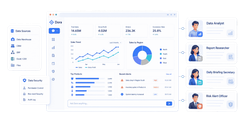
FineReport is an enterprise reporting and dashboard platform that helps finance teams build fast, customizable, and board-ready cash flow reports with strong data connectivity and flexible visualization.
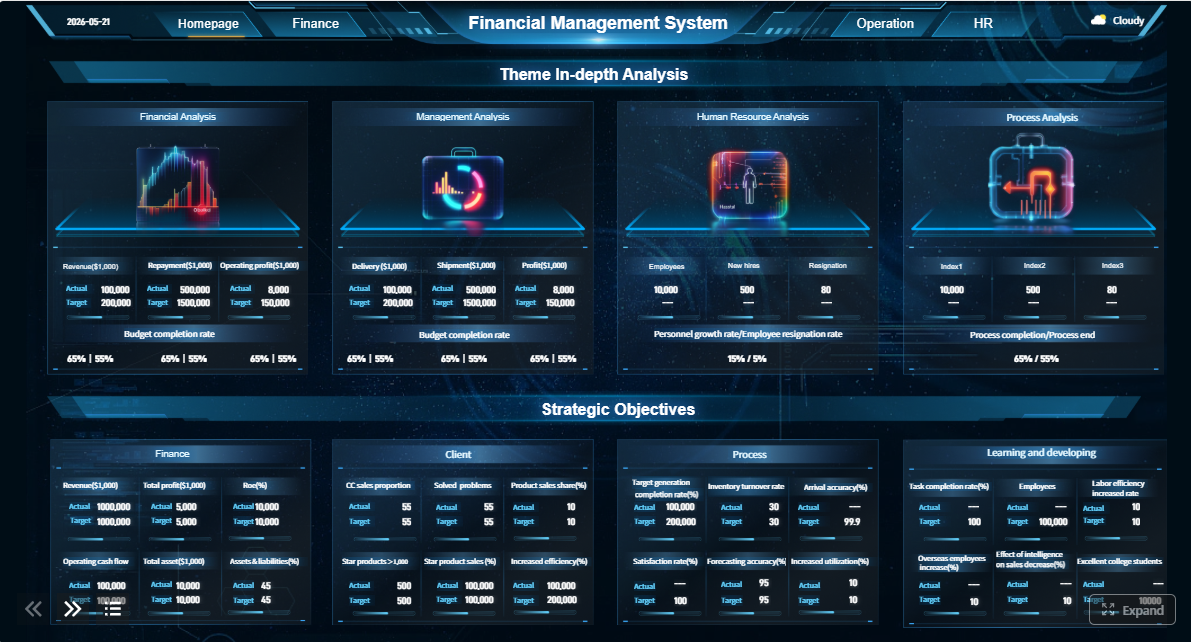 Click To Try The Dashboard
Best cash flow reporting software in 2026 at a glance
Below is a quick comparison of the best cash flow reporting software options for finance teams, controllers, founders, and SMB operators in 2026. This comparison focuses on the areas that matter most in real buying decisions: reporting depth, forecasting accuracy, integrations, ease of use, and total cost.
1. FineReport

- One-sentence overview: FineReport is a strong fit for teams that need highly flexible cash flow reporting, polished dashboards, and structured financial reporting without an overly complex rollout.
- Key Features:
- Pixel-level report design and customizable dashboards
- Broad data connectivity across databases, ERP, and business systems
- Scheduled distribution, exports, and mobile access
- Role-based permissions and enterprise reporting controls
- Pros & Cons:
- Pros: Very strong reporting flexibility; suitable for finance packs and management dashboards; works well for organizations with multiple reporting requirements
- Cons: Best value appears when reporting complexity is meaningful; forecasting is not its sole specialization
- Best For: Finance teams, controllers, and growing businesses that want strong reporting with straightforward setup compared with heavier BI projects
2. Float
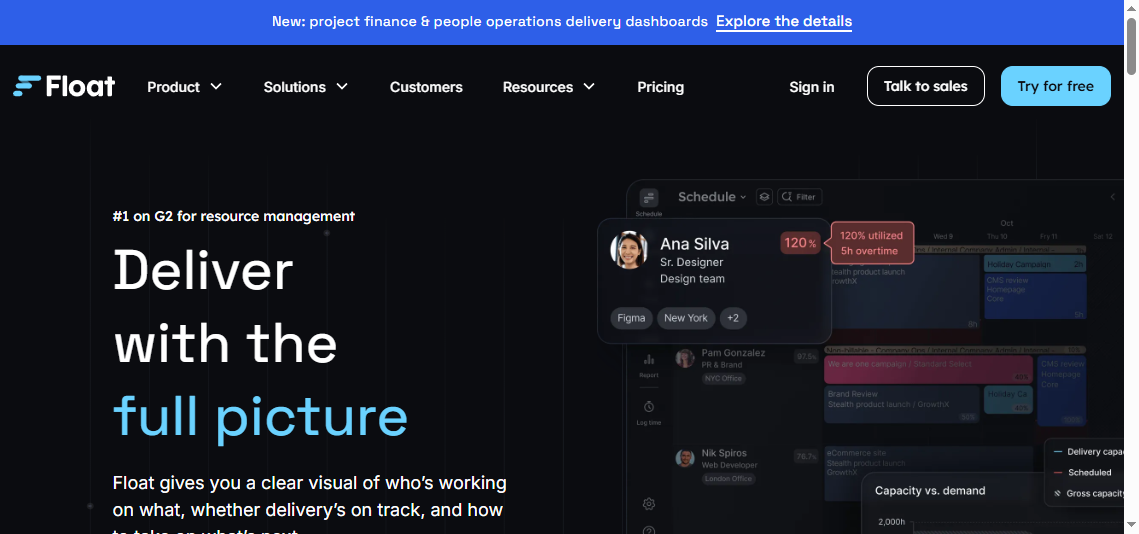
- One-sentence overview: Float is a dedicated cash flow forecasting and visibility tool designed for SMBs that want quick insight into short-term cash positions.
- Key Features:
- Short-term cash forecasting
- Direct integrations with accounting systems
- Scenario planning and cash runway visibility
- Simple dashboards for daily finance monitoring
- Pros & Cons:
- Pros: Fast to adopt; finance-friendly interface; useful for near-term decision-making
- Cons: Less flexible for board-style reporting; may feel narrow for teams needing broader FP&A workflows
- Best For: SMBs focused on short-term liquidity visibility and fast adoption
3. Fathom
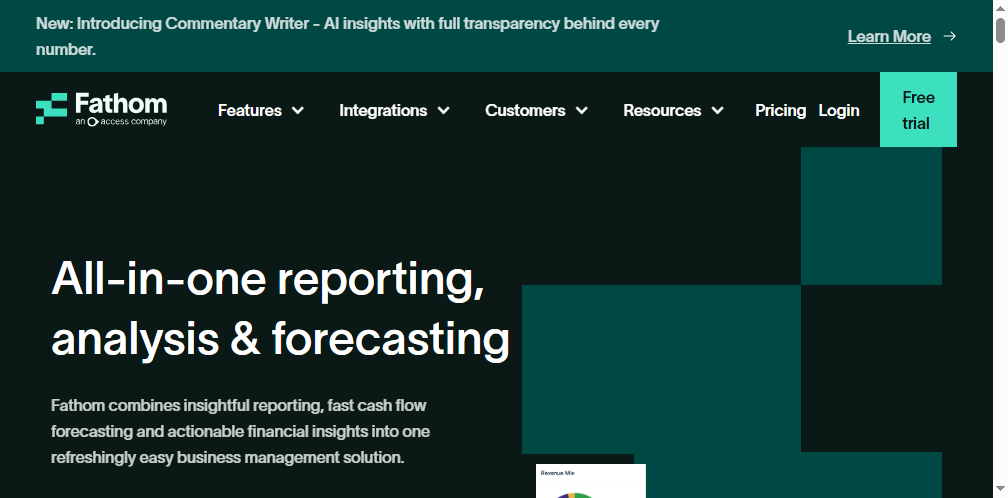
- One-sentence overview: Fathom combines reporting, analysis, and forecasting in one platform for companies that want planning and reporting in a connected workflow.
- Key Features:
- Three-way forecasting
- KPI tracking and management reporting
- Consolidation capabilities
- Scenario modeling and variance analysis
- Pros & Cons:
- Pros: Balanced mix of reporting and forecasting; strong visuals; good for management packs
- Cons: Forecast granularity may not suit every use case; advanced needs can outgrow standard workflows
- Best For: SMBs and mid-market teams that want planning and reporting in one workflow
4. Cube

- One-sentence overview: Cube is an FP&A-oriented platform that helps finance teams centralize data, keep spreadsheet familiarity, and improve control over reporting and planning.
- Key Features:
- Spreadsheet-native workflows
- Real-time data consolidation
- Scenario planning and variance reporting
- Audit controls and collaboration tools
- Pros & Cons:
- Pros: Good fit for finance teams moving beyond manual spreadsheet sprawl; strong planning support
- Cons: Better suited to maturing finance functions than very small teams; value depends on planning complexity
- Best For: Expanding businesses that need more structure, governance, and control
5. LivePlan

- One-sentence overview: LivePlan is a user-friendly planning and cash forecasting tool aimed at small businesses that need simple reporting and lender-friendly outputs.
- Key Features:
- Cash flow forecasting
- Plan vs. actual tracking
- Scenario creation
- QuickBooks and Xero integrations
- Pros & Cons:
- Pros: Easy to use; approachable for founders; good for budgeting and funding preparation
- Cons: Less robust for complex finance team reporting; limited enterprise reporting controls
- Best For: Early-stage SMBs and founder-led businesses
6. BILL
- One-sentence overview: BILL extends beyond reporting into payables, receivables, and cash visibility, making it useful for businesses that want operating workflows tied to cash insights.
- Key Features:
- Cash flow forecasting
- AP and AR automation
- Approval workflows
- Accounting integrations
- Pros & Cons:
- Pros: Useful when cash reporting is tied closely to payment operations; good workflow automation
- Cons: Reporting depth may not satisfy all finance teams on its own; strongest value often comes from the wider BILL platform
- Best For: SMBs that want cash visibility linked to payment operations
7. QuickBooks Online Cash Flow

- One-sentence overview: QuickBooks Online Cash Flow gives existing QuickBooks users a basic way to monitor future cash movement without adding another finance tool.
- Key Features:
- Built-in cash flow view
- Basic forecasting
- Upcoming transaction visibility
- Native use within QuickBooks Online
- Pros & Cons:
- Pros: Low friction for current users; easy entry point; no separate implementation
- Cons: Limited flexibility, modeling depth, and executive reporting capability
- Best For: Very small businesses already operating fully in QuickBooks Online
8. Xero Short-Term Cash Flow
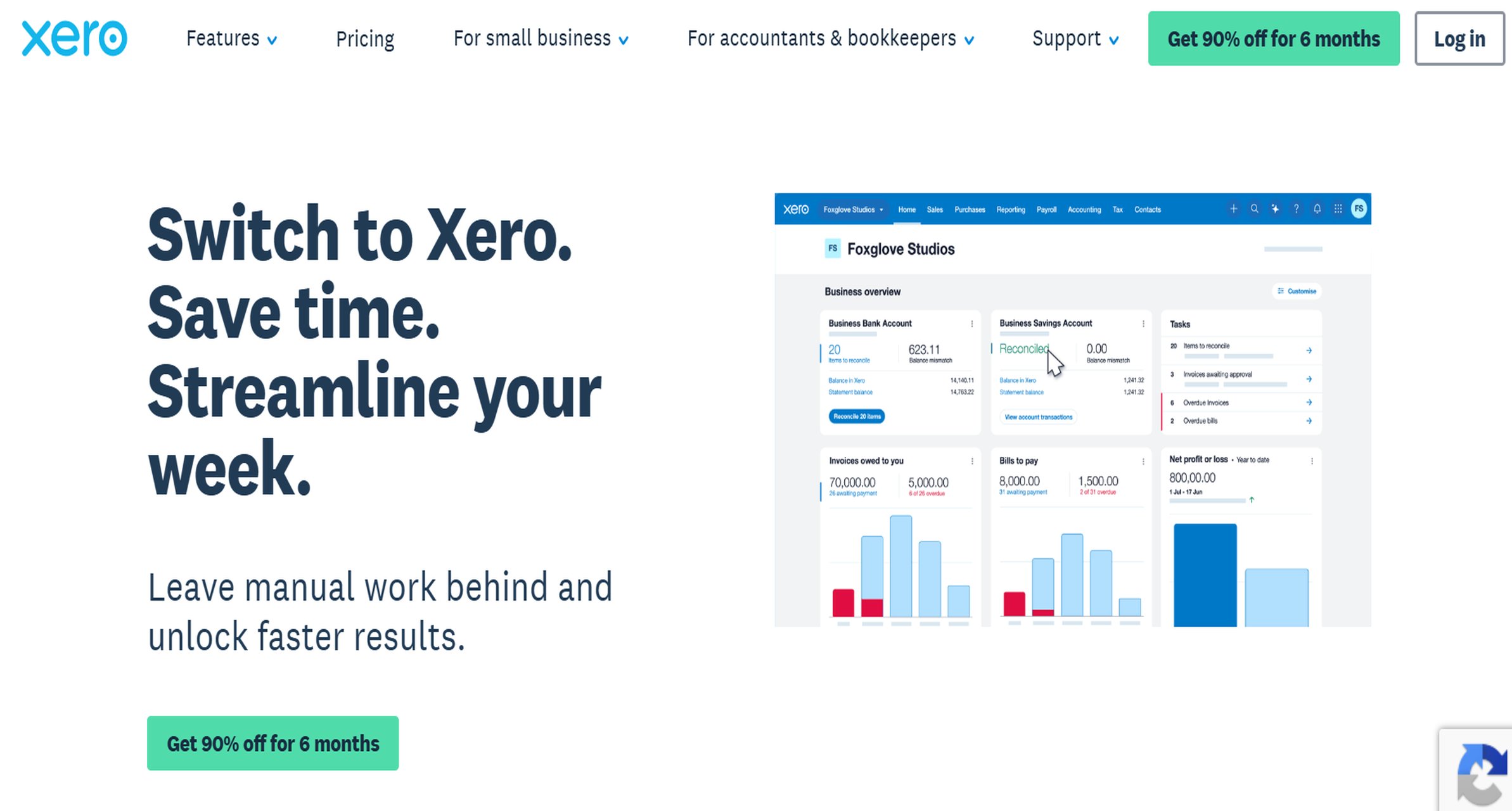
- One-sentence overview: Xero’s built-in short-term cash flow functionality is a lightweight option for businesses that need simple snapshots rather than advanced financial planning.
- Key Features:
- Short-term cash flow views
- Invoice and bill timing visibility
- Native Xero access
- Basic operational monitoring
- Pros & Cons:
- Pros: Easy starting point for Xero users; minimal setup effort
- Cons: Limited horizon and weak scenario modeling; not a substitute for full cash flow reporting software
- Best For: Small Xero-based businesses that need a simple operational view
If you want one broad takeaway, FineReport stands out for businesses that care most about report flexibility, financial presentation quality, and structured sharing across stakeholders, while tools like Float and LivePlan are more specialized for simpler cash forecasting needs.
How to choose the right cash flow reporting software
Choosing the right cash flow reporting software starts with being clear about your actual finance process. Some teams only need historical reporting. Others need forward-looking forecasting, budgeting, scenario modeling, and collaboration in one system. The right choice depends less on feature checklists alone and more on how your finance team works every week.
Start by defining whether you primarily need:
- Historical cash flow reporting
- Rolling cash forecasting
- Budgeting and variance analysis
- Full FP&A and connected planning
- AP/AR-linked cash operations
A founder-led business may only need a simple 13-week cash view. A controller at a multi-entity company may need consolidated reporting, forecast vs. actual tracking, scheduled report delivery, and approvals. That is a very different software decision.
The next step is checking integrations. Your tool should connect cleanly with the systems that already hold your financial truth, such as:
- Accounting software
- ERP platforms
- Bank feeds
- Payroll systems
- Billing tools
- Excel or Google Sheets
If data still has to be moved manually every reporting cycle, the software may improve visualization but not actually improve finance operations.
You should also compare reporting flexibility carefully. Some tools are excellent at dashboard snapshots but weak when finance teams need custom layouts, management packs, department-level views, or board-ready output. This is one reason FineReport is worth serious consideration: it gives finance teams more control over report design and output structure than many lightweight cash tools.
Finally, weigh the practical buying factors:
- Implementation effort
- Pricing transparency
- User limits
- Support quality
- Permission controls
- Scalability as the business grows
A tool that looks inexpensive at first can become costly if you need manual workarounds, multiple add-ons, or replacement within a year.
Must-have features for finance teams
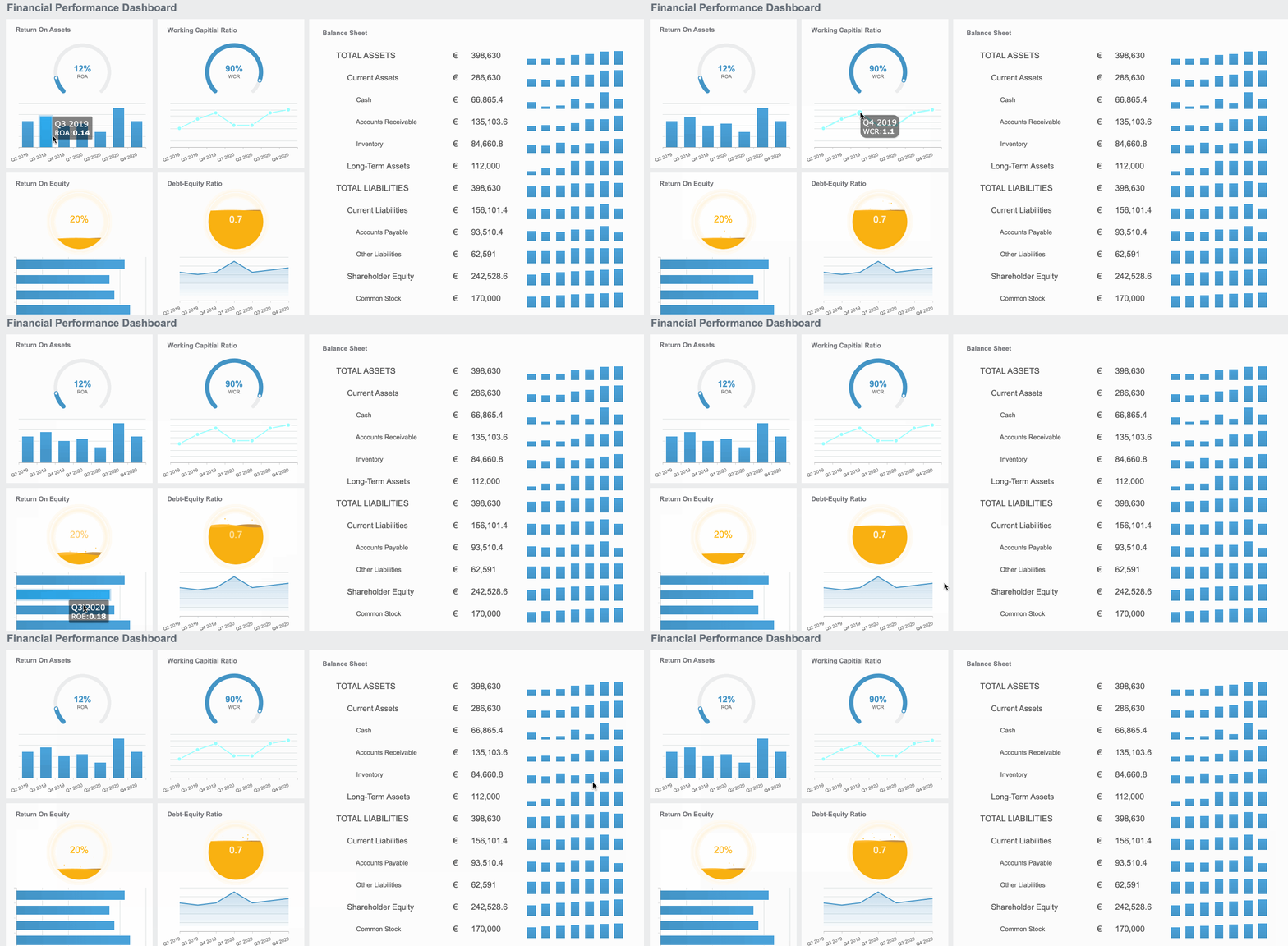
Finance teams typically need more than a basic cash dashboard. If the software will support recurring reporting cycles, executive reviews, or board communication, these features matter most:
- Multi-entity consolidation and customizable cash flow views
- Driver-based forecasting and variance tracking
- Role-based permissions, approval workflows, and export options
Additional features that often separate a temporary solution from a long-term platform include:
- Audit trails for assumption changes
- Department or entity segmentation
- Scheduled report distribution
- Drill-down capability from summary to detail
- Flexible output formats for PDF, Excel, and presentation sharing
FineReport performs particularly well on the reporting side of this requirement set because it supports highly customized cash flow views, formal report layouts, and broad distribution options.
What SMBs should prioritize
SMBs should usually optimize for speed, simplicity, and affordability before chasing enterprise-grade complexity.
The most important criteria are:
- Fast setup and intuitive dashboards
- Affordable plans that scale with transaction volume or headcount
- Reliable automation that reduces manual spreadsheet work
For many SMBs, the best tool is the one that gets used consistently. A simpler tool like Float, LivePlan, or a native accounting-system feature may be enough if the goal is short-term visibility. But if your business is already producing management packs, lender reporting, or investor updates, a more capable reporting platform like FineReport may save time and reduce formatting work very quickly.
8 tools compared: strengths, trade-offs, and ideal use cases
Tool 1: FineReport
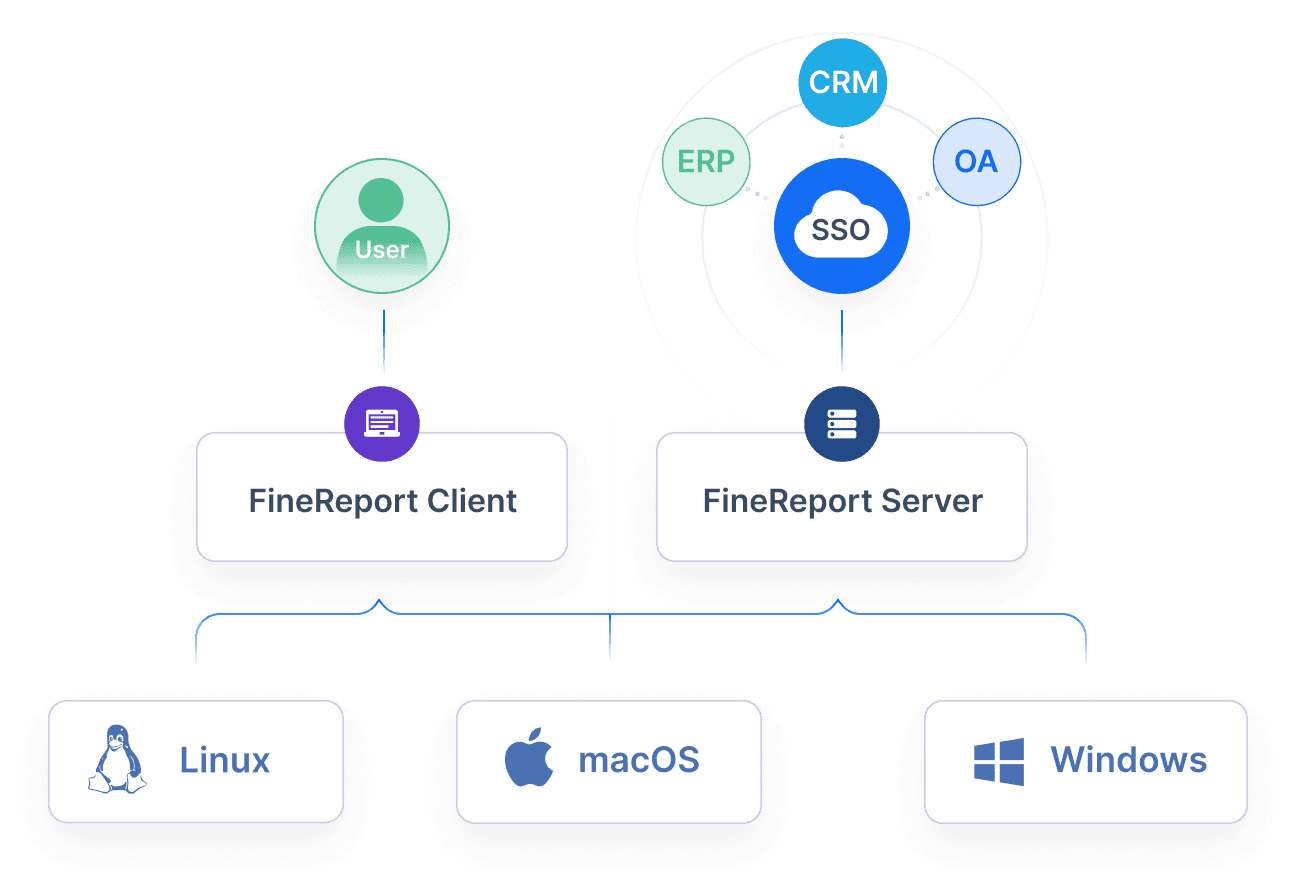
- One-sentence overview: FineReport is a reporting-first platform that gives finance teams strong control over cash flow reports, dashboards, and scheduled financial outputs.
- Key Features:
- Custom cash flow report design
- Dashboard creation for executive visibility
- Integration with databases, ERP, and operational systems
- Role-based access and distribution workflows
- Export and print-friendly reporting formats
- Pros & Cons:
- Pros: Excellent reporting flexibility; suitable for board-ready presentation; strong for structured finance reporting; useful beyond just one cash flow use case
- Cons: Not positioned as a narrow forecasting-only tool; teams wanting only a lightweight short-term forecast may find simpler products easier
- Best For: Teams that need strong reporting with straightforward setup
- Pricing considerations: Best evaluated based on reporting breadth, stakeholder count, and how many manual spreadsheet processes it can replace
- Ideal company size: SMB to mid-market, especially firms with growing finance reporting requirements
FineReport is the best overall fit in this list for companies that see cash flow reporting as part of a broader financial reporting process rather than a standalone forecast widget. It is especially useful when finance teams need polished output for executives, lenders, investors, or department heads. If your current workflow involves exporting data from accounting systems and reformatting it manually every month, FineReport can materially improve efficiency.
Tool 2: Float
- One-sentence overview: Float is a dedicated cash forecasting platform built for businesses that need visibility into near-term liquidity and cash runway.
- Key Features:
- Cash forecasting linked to accounting systems
- Scenario planning
- Short-term cash position monitoring
- Simple collaboration for finance users
- Pros & Cons:
- Pros: Clean interface; easy to understand; practical for weekly cash reviews
- Cons: Reporting customization is more limited; less suitable for formal multi-stakeholder reporting
- Best For: SMBs focused on visibility into short-term cash positions
- Pricing considerations: Usually attractive for teams that want focused cash visibility without buying a larger planning suite
- Ideal company size: Small to lower mid-market businesses
Float works well when the main question is: “What does our cash position look like over the next few weeks or months?” It is less compelling if your team also needs sophisticated management reporting or deeper FP&A workflows.
Tool 3: Fathom
- One-sentence overview: Fathom blends management reporting, KPI analysis, and cash forecasting in a unified finance workflow.
- Key Features:
- Forecasting with scenario support
- Management reporting
- Consolidated reporting
- KPI and variance analysis
- Pros & Cons:
- Pros: Balanced reporting and planning; visually polished outputs; useful for advisors and internal finance teams
- Cons: Some forecasting use cases may require more granular or specialized modeling
- Best For: Companies that want planning and reporting in one workflow
- Pricing considerations: Often reasonable for businesses seeking both reporting and forecast functionality together
- Ideal company size: SMB and mid-market organizations
Fathom is one of the more balanced choices in this market. It is not as reporting-flexible as FineReport, but it offers a stronger all-in-one feel than many narrow forecasting tools.
Tool 4: Cube
- One-sentence overview: Cube helps finance teams modernize spreadsheet-heavy planning and reporting by centralizing data while preserving familiar workflows.
- Key Features:
- Spreadsheet-native planning workflows
- Real-time consolidation
- Scenario and variance analysis
- Data governance and audit controls
- Pros & Cons:
- Pros: Strong bridge from Excel-driven processes to more structured FP&A; good controls for growing finance teams
- Cons: More than some SMBs need; reporting value depends on finance process maturity
- Best For: Expanding businesses that need more structure and control
- Pricing considerations: Better suited to companies that will use planning, collaboration, and control features regularly
- Ideal company size: Mid-market and scaling organizations
Cube is a strong candidate for businesses that are outgrowing disconnected spreadsheets but are not ready for an overly rigid enterprise planning implementation.
Tool 5: LivePlan
- One-sentence overview: LivePlan offers accessible cash forecasting and business planning tools for small businesses and founders.
- Key Features:
- Cash flow forecasting
- Scenario planning
- Business planning workflows
- Plan vs. actual analysis
- Pros & Cons:
- Pros: Beginner-friendly; helpful for funding conversations and simple planning; low complexity
- Cons: Limited depth for mature finance teams; less suited to multi-entity or board-level reporting
- Best For: Small businesses that want easy forecasting and planning support
- Pricing considerations: Usually practical for founder-led companies watching software spend carefully
- Ideal company size: Early-stage SMBs
Tool 6: BILL
- One-sentence overview: BILL combines cash visibility with payables and receivables workflows for businesses that want finance operations and cash awareness in one environment.
- Key Features:
- Cash forecasting
- AP and AR automation
- Approvals and workflow controls
- Accounting platform integrations
- Pros & Cons:
- Pros: Good operational fit; helps link transaction timing to cash visibility; useful for workflow automation
- Cons: Reporting sophistication may be limited compared with specialized reporting tools
- Best For: Businesses that want cash reporting tied closely to payment workflows
- Pricing considerations: Value is strongest when multiple BILL modules are in use
- Ideal company size: SMB to lower mid-market
Tool 7: QuickBooks Online Cash Flow
- One-sentence overview: QuickBooks Online Cash Flow is a lightweight option for businesses already using QuickBooks and needing basic forecast visibility.
- Key Features:
- Built-in cash forecasting
- Native accounting integration
- Upcoming transaction visibility
- Simple operational monitoring
- Pros & Cons:
- Pros: Minimal setup; convenient; accessible to non-specialist users
- Cons: Limited customization, collaboration, and advanced analysis
- Best For: Very small businesses already anchored in QuickBooks Online
- Pricing considerations: Attractive because it is part of a broader accounting environment
- Ideal company size: Small businesses and microbusinesses
Tool 8: Xero Short-Term Cash Flow
- One-sentence overview: Xero’s native short-term cash flow tools provide a simple way for existing users to monitor cash timing without adding separate software.
- Key Features:
- Short-term outlook
- Native invoice and bill timing visibility
- Low setup effort
- Operational cash monitoring
- Pros & Cons:
- Pros: Easy to access; useful for basic awareness; no major implementation
- Cons: Narrow time horizon; weak for strategic planning; limited reporting depth
- Best For: Xero-based SMBs needing simple short-term visibility
- Pricing considerations: Works best as an entry-level capability rather than a long-term finance reporting system
- Ideal company size: Small businesses
Cash flow forecasting software vs. cash flow management software
These categories overlap, but they are not identical.
Cash flow forecasting software is primarily about projecting future inflows and outflows. It helps answer questions such as:
- Will we have enough cash next month?
- What happens if receivables slip by 15 days?
- How long is our runway under different scenarios?
Cash flow management software is broader. It may include:
- AP and AR workflows
- Payment approvals
- Collections support
- Bank visibility
- Spend management
- Operational cash controls
In practice, many products blur the line. A reporting tool may include some forecasting. A forecasting tool may add scenario planning and limited management workflows. A payment platform may add simple forecast views.
That is why buyers should focus less on category labels and more on actual requirements. If you only need visibility and scenario modeling, forecasting tools may be enough. If you want to connect reporting to operational execution, broader management features matter more.
The overlap usually looks like this:
- Reporting: Historical and current-state visibility
- Forecasting: Forward-looking cash projection
- Budgeting: Planned financial targets
- Scenario planning: Testing changes in assumptions
- Management: Operational actions tied to cash outcomes
Lean SMB teams often do best with simpler tools that combine enough visibility and forecasting in one place. Larger finance teams typically need stronger controls, customization, and cross-functional planning.
Where FP&A platforms fit
FP&A platforms become relevant when finance teams need to move beyond isolated dashboards into connected planning.
This usually happens when the business starts needing:
- Department-level inputs
- Headcount planning
- Multi-scenario budgeting
- Consolidated reporting
- Formal variance reviews
- Repeatable monthly and quarterly planning cycles
At that point, a basic cash flow reporting software tool may no longer be enough on its own.
The trade-off is familiar: spreadsheets offer flexibility, but they become fragile as complexity grows. Dedicated FP&A systems improve consistency, controls, and collaboration, but they introduce more structure. Cube sits in that transition zone. FineReport also plays an important role here on the reporting side, especially when organizations need to turn finance data into clear, standardized outputs for decision-makers.
Which option is best for your business size and stage
Choosing the best cash flow reporting software depends heavily on business stage, finance maturity, and reporting demands.
Best fit for early-stage SMBs that need simple reporting and fast adoption
For early-stage SMBs, the best options are usually:
- LivePlan
- Float
- QuickBooks Online Cash Flow
- Xero Short-Term Cash Flow
These tools keep setup light and help founders or lean finance staff understand short-term liquidity quickly. They are especially useful when the business has one entity, straightforward revenue patterns, and limited reporting complexity.
Best fit for expanding businesses adding entities, departments, or formal finance processes
For growing businesses with more structure, stronger options include:
- FineReport
- Fathom
- Cube
At this stage, teams often need:
- More flexible reporting layouts
- Entity or department segmentation
- Better approval and permission controls
- Forecast vs. actual analysis
- Less spreadsheet rework
FineReport is especially compelling here because it improves presentation quality and repeatability across finance outputs, not just cash reporting alone.
Best fit for finance teams that need board-ready reporting and deeper analysis
For finance teams producing executive and board materials, the top choices are:
- FineReport
- Fathom
- Cube
Among these, FineReport stands out when reporting design, formatting control, and multi-stakeholder distribution are high priorities. If your monthly close ends with hours spent cleaning exports into presentation-ready packs, a reporting-focused solution can create immediate process value.
Best fit for organizations replacing spreadsheet-heavy workflows
If your current process is dominated by linked workbooks, manual versioning, and repetitive formatting, consider:
- Cube for planning structure
- FineReport for reporting standardization
- Fathom for balanced reporting and forecasting
The right choice depends on whether your biggest pain is modeling, reporting, or both.

Final verdict and shortlist recommendations
If you are comparing the best cash flow reporting software in 2026, the right answer depends on whether you prioritize reporting quality, short-term cash visibility, or deeper planning.
Best overall pick for balanced reporting and usability
FineReport is the best overall pick for teams that want strong reporting, flexible dashboards, and a practical path away from manual finance reporting work. It is particularly well suited to controllers, finance teams, and growing businesses that need more than a basic cash chart but do not want an unnecessarily heavy implementation.
Best value option for SMBs
Float is a strong value choice for SMBs that mainly want short-term cash visibility and easy adoption. It is practical, focused, and effective for near-term decision-making.
Best choice for advanced forecasting and planning needs
Cube is the best fit for finance teams that need more structured planning, scenario modeling, and spreadsheet-connected FP&A workflows.
Best option for teams preparing to scale finance operations in 2026
Fathom is a smart shortlist option for companies that want reporting and forecasting in one workflow as finance processes become more formal.
For most buyers, the shortlist should look like this:
- FineReport for reporting flexibility and polished finance output
- Float for simple and focused short-term cash visibility
- Cube for planning-heavy finance teams
- Fathom for balanced reporting plus forecasting
If your main challenge is turning raw accounting data into clear, repeatable, stakeholder-ready cash flow reporting, FineReport deserves the closest look.
FAQs
It depends on your priorities. Small businesses that want simple built-in visibility may prefer QuickBooks Online Cash Flow or Xero, while teams needing stronger forecasting often look at Float, Fathom, or LivePlan.