FineReport is a highly customizable business intelligence and reporting platform that helps restaurants turn POS, labor, inventory, finance, and multi-location data into real-time dashboards and decision-ready reports.
8 Best Restaurant Reporting Software Tools for 2026
FineReport

- One-sentence overview: FineReport is the best restaurant reporting software for operators that need highly customizable dashboards, cross-system reporting, and enterprise-grade analytics across single or multiple locations.
- Key Features:
- Custom dashboards for sales, labor, food cost, inventory, and menu performance
- Multi-location reporting with centralized KPI tracking
- Real-time data integration from POS, ERP, payroll, accounting, inventory, and data warehouses
- Drill-down analysis from summary dashboards to transaction-level detail
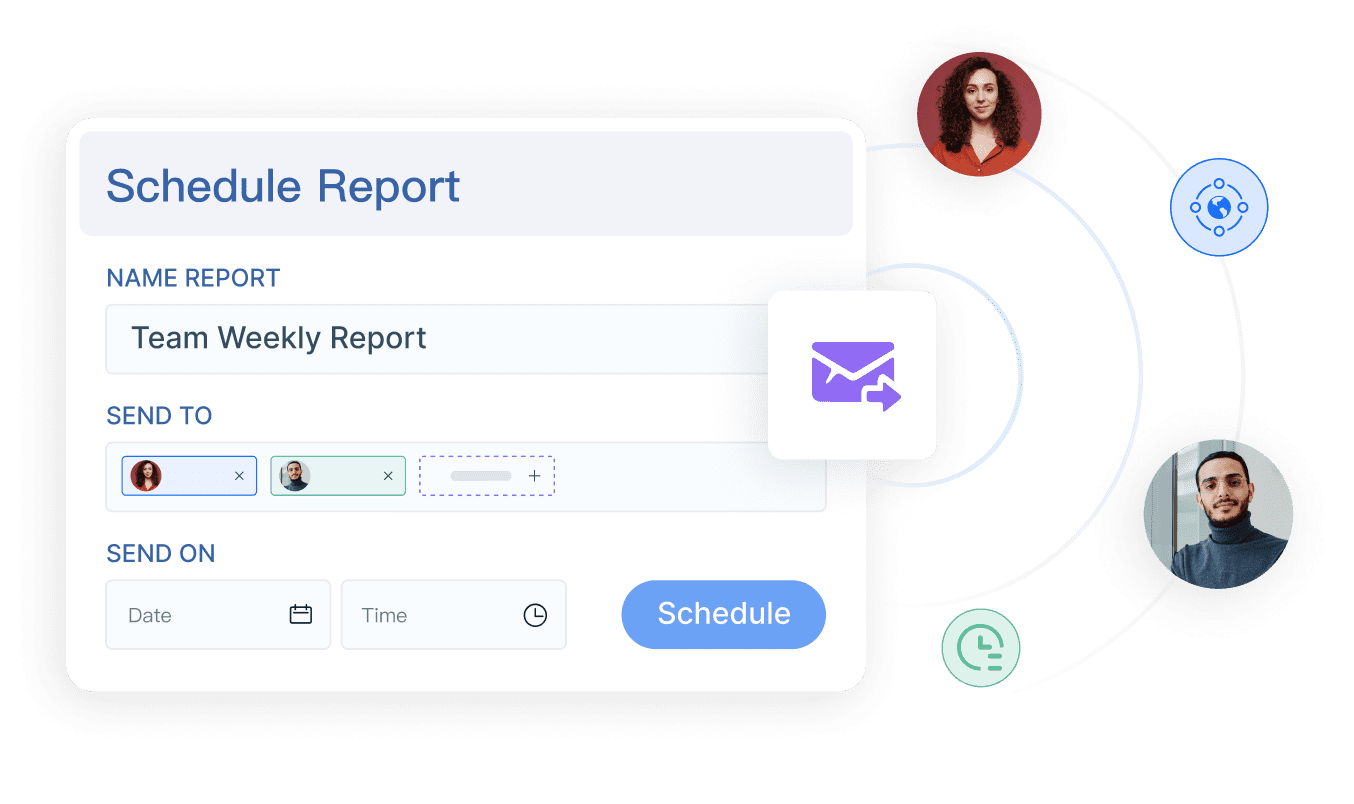
- Scheduled report distribution and role-based access controls
- Self-service analytics for managers and executives
- Pros & Cons:
- Pros: Very flexible; strong for complex reporting needs; excellent for consolidating data across brands or locations; supports deep customization and governance
- Cons: Requires more setup than simple POS-native reports; best value appears when restaurants have multiple systems or advanced reporting requirements
- Best For (Target user/scenario):
- Multi-location restaurant groups
- Franchise operators
- Enterprise hospitality teams
- Brands that want a centralized analytics layer beyond basic POS reports
FineReport stands out because it is not limited to one restaurant system. Many restaurant operators outgrow standard POS reporting when they need to compare stores, merge finance and labor data, monitor regional performance, or build custom executive dashboards. FineReport addresses that gap by connecting data from multiple sources and presenting it in a format tailored to each stakeholder.
For restaurant groups, that means one platform can combine POS sales, labor hours, payroll costs, inventory movement, menu mix, delivery channel data, and accounting metrics into a unified view. Instead of switching between tools, leadership teams can monitor gross sales, voids, discounts, labor percentages, food cost trends, and location performance from one place.
FineReport is especially strong when reporting requirements vary by role. Store managers may need daily operational scorecards, finance teams may want margin and variance analysis, and executives may need cross-region performance dashboards. FineReport supports all three without forcing everyone into the same fixed template.
Its main limitation is that it is more powerful than what a very small single-site restaurant may need. But for growing brands and enterprise teams, that flexibility is exactly why FineReport is worth shortlisting first among restaurant reporting software options.
Toast
- One-sentence overview: Toast is a restaurant-focused POS platform with built-in reporting that ties sales, labor, and operations closely together.
- Key Features:
- Built-in POS reporting for sales, payment, and order trends
- Labor and team reporting tied to restaurant operations
- Menu and item-level performance analysis
- Location-level reporting for supported setups
- Restaurant-specific workflows across front and back of house
- Pros & Cons:
- Pros: Native restaurant focus; operational reporting is easy to access; useful for full-service and quick-service environments; good fit for restaurants already on Toast POS
- Cons: Reporting depth is strongest inside the Toast ecosystem; customization can be more limited than a dedicated BI platform; less ideal if data lives across many external systems
- Best For (Target user/scenario):
- Full-service restaurants
- Quick-service brands
- Operators that want reporting closely tied to POS workflows
Toast is a practical choice for restaurants that want reporting without adding a separate analytics stack. Because the platform is designed specifically for foodservice, it handles common reporting needs such as daily sales, item performance, labor monitoring, and shift-level trends with minimal friction.
For many operators, that simplicity is the appeal. Managers can quickly review reports, identify peak periods, compare employee performance, and evaluate menu items without needing custom development. If your restaurant already runs on Toast POS, the reporting experience tends to be straightforward and operationally relevant.
The trade-off is flexibility. Toast works best when your core restaurant data sits inside the Toast environment. If you want to blend POS data with accounting systems, warehouse data, external delivery platforms, or highly customized executive KPIs, a broader platform like FineReport may offer more long-term value.
SpotOn
- One-sentence overview: SpotOn is a POS-based restaurant reporting software option that combines operational reporting with integrated restaurant management tools.
- Key Features:
- Dashboard metrics for daily, weekly, and monthly comparisons
- Sales summary and product mix reporting
- Filters for employees, order origins, fulfillment types, and date ranges
- Drill-down item reporting and CSV exports
- Mobile access to reports
- Reporting included within the POS environment
- Pros & Cons:
- Pros: Easy to use; built-in reporting reduces complexity; helpful drill-down capabilities; good mobile accessibility
- Cons: Best suited to businesses already using SpotOn POS; less customizable than full BI platforms; broader strategic analytics may require external tools
- Best For (Target user/scenario):
- Growing restaurants
- Operators wanting integrated reporting and restaurant management
- Teams that prioritize usability and mobile access
SpotOn is built for restaurant operators that want quick access to performance data without a heavy implementation project. Its reporting tools cover core operational questions well: what sold, when it sold, who sold it, and how order channels performed.
This makes SpotOn attractive for restaurants that need day-to-day visibility more than highly customized business intelligence. Operators can track menu performance, compare shifts, review payment summaries, and export data for further analysis. The interface is typically easier for managers who do not want to build reports from scratch.
SpotOn is a strong mid-market option, especially for restaurants looking for an integrated operating system. However, if your business requires advanced cross-location governance, custom executive dashboards, or data blending across external systems, FineReport will usually provide more analytical headroom.
Other Top Tools to Consider
Square for Restaurants
- One-sentence overview: Square for Restaurants offers accessible POS reporting for small restaurants that want simple setup and straightforward dashboards.
- Key Features:
- Basic sales and team reporting
- Menu and category performance visibility
- Cloud access and user-friendly setup
- Integrated payments and restaurant workflows
- Pros & Cons:
- Pros: Easy to adopt; suitable for smaller teams; relatively simple learning curve
- Cons: Limited advanced analytics; less robust for large multi-unit operations
- Best For (Target user/scenario):
- Small restaurants
- Cafes
- Counter-service operators with modest reporting needs
Square for Restaurants works well when affordability and ease of use matter more than deep customization. Independent operators often prefer it because it reduces operational complexity and provides enough visibility for daily decision-making.
Restaurant365
- One-sentence overview: Restaurant365 is a restaurant management platform with strong accounting, operations, and reporting capabilities.
- Key Features:
- Financial and operational reporting
- Inventory, labor, and accounting integration
- Multi-location visibility
- Back-office workflow support
- Pros & Cons:
- Pros: Strong back-office depth; good for restaurant groups; useful for finance-driven reporting
- Cons: Can be heavier to implement; may be more than a small operator needs
- Best For (Target user/scenario):
- Multi-unit groups
- Finance-focused restaurant organizations
- Operators needing accounting-connected reporting
Restaurant365 is best for teams that want reporting tightly connected to accounting and back-office control. It is often a fit for operators that care as much about margins and financial process discipline as front-line POS analytics.
Lightspeed
- One-sentence overview: Lightspeed combines restaurant POS functions with reporting, inventory, and operational controls.
- Key Features:
- Sales and menu reporting
- Inventory and workforce tools
- Cloud access
- Multi-site support for growing businesses
- Pros & Cons:
- Pros: Balanced feature set; suitable for scaling operators; combines POS and operational data
- Cons: Reporting customization is more limited than dedicated BI platforms
- Best For (Target user/scenario):
- Growing restaurants
- Hospitality businesses needing a broader POS suite
Lightspeed is a solid option for restaurants that want more than entry-level reporting but are not yet ready for a separate analytics platform.
MarginEdge
- One-sentence overview: MarginEdge focuses on back-office restaurant reporting, especially food cost, invoice processing, and daily financial visibility.
- Key Features:
- Daily P&L views
- Automated invoice capture
- Food cost and inventory visibility
- Menu analysis tied to ingredient cost
- Pros & Cons:
- Pros: Strong cost control visibility; reduces manual admin work; useful operational finance insights
- Cons: Narrower scope than a full BI platform; less suited for broad enterprise dashboarding
- Best For (Target user/scenario):
- Cost-conscious operators
- Restaurants focused on food cost and back-office control
MarginEdge is often chosen by restaurants that need sharper visibility into margins and purchasing rather than broad executive analytics.
CrunchTime
- One-sentence overview: CrunchTime is an operations and back-office platform known for enterprise restaurant reporting around labor, inventory, and compliance.
- Key Features:
- Inventory and labor analysis
- Operational reporting across locations
- Forecasting and control tools
- Enterprise process support
- Pros & Cons:
- Pros: Built for scale; strong operational discipline; useful for chains and complex organizations
- Cons: Implementation can be more involved; may be excessive for small teams
- Best For (Target user/scenario):
- Enterprise restaurants
- Chains
- Operators focused on process consistency and control
CrunchTime fits larger brands that need structured reporting and operational standardization. Compared with FineReport, it is more operations-specific, while FineReport offers more flexibility for custom analytics across broader data environments.
How to Choose the Best Restaurant Reporting Software in 2026
Choosing restaurant reporting software is no longer just about pulling end-of-day sales reports. In 2026, restaurant operators need platforms that support faster decisions, cleaner data, and better visibility across every part of the business.
What restaurant operators need from modern reporting tools
Modern restaurants generate data from many systems at once: POS, online ordering, delivery platforms, payroll, scheduling, accounting, loyalty tools, and inventory software. The best reporting tools help operators combine that information into a usable view.
Key needs usually include:
- Real-time visibility into sales and labor
- Menu performance analysis by item, category, and daypart
- Food cost and inventory insights
- Multi-location comparisons
- Mobile and desktop access for different roles
- Scheduled reporting for managers and executives
- Accurate consolidation of data from different systems
For smaller restaurants, the goal is usually speed and simplicity. For larger organizations, the goal shifts toward customization, governance, and cross-location consistency.
The difference between built-in POS reports, analytics dashboards, and custom BI platforms
Not all restaurant reporting software serves the same purpose.
Built-in POS reports are best for day-to-day operational visibility. They show sales, payments, ticket counts, and item performance, usually inside the POS system itself. Toast, SpotOn, Square for Restaurants, and Lightspeed fit well here.
Analytics dashboards provide a more visual and often broader reporting layer. They may pull from multiple modules or adjacent systems to display trends, KPIs, and summaries in a manager-friendly interface.
Custom BI platforms such as FineReport are designed for deeper analysis and broader consolidation. They allow restaurants to build tailored dashboards, connect multiple data sources, manage permissions, and support enterprise reporting structures. This becomes especially valuable when a restaurant group needs more than out-of-the-box reports.
Key comparison criteria: reporting depth, real-time visibility, integrations, ease of use, pricing, and scalability
When evaluating restaurant reporting software, focus on these six criteria:
-
Reporting depth
Can the tool go beyond basic sales summaries into labor, inventory, profitability, and location-level analysis? -
Real-time visibility
Are dashboards updated frequently enough to support same-day decisions? -
Integrations
Can it connect with POS, accounting, payroll, inventory, delivery apps, and data warehouses? -
Ease of use
Can store managers use it without technical help? Can analysts customize it when needed? -
Pricing
Is reporting included in a larger platform, or is it a separate investment? -
Scalability
Will the tool still work as your business expands to more locations, concepts, or reporting requirements?
In most cases, single-unit restaurants prioritize usability and cost, while multi-unit and enterprise operators prioritize integration flexibility and reporting control.
 Click To Try The Dashboard
Feature-by-Feature Comparison: Restaurant Analytics and Reporting Software
Reporting and dashboard capabilities
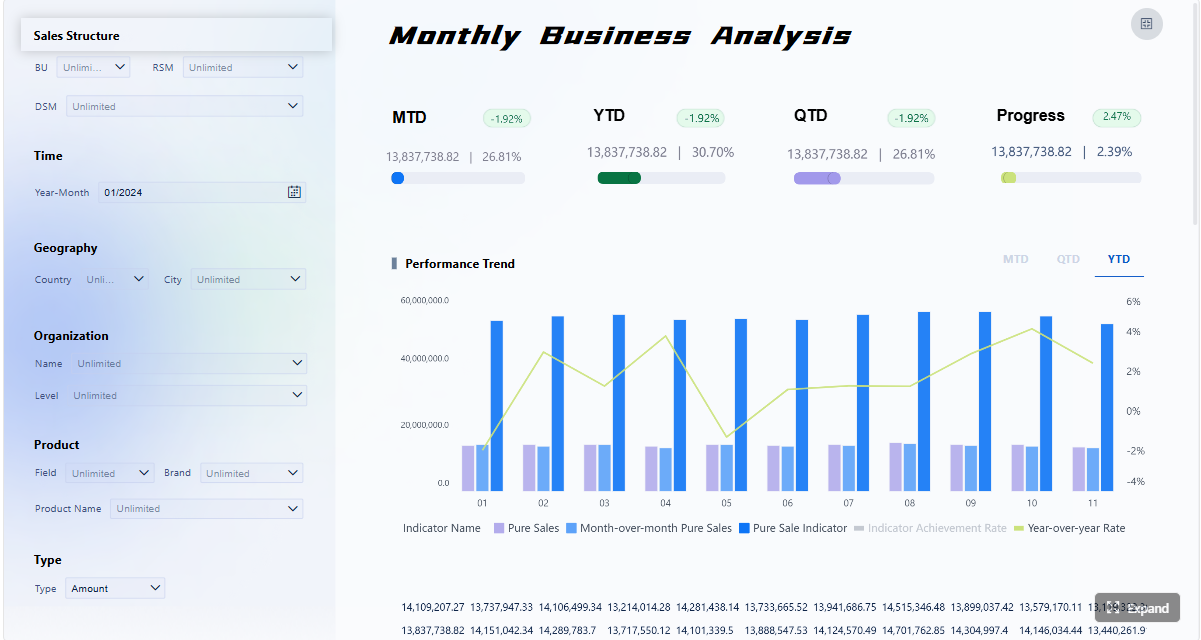
The most important reporting capabilities in restaurant software usually center on five areas:
- Sales reporting: revenue, transactions, discounts, refunds, channels, and daypart trends
- Labor reporting: hours, wages, labor percentage, overtime, and team productivity
- Inventory reporting: usage, waste, stock levels, and variance
- Menu performance: item sales, category performance, contribution, and pairing insights
- Location-level reporting: side-by-side store comparisons and consolidated summaries
Tools like Toast and SpotOn handle operational reporting well within their own ecosystems. MarginEdge is stronger for food cost and invoice-driven reporting. Restaurant365 and CrunchTime support broader back-office and chain visibility. FineReport is the strongest option when you need all of these perspectives in one custom reporting environment.
Advanced teams should also look for:
- Scheduled reports by email
- Self-service dashboards for different user roles
- Drill-down analysis from high-level KPIs to transaction detail
- Regional, brand, and franchise roll-up views
- Custom scorecards for finance, operations, and leadership
Integration and data management
Data quality is often what separates average restaurant reporting software from excellent reporting software.
A platform may have attractive dashboards, but if it cannot consolidate data accurately, the insights will be limited. The best tools should support integration with:
- POS systems
- Accounting software
- Payroll platforms
- Inventory and purchasing tools
- Online ordering and delivery apps
- Loyalty and customer systems
- Data warehouses or cloud databases
For small restaurants using one main POS, native reporting may be enough. For larger groups, fragmented systems create reporting blind spots. FineReport is particularly valuable here because it can act as a central reporting layer across systems rather than forcing all analytics to remain inside one vendor’s ecosystem.
Cross-location visibility also matters. If each store operates slightly differently, standardized reporting definitions become essential. Enterprise teams often need shared KPI logic, role-based access, and consistent dashboard templates. FineReport is well suited to these requirements.

Usability, support, and implementation
The right tool should fit both your current team and your future reporting maturity.
Simple POS reporting tools are faster to implement and easier for frontline managers. They are often best for small teams that need answers quickly.
Broader restaurant management platforms offer more operational depth but may take longer to configure.
Custom BI platforms require more planning up front but deliver more long-term flexibility. This is the typical trade-off with FineReport: it may involve more implementation effort than a lightweight POS dashboard, but it offers stronger reporting control, customization, and scalability.
When evaluating usability, ask:
- How long does setup take?
- Can non-technical managers use the dashboards?
- How easy is it to add or change KPIs?
- What support does the vendor provide during rollout?
- Are user permissions and admin controls flexible enough for your organization?
Pros and Cons of the Leading Tools
Best options for small restaurants
For small restaurants, the best restaurant reporting software usually balances ease of use, low overhead, and practical operational reporting.
Top fits for small restaurants:
- Square for Restaurants
- Toast
- SpotOn
- Lightspeed
These tools are generally easier to adopt because the reporting is tied closely to the POS and core restaurant workflows. A manager can usually log in, check daily sales, review labor, and monitor top-selling items without needing a separate analytics implementation.
Trade-offs to expect:
- Lower cost usually means less customization
- Native dashboards may not support advanced cross-system reporting
- Growth can expose limits in reporting flexibility
If a small operator plans to remain single-site and wants speed over analytical depth, built-in POS reporting may be the most practical choice.
Best options for multi-location and enterprise teams
For multi-location operators, franchises, and enterprise restaurant brands, reporting needs are much more complex.
Top fits for larger organizations:
- FineReport
- Restaurant365
- CrunchTime
- Toast for brands deeply invested in its ecosystem
These platforms are more likely to support centralized control, location comparisons, role-based reporting, and broader operational visibility. Among them, FineReport is especially strong when an organization needs custom dashboards, data governance, and reporting across disconnected systems.
Trade-offs to expect:
- More power often means more implementation effort
- Training and change management may be required
- Customization can increase project scope, but it also increases long-term value
For enterprise teams, the question is rarely whether they need reporting. The real question is whether they need fixed operational reports or a flexible analytics platform that can evolve with the business. FineReport is often the better answer when growth, complexity, and customization are all priorities.
Which Restaurant Reporting Software Is Right for Your Business?
The right choice depends on your restaurant type, data complexity, and operational goals.
Best picks by restaurant type: independent, franchise, multi-location group, and enterprise
Independent restaurant
- Best picks: Square for Restaurants, Toast, SpotOn
- Why: easier setup, built-in reporting, lower complexity
Franchise operation
- Best picks: FineReport, Restaurant365, CrunchTime
- Why: centralized reporting, governance, unit comparisons, broader control
Multi-location restaurant group
- Best picks: FineReport, Toast, Restaurant365
- Why: stronger cross-location analysis, multi-system integration, customizable dashboards
Enterprise restaurant brand
- Best picks: FineReport, CrunchTime, Restaurant365
- Why: scalability, governance, custom KPI frameworks, executive-level reporting
Questions to ask before choosing a platform
Before selecting restaurant reporting software, ask:
- Do we only need POS reports, or do we need broader analytics?
- How many systems must the platform connect to?
- Do we need daily operational reporting, executive dashboards, or both?
- How important is custom dashboard design?
- Will multiple locations need standardized reports?
- Who will own reporting: store managers, finance, operations, or analysts?
- How quickly do we need implementation?
- Will this still work if we double our location count?
These questions often reveal whether a built-in tool is sufficient or whether a platform like FineReport will provide better long-term fit.
Final takeaway on when to choose FineReport, Toast, SpotOn, or another solution
If you want the most customizable and scalable restaurant reporting software for multi-location visibility, cross-system analytics, and advanced dashboarding, FineReport is the strongest choice.
Choose Toast if you want built-in restaurant reporting closely tied to a restaurant-native POS environment.
Choose SpotOn if you want easy-to-use reporting inside an integrated restaurant management and POS platform.
Choose Square for Restaurants or Lightspeed if you run a smaller operation and prioritize simplicity.
Choose Restaurant365, MarginEdge, or CrunchTime if your reporting priorities are more focused on back-office control, food cost, labor, or enterprise operations.
For many growing brands, the tipping point comes when standard POS reports stop answering strategic questions. That is where FineReport offers the clearest advantage: it gives restaurant operators a flexible reporting layer that grows with the business instead of limiting analysis to a single system’s predefined reports.
FAQs
Restaurant reporting software helps operators track sales, labor, inventory, food cost, and other key metrics in one place. It turns raw operational data into dashboards and reports that support faster, more informed decisions.