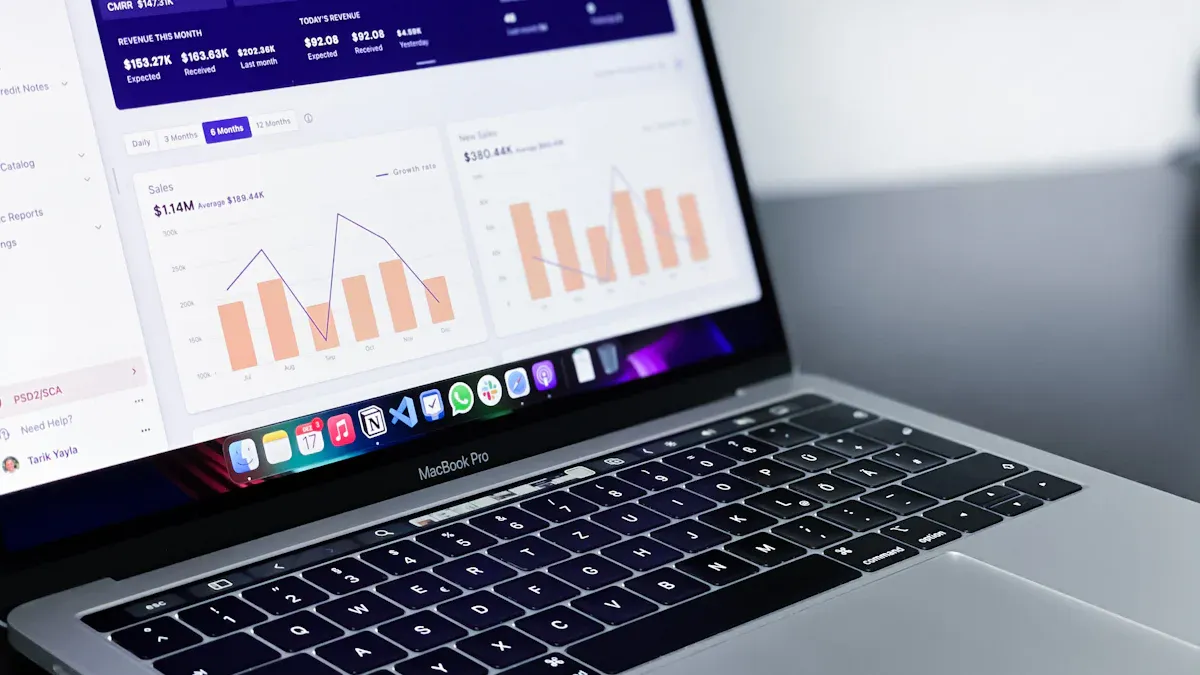
You rely on financial analysis tools to make smart decisions and drive results in 2026. These solutions help you manage data, automate reporting, and gain real-time insights. Here are the top 10 financial analysis software options you should know: FineBI, Anaplan, Workday Adaptive, Tellius, Pigment, Futrli, Hebbia, Kensho, OpenAI (ChatGPT), and Capix.
Integration, automation, scalability, user experience, analytics power, and industry recognition set these tools apart. FanRuan and FineBI lead innovation in financial analysis software with advanced features and usability.
FineBI stands out as a modern financial analysis software that empowers you to handle data independently. You can connect to over 60 data sources, including databases, cloud warehouses, and APIs. FineBI’s no-code interface lets you build dashboards and reports with simple drag-and-drop actions. You do not need programming skills to analyze your data in real time.
Use role-based access, row-level security, and audit logging for safe collaboration.
You can use FineBI to connect, process, and visualize data from multiple systems. The platform supports both self-service and enterprise-level governance, so you can share insights securely across your organization.
Strengths & Use Cases
FineBI gives you the power to perform financial analysis without relying on IT teams. You can create your own dashboards, track KPIs, and explore trends with just a few clicks. The software supports real-time analysis, so you always work with the latest data. FineBI’s integrated ETL tools help you clean and prepare data quickly, which boosts your productivity.
You will find FineBI especially useful if you need to:
Consolidate financial data from different sources.
Automate reporting for monthly or quarterly reviews.
Support large teams with secure, role-based access.
Visualize complex metrics for executive decision-making.
FineBI adapts to many industries, including finance, manufacturing, and retail. Its scalability and mobile support make it a strong choice for both small teams and large enterprises looking for the best financial analysis tools.
Customer Success: Founder Securities
Founder Securities, a leading financial services company, used FineBI to transform its operations. Over 2,000 employees gained the ability to access and analyze data on their own. This shift improved efficiency and decision-making across the company. During a major merger, FineBI helped Founder Securities migrate 50,000 user accounts smoothly and monitor risks in real time. The company now uses FineBI daily to track performance, manage customers, and drive growth. Founder Securities credits FineBI with making data as essential as water in daily business life.
2.Anaplan: Connected Planning Platform
Overview & Key Features
Anaplan is a connected planning platform trusted by global organizations for financial planning and analysis. You can use Anaplan to link finance, operations, and workforce planning in one place. The platform supports real-time scenario modeling, which helps you respond quickly to market changes.
Many Fortune 500 companies rely on Anaplan for their financial analysis software needs. Here are some of the most widely used financial analysis tools among large enterprises:
Delivers instant scenario insights for leadership.
Decision Making
Supports better investment, cost, and capital decisions.
You can integrate Anaplan with other business systems to automate data flows and reporting. The platform’s flexibility makes it suitable for complex, global organizations.
Strengths & Use Cases
Anaplan helps you improve forecast accuracy and speed up planning cycles. You can model different scenarios and see the impact of changes right away. This ability supports better decision-making at every level. Anaplan works well for companies that need to coordinate planning across multiple departments or regions.
Industries such as telecommunications, retail, and manufacturing have reported high returns on investment after adopting Anaplan. For example, BT, a major telecom company, used Anaplan for workforce planning and saw improved accountability and productivity. Many sectors have experienced substantial benefits from connected planning with Anaplan.
You should consider Anaplan if you need to:
Link financial, operational, and workforce plans.
Run real-time scenario analysis.
Shorten your planning cycles.
Improve collaboration across departments.
3.Workday Adaptive: Integrated FP&A Solution
Overview & Key Features
Workday Adaptive Planning is a leading financial analysis software for integrated fp&a. You can use it to manage budgets, forecasts, and reports in one unified platform. Workday Adaptive supports centralized data management and real-time updates, so your team always works with the latest numbers.
Key integration capabilities include:
Key Integration Capability
Description
Integrated financial planning
Plan across all business functions in one place.
Real-time forecasting
Update forecasts instantly as new data arrives.
Scenario planning
Model and compare different financial outcomes.
Reporting and analytics
Create detailed reports and analyze data for better decisions.
You can automate reporting processes and reduce manual work. Workday Adaptive’s elastic hypercube technology handles complex models efficiently, so you can consolidate data quickly.
Strengths & Use Cases
Workday Adaptive boosts the efficiency of your fp&a team. The platform automates budgeting, forecasting, and reporting, which frees up your time for strategic analysis. You can deliver unified data models and reduce the time spent collecting and reconciling data.
"The platform automates budgeting, forecasting, and reporting processes, significantly reducing the time and effort required, thus freeing up resources for more strategic tasks."
You will benefit from Workday Adaptive if you need to:
Centralize financial planning and analysis.
Automate routine reporting.
Run real-time scenario planning.
Increase collaboration between departments.
Support rapid growth with scalable analytics.
Workday Adaptive is a top choice for mid-sized and large companies that want to modernize their fp&a processes and gain a competitive edge with advanced financial analysis tools.
4.Tellius: Automated Financial Analysis Tools
Overview & Key Features
Tellius gives you a powerful way to automate your financial analysis. This financial analysis software uses artificial intelligence to help you find answers quickly. You can connect many data sources and get a complete view of your financial performance. Tellius stands out because it combines automation, transparency, and a conversational interface.
Here is a table showing what makes Tellius unique:
Identifies discrepancies in your financial data automatically.
Unified Data Insights
Combines data from different sources for a full picture of your finances.
Conversational Interface
Lets you ask questions in plain language and get instant insights.
Transparency in Analytics
Explains how results are calculated, so you can trust the answers.
You can refine your queries and focus on the most important variables. Tellius lets you control which data columns you want to analyze, so you always get answers that fit your needs.
Strengths & Use Cases
Tellius helps you speed up your financial planning and analysis. You can turn manual tasks into smart workflows. This means you spend less time on routine work and more time making decisions. Tellius compresses planning cycles from months to days. You get real-time visibility into your finances, which helps your whole organization make better choices.
You can use Tellius to:
Automate root cause analysis and variance investigation.
Free up 30-40% of your analysts’ time for strategic projects.
Support unified decision-making with up-to-date financial data.
If you want to reduce manual work and focus on what matters, Tellius is a smart choice among financial analysis software.
5.Pigment: Scenario Planning for FP&A
Overview & Key Features
Pigment gives you a flexible platform for scenario planning in fp&a. You can connect all your data sources and set clear goals for your team. Pigment helps you answer “what if?” questions and see how different choices affect your outcomes. You can share scenarios with others and test different situations to understand their impact.
Links “what if?” questions to your business goals.
Win buy-in from stakeholders
Involves everyone in the planning process.
Invest in the right tools
Uses an integrated platform for easy scenario setup.
Advanced sharing capabilities
Lets you share scenarios, even privately.
Sensitivity analysis and simulations
Tests different scenarios and shows their effects.
Pigment supports real-time collaboration. You and your team can work together, adjust budgets, and create reports that fit your needs.
Strengths & Use Cases
Pigment makes collaborative decision-making easy in financial forecasting. Everyone can see the same information at the same time. Managers can add their forecasts and explain any changes. Department heads can compare forecasts with actual results and make smart adjustments. Pigment also lets you change budgets quickly and create custom reports for your team.
You will find Pigment useful if you need to:
Run scenario planning for fp&a.
Involve many stakeholders in the planning process.
Adjust budgets and forecasts on the fly.
Share and compare different scenarios easily.
Pigment is a strong choice for teams that want to improve their financial planning and analysis with advanced scenario tools.
6.Futrli: Performance Dashboards for Accountants
Overview & Key Features
Futrli gives you customizable dashboards and advanced reporting tools. This financial analysis software helps you track key metrics like cash position, revenue trends, and liquidity ratios. You can turn your data into clear, professional reports and automate how you deliver them. Futrli also provides real-time tracking of both financial and non-financial business drivers.
Here is a table of Futrli’s dashboard features:
Feature
Description
Customizable KPI Dashboards
Lets you monitor important metrics such as cash flow and revenue.
Advanced Reporting Tools
Turns your data into easy-to-read reports and automates delivery.
Real-time Performance Tracking
Gives you instant insights into your business performance.
You can set up dashboards to match your business needs and get updates as soon as your data changes.
Strengths & Use Cases
Futrli improves the accuracy of financial performance tracking, especially for small businesses. You can see real-time insights through dashboards that you design yourself. This helps you track profitability, compare actual results with budgets, and measure operational metrics. Futrli’s reporting tools turn your data into professional reports, making it easier to make informed decisions.
You will benefit from Futrli if you want to:
Track cash flow and revenue trends in real time.
Monitor liquidity and other key financial indicators.
Forecast cash flow for short-term planning.
Compare actual results with budgets and spot trends quickly.
Futrli is a valuable tool for accountants and business owners who want to improve their financial analysis and reporting.
7.Hebbia: AI-Powered Financial Advisor Tools
Overview & Key Features
You can use Hebbia to transform how you deliver financial advice. This platform uses advanced AI to help you research, analyze, and synthesize large sets of documents quickly. Hebbia’s multi-agent AI breaks down complex questions into smaller tasks. You get answers with clear citations, which improves trust and accuracy.
Key features include:
Multi-agent AI for handling complex queries
Automated document analysis and synthesis
Verifiable insights with source citations
Streamlined research for faster client service
Hebbia supports a wide range of financial tasks. You can use it for deal research, valuation benchmarking, and analyzing confidential information memorandums (CIMs) or virtual data rooms (VDRs). The platform helps you deliver more accurate and timely advice to your clients.
Strengths & Use Cases
You gain a competitive edge with Hebbia’s ability to speed up research and improve the quality of your insights. Financial institutions use Hebbia to:
Gather and analyze large sets of documents efficiently
Synthesize information for client presentations
Provide cleaner outcomes and reduce risk in transactions
For example, Provident Healthcare Partners uses Hebbia to accelerate deal execution and reduce risk. You can rely on Hebbia for tasks such as CIM analysis, VDR review, and valuation benchmarking. The platform’s AI capabilities help you break down complex projects, making your workflow more efficient and your client interactions more impactful.
8.Kensho: AI-Driven Financial Analysis Tools
Overview & Key Features
Kensho offers you a suite of AI-driven tools that set a new standard for financial analysis. You can use Kensho to build dynamic knowledge graphs, generate compliance-ready reports, and run advanced scenario analysis. The platform’s risk modeling tools help you make better decisions in volatile markets.
You can use Kensho’s natural language search to query complex financial data. The platform uses machine learning to analyze the market impact of global events. You get detailed portfolio risk assessments, which help you make informed decisions.
Strengths & Use Cases
Kensho stands out for its impact on risk assessment. For example, a major investment bank reduced its risk exposure by 25% during a period of high market volatility using Kensho’s technology. You can use Kensho to:
Query financial data with natural language
Analyze how global events affect your portfolio
Receive timely and accurate risk assessments
Kensho’s tools help you respond quickly to market changes. You can trust the platform to deliver deeper insights and more accurate forecasts than many traditional financial analysis tools.
OpenAI’s ChatGPT brings conversational AI to your financial analysis workflow. You can ask questions in plain language and receive structured outputs instantly. ChatGPT integrates with Excel, which lets you interact with your data more intuitively. You do not need to write formulas or build pivot tables by hand.
Key use cases include:
Financial analysis and decision support
Business research reports
Cash flow forecasting
M&A transactions
Preparing reports for the Board of Directors
You can automate tasks like reconciliations, journal entries, and variance analysis. ChatGPT also helps you draft internal reports and extract data quickly.
You benefit from ChatGPT’s ability to improve both speed and accuracy in financial data interpretation. Research shows that ChatGPT achieved over 60% accuracy with chain-of-thought prompting, outperforming human analysts in some cases. You can use ChatGPT for:
Financial analysis
Expense management and budgets
Cash flow forecasting
M&A and corporate development
ChatGPT helps you distill insights from financial numbers, which enhances your predictive capabilities. You save time and increase productivity by letting ChatGPT handle routine analysis and reporting tasks. This makes it a valuable addition to your fp&a toolkit.
10.Capix: Risk Analysis & Investment Modeling
Overview & Key Features
Capix gives you powerful tools for risk analysis and investment modeling. You can use Capix to find targeted buyers and analyze investment opportunities with speed and precision. The platform uses artificial intelligence to help you build lists and access company profiles. You get contact data for millions of executives, which helps you connect with decision-makers.
Provides extensive contact information for executives.
Capix stands out among risk analysis software because it combines AI with a large database. You can search for companies and executives quickly. The platform helps you make informed decisions by giving you access to reliable data.
Strengths & Use Cases
You can use Capix to improve your investment modeling and risk analysis. The platform helps you identify potential buyers and partners. You can build lists based on specific criteria, which saves you time. Capix gives you access to company profiles and executive contacts, so you can reach out to the right people.
Capix works well for professionals who need to:
Analyze risk before making investments.
Find buyers for mergers and acquisitions.
Build targeted lists for outreach.
Access up-to-date company and executive information.
You can rely on Capix when you need financial analysis tools that support quick decision-making. The platform helps you reduce risk and find new opportunities. Capix is a strong choice for anyone looking for financial analysis software that combines AI and data for investment modeling.
Financial Analysis Tools Comparison
Choosing the right financial analysis tools can transform how you manage your organization’s finances. You need to compare each platform’s strengths before making a decision. The table below gives you a clear view of the top options for 2026. You will see how each tool supports fp&a, financial reporting, and detailed reporting.
Tool
Key Features
Integration
AI Capabilities
Pricing
Ideal Users
FineBI
No-code dashboards, real-time analytics, ETL, mobile support, detailed reporting
Tip: FineBI stands out for usability. You can build dashboards with drag-and-drop actions. You do not need coding skills. FineBI also connects to over 60 data sources, including cloud and on-premises systems. This makes integration simple for any organization.
You will notice that FineBI’s real-time analytics engine gives you instant insights. You can track financial performance as it happens. This feature supports real-time performance tracking and helps you respond quickly to changes. FineBI’s detailed reporting tools let you create custom reports for any audience. You can share dashboards securely with your team and set role-based permissions for sensitive data.
If you need advanced fp&a, FineBI offers flexible data modeling and scenario planning. You can automate financial reporting and streamline data analysis and reporting. FineBI’s AI-powered analytics help you uncover trends and forecast outcomes. You will find these features valuable for both daily operations and strategic planning.
When you compare financial analysis software, look for platforms that support detailed analytics, financial reporting, and collaboration. FineBI’s combination of usability, integration, and real-time analytics makes it a top choice for organizations that want to modernize their fp&a and financial reporting processes.
Choosing Financial Analysis Tools
Assessing Business Needs
You should start by understanding your business needs before selecting any financial analysis software. Every organization has unique requirements. You may advise different types of clients or manage multiple entities. Some companies need to handle multi-currency transactions. Others focus on advanced forecasting or custom reporting.
Consider these factors when you assess your needs:
Think about the types of clients you serve and their size.
Decide if you need to consolidate data from several entities.
Check if your business requires simple or complex forecasting.
Choose between custom reporting and prebuilt templates.
Evaluate your team’s technical skills and training needs.
Compare the price of the software with the features it offers.
If you want the best fp&a tools, you must match the software’s capabilities to your business goals. FanRuan and FineBI provide scalable solutions that fit both small teams and large enterprises. You can grow your analytics as your company expands.
Integration & Data Management
Integration and data management play a key role in the effectiveness of any financial analysis tool. You need to connect data from many sources, such as accounting software, databases, and cloud platforms. When you integrate your data, you can analyze it more easily and make better decisions.
Data analytics helps you predict trends and find strategic insights. With strong integration, you can build advanced models that improve your financial analysis. Real-time data integration lets you monitor key metrics and respond quickly to changes in your business.
FineBI stands out for its ability to connect to over 60 data sources, including cloud and on-premises systems. You can use FineDataLink to synchronize and manage data across your organization. This gives you a solid foundation for advanced analytics and supports your fp&a needs.
Reporting & Analytics Complexity
You should look at the complexity of reporting and analytics when choosing financial analysis software. Large enterprises often need advanced features. The table below shows important features to consider:
Feature
Description
Integrations and ability to import data
Ensures seamless data flow from multiple sources like accounting software and databases.
Financial modeling
Tools for building models that simulate scenarios and project future outcomes.
Ratio analysis
Automates the calculation of key financial ratios to assess company health.
Trend analysis
Features for visualizing trends in financial metrics over time.
Compatibility with AI technologies
Ensures the software can leverage AI for predictive analytics and enhance user experience.
Forecasting and budgeting
Assists in predicting future performance and managing budgets effectively.
Dashboard and visualization
Provides intuitive interfaces with interactive charts and graphs for better understanding of data.
You need software that can handle complex modeling, trend analysis, and AI-powered forecasting. FineBI offers interactive dashboards, automated ratio analysis, and compatibility with AI technologies. These features help you manage your fp&a tasks efficiently. You can visualize trends, build scenarios, and create detailed reports for your team.
When you choose financial analysis tools, always match the software’s features to your reporting needs. This ensures you get the most value from your investment and support your organization’s growth.
Budget & Pricing
You need to think carefully about your budget before you choose a financial analysis tool. Pricing models can look very different from one platform to another. Some tools offer simple plans, while others use advanced pricing that changes with your needs. You want a model that fits your company’s size and the features you need for fp&a.
Here is a table that shows the most common pricing models for financial analysis software:
Pricing Model
Description
Tiered Pricing
Companies charge different prices based on quality or features, allowing differentiation for various business sizes.
Subscription Pricing
Customers pay a recurring fee, which can be tailored to both small and large businesses, enhancing customer lifetime value.
Usage-Based Pricing
Charges are based on the level of use, making it adaptable for businesses of different sizes and usage patterns.
You should look for a pricing model that can grow with your business. If you run a small team, you might start with a basic plan. As your fp&a needs expand, you can move to a higher tier or add more features. This flexibility helps you avoid paying for tools you do not use.
Tip: Always check if the software offers a free trial or demo. This lets you test the platform before you commit your budget.
When you compare pricing, keep these points in mind:
The model should be scalable for both large and small companies.
It should grow comfortably with the business.
Understanding customer preferences is crucial for selecting the right model.
You also want to think about the total cost of ownership. Some tools charge extra for advanced analytics, support, or integration with other systems. FineBI, for example, offers a cost-effective solution that supports both small businesses and large enterprises. You can start with core fp&a features and add more as your needs change.
If you manage fp&a for a growing company, you need a tool that will not limit you as you scale. Look for transparent pricing and clear upgrade paths. This will help you plan your budget and avoid surprises as your team and data grow.
Financial Advisor Tools & FP&A Solutions
Modern finance teams need specialized financial advisor tools and fp&a solutions to stay ahead. You face complex challenges every day. You must plan for the future, respond to changes, and keep your data secure. The right software helps you make better decisions and serve your clients well.
Scenario Planning & Forecasting
You use scenario modelling to test different outcomes. This helps you see what might happen if sales drop or costs rise. FineBI and other top fp&a platforms let you build models quickly. You can change numbers and see the results right away. Financial forecasting becomes easier when you have the right tools. You can predict revenue, expenses, and profits for the next quarter or year. Cash-flow forecasting is also important. You need to know if your business will have enough money to pay bills and invest in growth. FineBI gives you templates and dashboards for cash-flow forecasting. You can adjust your plans as new data comes in.
Real-Time Insights & Automation
You need real-time insights to make smart choices. FineBI and similar fp&a tools update your dashboards as soon as new data arrives. You do not have to wait for manual reports. Automation saves you time. You can set up rules to send alerts when cash-flow forecasting shows a problem. The software can also automate routine tasks like report generation. This means you spend less time on busywork and more time on analysis. You can use these tools to track key metrics and spot trends before they become problems.
Collaboration & Data Governance
You work with many people in your organization. Collaboration features help you share dashboards and reports with your team. FineBI lets you set permissions so only the right people see sensitive data. You can use a client portal for financial advisors to share information with clients securely. Data governance tools keep your information safe and organized. You can track who accesses data and make sure everyone follows company rules. Cash-flow forecasting becomes a team effort when everyone can see and update the same numbers. This improves accuracy and helps you reach your goals faster.
Tip: Choose fp&a solutions that support scenario modelling, real-time insights, and strong collaboration. These features help you stay agile and make better decisions.
You can see how FineBI and other advanced platforms support financial advisors and fp&a professionals. They give you the power to plan, forecast, and manage data with confidence.
Maximizing Value from Financial Analysis Tools
Training & Onboarding
You need a strong onboarding process to get the most from your financial analysis tools. Start by setting clear goals for your team. Make sure everyone understands how to use the software. Offer hands-on training sessions. Use video tutorials and step-by-step guides. Encourage your team to ask questions and share feedback.
A good onboarding plan helps new users feel confident. You can create a checklist for each stage. Include tasks like connecting data sources, building dashboards, and setting up alerts. Assign mentors to help new users. This support speeds up learning and reduces mistakes.
Tip: Schedule regular refresher sessions. These keep your team updated and help them use advanced features.
Leveraging AI & Automation
You can boost your fp&a efficiency by using AI and automation. Modern tools offer smart features that save time. Set up automated workflows for routine tasks. Use AI to analyze trends and predict outcomes. This helps you make faster decisions.
AI can handle tasks like data cleaning, report generation, and anomaly detection. You do not need to spend hours on manual work. Automation lets you focus on strategy and planning. You can set alerts for key metrics. When something changes, the software notifies you right away.
Note: Use AI-powered tools to uncover hidden patterns in your financial data. This gives you a competitive edge in fp&a.
Data Security & Compliance
You must protect your financial data. Security and compliance are critical for any fp&a team. Choose tools with strong access controls. Set permissions based on roles. Make sure sensitive data is only visible to authorized users.
Check if your software supports encryption and audit logs. These features help you track who accesses your data. Stay updated on regulations like GDPR and industry standards. Regularly review your security settings. Train your team to follow best practices.
Create a data governance policy. This outlines how you manage, share, and store data. Use dashboards to monitor access and spot unusual activity. If you work with clients, use secure portals for sharing reports.
Callout: Protecting your data builds trust with clients and keeps your fp&a operations safe.
Staying Updated with New Features
You need to stay current with new features in your financial analysis tools to get the most value from your investment. Software providers release updates often. These updates can include new dashboards, automation options, or security improvements. If you want your fp&a team to work efficiently, you should learn about these changes as soon as they become available.
You can set up a routine to check for updates. Many platforms offer newsletters or release notes. Subscribe to these resources. You will receive alerts when new features launch. Some vendors also host webinars or online training sessions. Join these events to see demonstrations and ask questions. You can share what you learn with your fp&a team during regular meetings.
You should encourage your team to explore new features together. Assign someone to test updates and report back. This person can create a short guide or lead a quick training session. You can also use online communities or user forums. These spaces let you connect with other fp&a professionals. You can ask questions, share tips, and learn best practices.
Tip: Make a checklist for each update. Review what has changed. Decide if you need to adjust your workflows or dashboards. This helps you avoid confusion and keeps your fp&a processes running smoothly.
You should not ignore small changes. Even minor updates can improve speed or add new options for analysis. For example, a new chart type or filter can help you see trends more clearly. If your software adds new automation tools, you can save time on routine tasks. Your fp&a team will benefit from every improvement.
You can also reach out to your software provider’s support team. Ask for help if you do not understand a new feature. Many companies offer tutorials, videos, or live chat support. Use these resources to build your team’s skills.
Staying updated with new features gives your fp&a team a competitive edge. You will work faster, make better decisions, and keep your data secure. Make learning a habit. Your team will always be ready to use the latest tools and stay ahead in financial analysis.
You see how advanced financial analysis tools transform business performance. These tools help you understand financial drivers, improve forecasting, and automate reporting. The table below shows their impact:
Feature
Impact on Business Performance and Decision-Making Outcomes
Variance & root cause analysis
Enhances understanding of financial drivers and informs strategic decisions.
Forecasting & scenarios
Improves accuracy of predictions, allowing for better planning and resource allocation.
Reporting automation
Saves time and reduces errors in financial reporting, leading to quicker insights.
Data prep & reconciliation
Ensures data integrity and consistency, which is crucial for reliable decision-making.
Workflow & alerts
Proactively identifies issues, enabling timely interventions before finalizing forecasts.
You need the right financial analysis software to stay agile and grow. Try demos or free trials from leading providers like FineBI by FanRuan. Stay informed about new trends and features to keep your business ahead.
Product Trial
FineReport
Pixel-perfect reports · Interactive dashboards · Easy data entry · Digital twins
Access a wealth of case studies, industry insights, and solution guides to accelerate digital transformation.
FAQ
What is the main benefit of using financial analysis tools?
You gain faster insights and reduce manual work. These tools help you automate reporting, visualize trends, and make better decisions with real-time data.
How do I choose the right financial analysis software for my business?
Start by listing your needs. Compare features, integration options, and pricing. Test free trials to see which tool fits your workflow best.
Can I connect multiple data sources in FineBI?
Yes. You can connect over 60 data sources, including databases, cloud platforms, and APIs. FineBI makes integration simple for any organization.
Do I need coding skills to use FineBI or similar tools?
No. FineBI and many modern tools use drag-and-drop interfaces. You can build dashboards and reports without writing code.
How does AI improve financial analysis?
AI helps you spot trends, forecast outcomes, and automate routine tasks. You get faster answers and deeper insights from your data.
Is my financial data secure with these platforms?
Most leading tools, including FineBI, use enterprise-grade security. You control access with roles and permissions. Audit logs track data usage.
Can I use these tools on mobile devices?
Yes. Many platforms, like FineBI, offer mobile support. You can view dashboards and reports on your phone or tablet anytime.