Enterprise operations teams do not struggle because they lack reports. They struggle because recurring KPI reports often arrive late, require manual consolidation, and stop at visibility instead of driving action. That is why reporting automation matters: not just to generate reports on schedule, but to turn trusted operational data into briefings, alerts, and follow-up workflows that help leaders intervene in time.
With FineReport + Dora, teams can ask for a report summary in chat, generate structured narratives from trusted report assets, receive scheduled briefings, and push exceptions to the right owner. FineReport provides the governed reporting and operational cockpit foundation. Dora adds the enterprise Data Agent layer that helps users consume reports faster, understand what changed, and coordinate the next step.
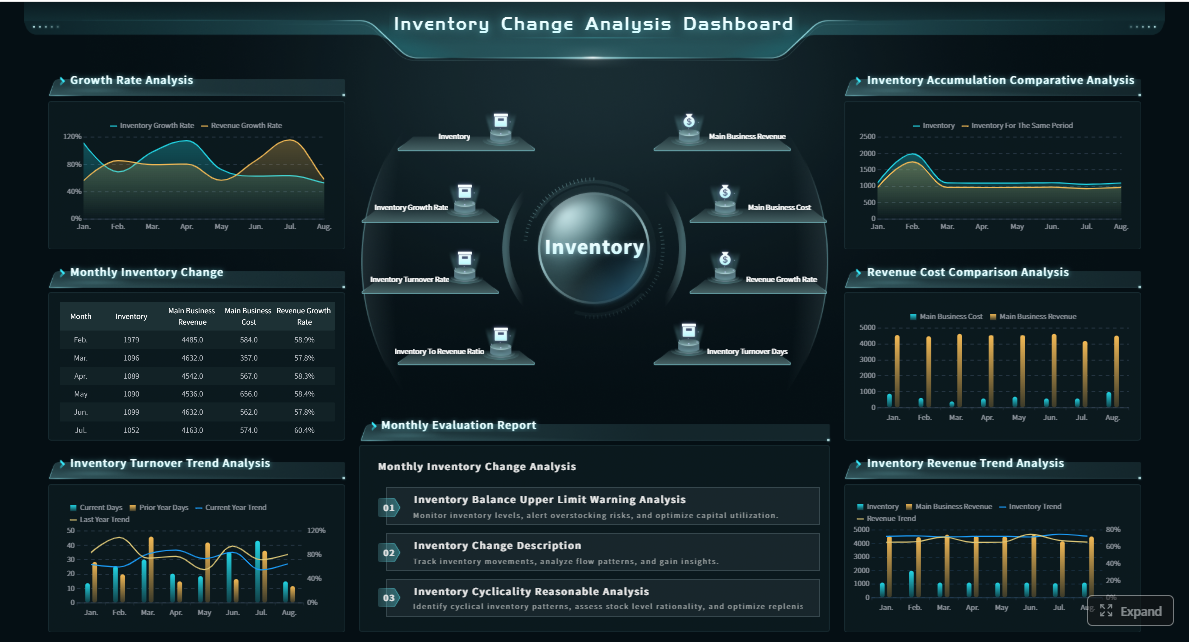
Click To Try The Dashboard
All reports in this article are built with FineReport
In an operations context, reporting automation is the structured use of software, workflows, and governed business rules to collect KPI data, refresh recurring reports, distribute updates on schedule, and trigger follow-up when performance moves outside expected ranges.
This is broader than auto-emailing a dashboard screenshot. Effective reporting automation includes:
The problem is that manual reporting breaks the action chain. Analysts spend time exporting data, merging spreadsheets, adjusting formats, and rewriting the same commentary. By the time a manager reviews the report, the exception may already be worse, or the window for intervention may have passed.
Common failure points in manual recurring KPI reporting include:
Delayed preparation: data collection and formatting consume most of the reporting cycle.
Inconsistent definitions: different teams calculate the same KPI differently.
Version confusion: leaders receive multiple files with conflicting numbers.
Weak accountability: issues are visible, but no owner or response deadline is assigned.
Low consumption efficiency: executives and frontline managers do not have time to read long reports line by line.
A better operating rhythm combines two things:
Scheduled briefings for recurring visibility
Exception follow-up for timely intervention
Scheduled briefings give leaders concise, repeatable updates at the right cadence. Exception follow-up ensures that out-of-range KPIs do not stay trapped inside a report. This is where AI can materially improve reporting automation. Instead of asking people to open every report and interpret every chart manually, an enterprise Data Agent can summarize key changes, explain anomalies, push alerts, and support follow-up through governed workflows.
For executives, this means a report becomes a practical operating mechanism, not just a historical document. For IT, it means moving from manually producing every output to building governed report assets, semantic rules, and reusable agent Skills. For business users, it means getting timely answers without hunting through multiple dashboards.
Map recurring KPI reports to decision-making moments
Reporting automation works best when reports are tied to specific decisions, not generic visibility. Before automating anything, operations teams should map recurring reports to the moments when leaders need to monitor, forecast, or intervene.
Identify the reports teams produce every week or month
Most enterprise operations environments have three reporting layers:
These layers should not be merged into one oversized report. Each serves a different decision context.
Executive reports
Executive reports focus on high-level trend interpretation and action prioritization.
Report Element: Overall KPI scorecard Definition: A consolidated view of major enterprise operations KPIs such as output, on-time delivery, cost variance, inventory health, and quality rate. Business value: Gives senior leaders a fast view of whether operations are moving toward target or drifting off plan. AI use:Dora can summarize the scorecard, highlight the two or three most material changes, and produce a structured report summary for management review.
Report Element: Target gap analysis Definition: Comparison of actual performance versus target, budget, or planned level. Business value: Helps leaders focus on the performance gaps that require intervention. AI use:Dora can explain which KPIs missed target, identify trend direction, and include the gap analysis in a scheduled weekly or monthly briefing.
Operational management reports
Operational managers need more drill-down and more frequent refresh cycles.
Report Element: Throughput and capacity utilization Definition: Measurement of actual operational output versus available capacity. Business value: Supports planning, staffing, and bottleneck detection. AI use:Dora can answer natural-language questions about utilization changes and summarize which sites or teams are below expected performance.
Report Element: Downtime or delay report Definition: A report showing production stoppages, fulfillment delays, or service interruptions. Business value: Helps managers address the direct causes of lost efficiency or SLA risk. AI use:Dora can retrieve the FineReport source report, explain unusual downtime changes, and push exceptions to the responsible owner.
Team-level reports
Frontline or supervisor reports should emphasize daily execution.
Report Element: Backlog and overdue item list Definition: Tasks, tickets, orders, or cases that remain incomplete beyond expected timeframes. Business value: Prevents hidden accumulation of operational risk. AI use:Dora can detect overdue items, summarize the backlog by owner or team, and send timely reminders or exception pushes.
Report Element: Quality issue tracking Definition: Record of defects, complaints, nonconformance issues, or rework items. Business value: Enables fast containment and systematic follow-up. AI use:Dora can produce a chart-based answer on defect trends, highlight abnormal increases, and support the Risk Alert Officer scenario.
A useful way to classify KPIs is by decision type:
Monitoring KPIs: current health and trend visibility
Forecasting KPIs: early warning for expected shortfall or demand/supply imbalance
Intervention KPIs: metrics that should trigger action when thresholds are breached
That classification helps define both reporting cadence and automation logic.
Decide what belongs in a scheduled briefing
A scheduled briefing is not a full report copy. It is a concise management-ready summary of what matters most since the last reporting cycle.
Strong briefings usually include:
top KPI trend summary
target gaps
major operational changes
newly emerging risks
unresolved exceptions
owners or departments that require attention
Keep briefings short enough for leaders to review quickly. A good briefing answers:
What changed?
What is off target?
Why does it matter?
Who should follow up?
What needs review before the next cycle?
For example, a weekly operations briefing might include:
on-time delivery dropped in two regions
backlog improved overall but overdue orders rose in one warehouse
downtime stabilized at Plant A but increased at Plant C
one quality metric breached tolerance for three consecutive days
three department owners still have open follow-up items
This is where FineReport is especially important. FineReport can standardize report templates, layouts, formatted management reports, operational cockpits, and distribution schedules. Then Dora can sit on top of those trusted assets to generate a structured report summary, explain charts in plain language, and prepare decision-friendly briefing content instead of forcing managers to interpret raw charts manually.
Not every metric change deserves escalation. Reporting automation becomes noisy and ineffective when every fluctuation becomes an alert.
Define exception follow-up around:
threshold breaches
abnormal variance from baseline
consecutive-period deterioration
overdue unresolved issues
cross-metric patterns that indicate likely risk
For each exception type, assign:
responsible owner
notification channel
expected response time
escalation rule
closure criteria
Examples:
If on-time delivery falls below target for two consecutive refresh cycles, notify regional operations manager within the day.
If defect rate exceeds tolerance by more than the defined threshold, notify quality lead and plant manager.
If backlog aging exceeds the limit for a critical customer segment, escalate to the service operations director.
If an exception remains unacknowledged after the response deadline, push a second reminder and create an escalation summary.
This turns reporting automation into a governed execution workflow rather than a passive reporting process.
Build a reporting automation workflow step by step
The best reporting automation programs are built incrementally. Start with trusted KPI foundations, then automate production and distribution, and finally connect reporting to follow-up workflows.
Standardize data sources and metric definitions
Automation fails when the KPI logic is unclear. Before scheduling reports, standardize the inputs.
Key requirements include:
aligned data definitions across ERP, MES, CRM, WMS, or other systems
documented KPI formulas
clear dimension rules for time, product, region, team, and site
agreed treatment of missing or delayed data
approved owner for each metric definition
This creates a single source of truth for critical KPIs.
Examples of foundational reporting elements:
Report Element: On-time delivery rate Definition: Percentage of orders delivered on or before the promised date under the approved business rule. Business value: Core signal of customer-impacting execution quality. AI use:Dora can explain declines by region or product category based on FineReport’s trusted KPI definition and semantic rules.
Report Element: Inventory turnover Definition: Rate at which inventory is used or sold during a defined period. Business value: Helps balance stock availability against working capital efficiency. AI use:Dora can summarize turnover changes, highlight slow-moving inventory exceptions, and include them in a scheduled briefing.
Report Element: Defect rate Definition: Percentage of output or transactions that fail quality standards. Business value: Early signal of quality risk, rework cost, and customer dissatisfaction. AI use:Dora can highlight abnormal spikes, compare against historical baseline, and push a risk follow-up task.
For IT teams, this stage is where the role becomes strategic. Instead of repeatedly answering ad hoc reporting requests, IT can define connectors, semantic mappings, data quality checks, access rules, and reusable report templates that support both reporting and AI-assisted consumption.
connect source systems and refresh data on schedule
populate standardized report templates and operational cockpits
generate recurring output for each audience
distribute reports or briefing links through approved channels
log report delivery, access, and status
This reduces manual compilation work and creates consistency in timing and format.
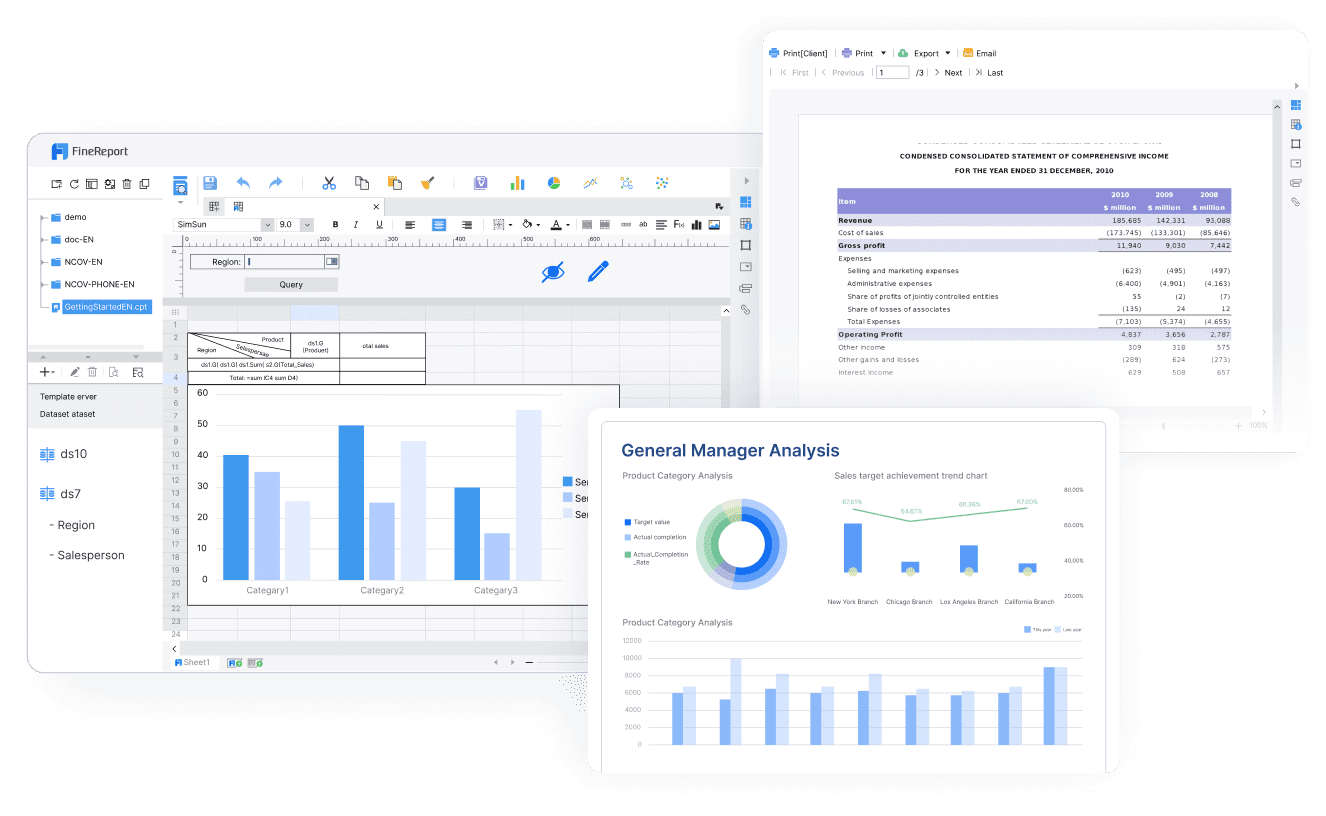
FineReport supports this foundation well because it is built for enterprise reporting scenarios that need more than lightweight dashboarding. It can handle:
That matters because enterprise operations reporting is rarely just one dashboard. It often includes structured tables, summaries, commentary sections, and exception lists that must be distributed to different roles on different schedules.
Add alerts, approvals, and follow-up tasks
The next step is moving from report delivery to operational action.
This stage should include:
alert rules for material exceptions
owner-based message routing
approvals or acknowledgments when needed
follow-up tasks or tickets
closure tracking for exceptions
Examples:
a stockout risk exception creates a review request for supply planning
a quality breach pushes a notification to the quality manager and requires acknowledgment
a service backlog threshold breach sends a summary to the operations lead and creates a follow-up item
unresolved exceptions appear again in the next scheduled briefing
This is where AI Data Agent capabilities become especially valuable. Many organizations can automate report refresh, but they still struggle to automate report consumption and response. Dora helps bridge that gap by turning trusted FineReport assets into usable summaries, exception pushes, and governed follow-up support.
Choose tools and capabilities that fit enterprise reporting
Choosing the right reporting automation platform depends on the complexity of your reports, the number of audiences, governance requirements, and the maturity of your data environment.
Evaluate core features before selecting a platform
A reporting automation platform for enterprise operations should be assessed across several capability areas.
Scheduling and delivery
Look for:
recurring schedule flexibility
multi-recipient distribution
channel support
report burst or segmented delivery
delivery logging
Dashboarding and reporting depth
Look for:
operational cockpits
formatted reports
complex table and chart layout support
drill-down capability
role-based report variations
Alerting and workflow integration
Look for:
threshold-based alerts
anomaly or exception logic
workflow handoff support
approval support
integration with enterprise messaging or ticketing tools
These capabilities are especially important when AI becomes part of the process. Without permissions, semantic consistency, and approved templates, AI-generated answers can easily become untrusted or unusable.
exceptions require owner tracking and auditability
AI outputs must respect semantic definitions and permissions
This is where FineReport + Dora fits well. FineReport handles the trusted reporting foundation that enterprise teams need. Dora adds the AI assistant layer for natural-language query, report summary, exception push, and governed execution.
Dora can also work when an enterprise already has trusted BI or reporting assets, but the strongest landing path is when FineReport is used as the structured reporting foundation.
Most reporting automation projects stop after scheduled delivery. But delivery is not the same as understanding, and understanding is not the same as action. The real operational bottleneck is often report consumption: leaders receive reports, but they still need someone to summarize them, answer follow-up questions, identify exceptions, and coordinate the next step.
This is where Dora functions as an enterprise Data Agent rather than a generic chat tool. Dora uses governed AI workflows on top of trusted reporting assets, so users can ask questions in natural language, retrieve the correct FineReport reports or cockpits, generate structured report summaries, and push exceptions to responsible owners.
A relevant digital employee for this scenario is the Daily Briefing Secretary, often combined with the Risk Alert Officer for exception-heavy operations contexts.
A chat-style example for reporting automation
A business user or executive might ask:
“Summarize this week’s operations report, highlight KPIs that missed target, explain the biggest delivery and quality exceptions, and list the departments that need follow-up.”
That request would be difficult to fulfill consistently with manual effort alone, especially across multiple reports and teams. With FineReport + Dora, the workflow can be governed and repeatable.
A 6-step Dora workflow for automated report consumption
Retrieve trusted FineReport report or operational cockpit data Dora calls the relevant FineReport report, cockpit, or scheduled reporting asset instead of relying on ungoverned free-form data retrieval.
Understand KPI definitions, templates, filters, and business terms Dora uses the governed semantic layer, including approved KPI definitions, date logic, target rules, and role-based access boundaries.
Generate a structured report summary through chat Dora produces a concise narrative that explains major trends, target gaps, and chart movements in business language suited to the user’s role.
Detect material exceptions and unresolved issues Dora identifies threshold breaches, abnormal changes, overdue items, or repeated underperformance based on configured rules.
Push alerts and follow-up items to responsible users Dora can support scheduled summaries, exception notifications, and owner-based follow-up through enterprise workflow channels.
Produce follow-up records or periodic review summaries Dora helps create a repeatable review trail, such as daily or weekly exception recaps, management briefings, or owner response summaries.
Why FineReport matters to Dora’s AI quality
Dora’s usefulness depends on the trustworthiness of the underlying reporting assets. FineReport provides the foundation by organizing:
governed KPI definitions
report templates
structured operational cockpits
permission-controlled access
reusable report outputs
business-specific reporting logic
This is what makes Dora stronger in enterprise reporting scenarios than raw prompt-only agents. Rather than guessing from loosely connected documents, Dora works against trusted reporting assets and controlled Skills. That improves landing capability in real operations environments.
Dora helps operations teams move from “reports exist” to “reports get used.”
Practical improvements include:
Natural-language query over trusted reporting assets
Users can ask for a report summary or metric explanation without opening every report manually.
Chat-based AI assistant for report consumption
Leaders can ask follow-up questions about charts, KPIs, exceptions, and ownership.
Structured report summaries and chart explanations Dora can convert report outputs into concise narratives that are easier for managers to review.
Scheduled daily or weekly briefings Dora can support recurring management briefings based on FineReport assets and templates.
Exception alerts and push notifications Dora can help surface out-of-range metrics to responsible owners instead of waiting for someone to read the full report.
Skills-based execution for governed AI workflow Dora is designed for more controllable and auditable workflows than feature-only agent comparisons often imply.
Stronger enterprise fit
Permissions, KPI governance, semantic rules, and report templates make Dora more practical for enterprise rollout.
It is also important to be realistic. Dora does not replace KPI governance, data quality work, or managerial judgment. It helps operational teams consume reports faster, understand them more clearly, and coordinate timely follow-up through governed AI workflows.
Best practices for making automated reporting useful
Reporting automation succeeds when it is designed around decisions, not just speed.
Design for clarity, not just speed
A fast report is still a bad report if no one can act on it. Focus each recurring report on:
decisions required
action ownership
trend significance
exception relevance
Use consistent layouts, clear metric labels, and stable commentary patterns so users know where to look every cycle.
Balance automation with human judgment
Not every issue should be fully automated. Analysts and managers still need to provide context for:
unusual one-off events
cross-functional trade-offs
customer-specific exceptions
operational nuances not captured in metric logic
AI-generated report narratives should be reviewed initially, especially in sensitive or high-impact scenarios. Expand automation gradually as governance and trust mature.
Standardize report templates, KPI definitions, and business terms
This is one of the most important enablers for both reporting automation and AI consumption.
When templates and definitions are standardized:
recurring summaries are easier to generate
charts are easier to interpret
AI outputs are more stable
leaders compare periods consistently
follow-up workflows are easier to govern
Build a semantic layer inside the reporting workflow
This is especially important for AI/Data Agent use cases.
A semantic layer should define:
KPI meaning
dimensions and filters
approved business language
threshold and anomaly rules
ownership mapping
time logic
This allows Dora to produce more reliable chart-based answers and structured summaries from FineReport assets.
Start with high-value recurring reports
Do not automate every report at once. Begin with reports that are:
frequent
time-consuming
decision-relevant
relatively stable in structure
tied to clear ownership and follow-up
Good starting points include weekly operations reviews, monthly management reports, quality exception summaries, and backlog or SLA briefings.
Preserve permission governance
AI outputs must respect enterprise access rules. Dora should work within FineReport’s governed access boundaries so users only receive data and summaries they are allowed to see.
Define thresholds, responsibility rules, and escalation paths
Exception automation only works when the system knows:
what counts as material
who owns response
how long they have to react
when escalation begins
Without this, automated alerts become noise.
Treat data quality as part of the AI implementation
If trusted data is weak, AI summaries will not be trusted either. Validate upstream data quality, reconcile timing issues, and document known limitations before scaling AI-assisted reporting.
Several patterns repeatedly weaken reporting automation efforts.
Automating unclear metrics before definitions are aligned
If teams disagree on what a KPI means, automation only spreads confusion faster. Fix the definition first, then automate.
Sending too many reports without clear audiences or actions
More reports do not equal better management. Every scheduled report should have:
a defined audience
a decision purpose
a review cadence
an action path
Treating every anomaly as urgent
Not every variance requires escalation. Prioritize material exceptions based on risk, customer impact, financial effect, or repeated deterioration.
Ignoring change management and accountability
Even well-designed reporting automation fails if users do not know how to consume the outputs or if no one owns follow-up. Train users on:
how to interpret briefings
when to use chat-based AI summary
how exception ownership works
what acknowledgment and closure expectations apply
Over-automating edge cases
Some issues require investigation and manager judgment. Keep humans in the loop for ambiguous scenarios, cross-functional disputes, and high-impact interpretation.
Actionable best practices
To make reporting automation land in a real enterprise environment, focus on practical rollout discipline.
Start with one recurring operations briefing and one exception workflow
Prove value on a weekly or monthly scenario that leaders already care about, such as delivery performance, quality anomalies, or backlog aging.
Standardize KPI definitions and reporting templates before enabling AI summaries Dora works best when FineReport assets already reflect trusted metric logic, consistent chart structures, and approved business terminology.
Use Dora for report consumption first, not for replacing analyst judgment
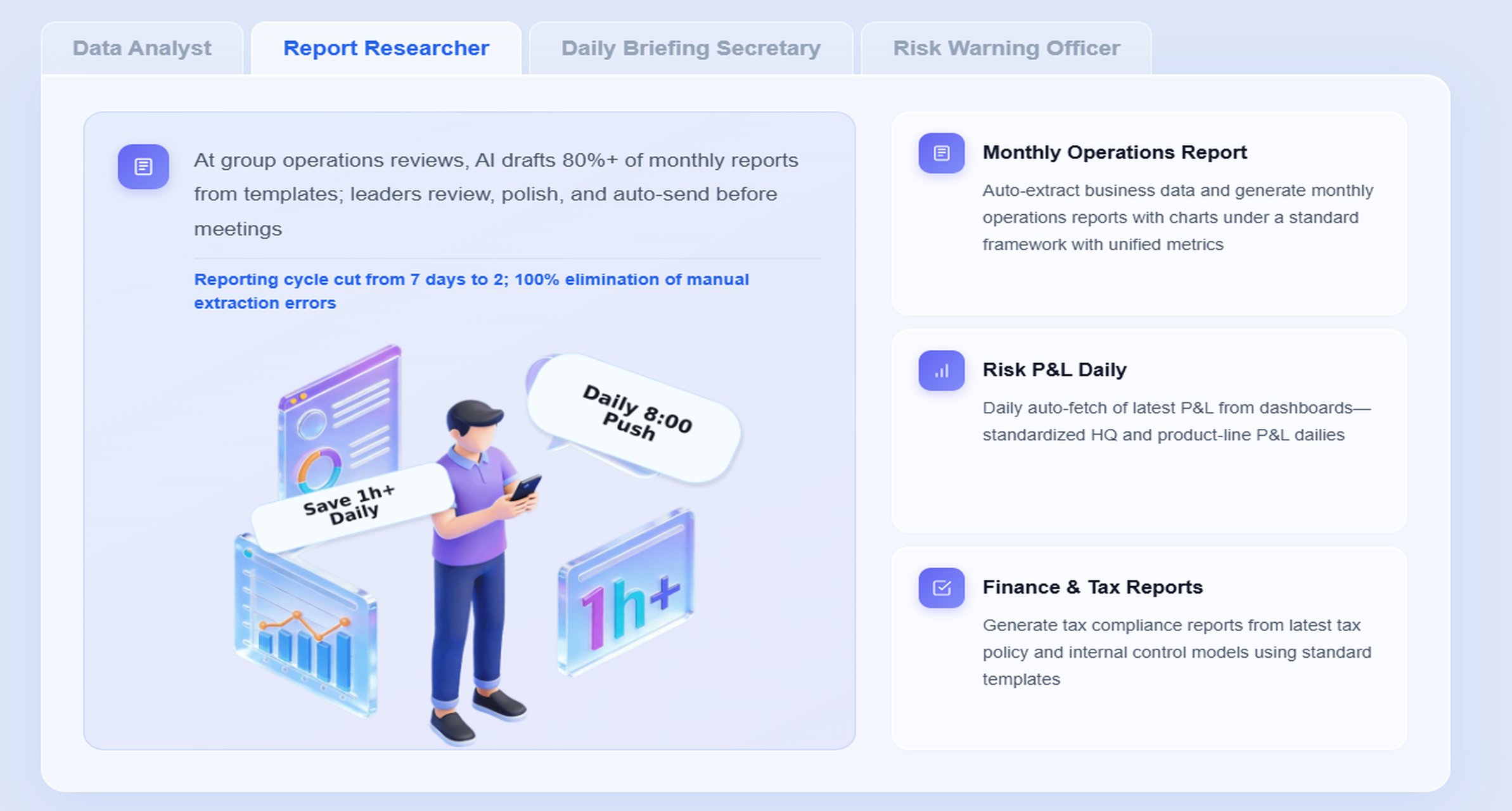
A strong early use case is the Daily Briefing Secretary or Report Researcher role: summarize reports, explain changes, and prepare review materials faster.
Define alert thresholds, response ownership, and escalation paths clearly
This is critical for the Risk Alert Officer scenario. Alerts should trigger timely review, not confusion.
Apply permission governance and review AI-generated narratives during rollout
Preserve FineReport access controls, validate the summaries, then expand Dora Skills as trust and process maturity increase.
Building this manually is complex. FineReport helps teams standardize trusted reports, operational cockpits, templates, and reporting workflows. Dora turns those assets into an AI assistant that can answer report questions in chat, generate structured summaries, push scheduled briefings, monitor exceptions, and follow up with responsible owners.
For enterprise operations teams, this combination is practical because it matches how reporting actually works in large organizations:
FineReport builds the trusted reporting foundation
Dora turns that foundation into a scenario-specific AI digital employee
For executives, the value is concrete scenario ROI. Dora is not an AI experiment. It is a landed digital employee for recurring reporting work such as weekly operations briefings, monthly management reports, quality anomaly alerts, backlog follow-up, and department owner reminders.
For IT teams, the value is a role shift toward higher-leverage work. Instead of manually assembling every report request, IT can focus on enterprise data connections, semantic governance, data quality, permission control, report templates, and reusable AI Skills.
For business users, the value is lower friction. They can get timely report summaries, chart-based answers, scheduled briefings, and exception pushes without waiting for analysts or searching through layers of dashboards.
FineReport + Dora is not only a reporting upgrade; it is a practical fourth-generation Agentic BI path.FineReport provides governed reports and operational cockpits. Dora provides the AI assistant layer for scenario execution, with more controlled Skills, lower token waste, faster execution paths, and more stable workflows than prompt-only agents.
Get Ready-to-Use Dashboard Templates in Fine Gallery
The strongest Dora pitch is scenario + product + service: FineReport provides the trusted reporting foundation, Dora provides the AI digital employee, and implementation service connects data, governance, semantic setup, Skills, report templates, permissions, and rollout.
If your operations team wants reporting automation that does more than distribute static reports, FineReport + Dora offers a practical path: trusted KPI reports, scheduled management briefings, governed AI summaries, and exception follow-up that actually reaches the right owner.
Reporting automation is the use of software and rules to refresh KPI reports, distribute them on schedule, and trigger follow-up when performance moves outside target. It goes beyond sending static reports by connecting visibility with action.
It reduces manual data collection, formatting, and version confusion while keeping KPI definitions consistent across teams. This helps leaders get faster updates and act on exceptions before they escalate.
Scheduled briefings give leaders a regular summary of operational performance at a set cadence. Exception follow-up focuses on out-of-range KPIs by assigning owners, alerts, and next-step workflows.
AI can summarize report changes, highlight anomalies, explain target gaps, and generate concise narratives from governed report assets. It can also help route issues to the right owners for faster response.
FineReport provides the governed reports, dashboards, and KPI foundation, while Dora adds a data agent layer for chat-based summaries, scheduled briefings, and exception handling. Together they help teams move from manual reporting to faster, action-oriented operations.
Product Trial
FineReport
Pixel-perfect reports · Interactive dashboards · Easy data entry · Digital twins