Business Central financial reporting becomes valuable only when finance teams can move beyond static ledger views and deliver decision-ready statements for leadership. A CFO does not want a raw list of balances. They need a reliable monthly reporting pack that explains profitability, cash flow movement, budget variance, and segment performance with enough drill-down to validate the story.
With FineReport + Dora, teams can ask for a report summary in chat, generate structured narratives from trusted report assets, receive scheduled briefings, and push exceptions to the right owner. That matters when Business Central data must support monthly close reviews, board updates, department accountability, and executive action.
Click To Try The Dashboard
All reports in this article are built with FineReport
What CFO-ready business central financial reporting should include
CFO-ready reporting is different from daily finance operations reporting. The goal is not just to display accounting activity. It is to support executive judgment with accurate, timely, and explainable financial views.
Define the difference between operational reports and executive financial reports
Operational reports help teams manage transactions, reconciliation, and close processes. Examples include trial balance checks, account reconciliation views, overdue journals, and posting exception reports.
Executive financial reports serve a different purpose. They summarize the business in a way leadership can act on. A CFO-ready package usually includes:
Income statement with budget and prior-period comparison
Balance sheet with working capital focus
Cash flow or cash movement overview
Department or segment analysis by dimension
Variance explanations and action points
Drill-down paths for validation
Operational finance asks, “Was everything posted correctly?” Executive finance asks, “What changed, why did it change, and what should we do next?”
Identify the core questions CFOs ask about profitability, cash flow, budget variance, and segment performance
A strong business central financial reporting design should answer recurring leadership questions such as:
Which revenue streams are growing or slowing?
Where is margin improving or eroding?
Which expense categories are above budget?
What is driving cash movement this period?
Which departments, projects, or product lines are underperforming?
Are the variances timing-related, structural, or operational?
Which issues need owner follow-up before the next review?
These are not layout questions. They are management questions. Your reports, dimensions, and calculations should be designed backward from them.
Set reporting goals around accuracy, drill-down capability, timeliness, and decision support
CFO-ready reports should meet four practical goals:
Accuracy: figures reconcile to trusted G/L and budget data.
Drill-down capability: summary lines can be traced to ledger detail.
Timeliness: reports are available on a predictable monthly or periodic schedule.
Decision support: the pack highlights exceptions, not just balances.
This is where the combination of FineReport + Dora is especially useful. FineReport provides governed executive report layouts and operational cockpits. Dora adds the enterprise Data Agent layer so users can ask natural-language questions, receive structured report summaries, and get scheduled financial briefings without depending on manual interpretation every time.
Build the reporting foundation with G/L accounts, dimensions, and data structure
No report design can fix weak financial structure. If account setup, dimensions, and budgets are inconsistent, executive reporting will become a monthly debate about data quality rather than business performance.
Organize the chart of accounts for meaningful financial statements
The chart of accounts should reflect both statutory accounting needs and management reporting needs.
Report Element: G/L account grouping and account categories Definition: The structure used to organize revenue, cost, expense, assets, liabilities, and equity into meaningful statement sections. Business value: Clean account grouping makes income statements and balance sheets easier to design, reconcile, and maintain. AI use:Dora can explain statement sections, summarize material balance changes, and answer questions such as which expense category drove the biggest month-over-month increase.
Report Element: Posting groups aligned with management reporting Definition: Rules that determine how transactions flow into the right accounts and categories. Business value: Better mapping reduces reclassification work and improves statement consistency across periods. AI use:Dora can surface exceptions where mapping patterns create unusual results and include them in a finance review briefing.
Report Element: Standardized account naming and rollups Definition: Consistent labels and subtotal logic for account hierarchies. Business value: Finance teams can reuse statement structures and avoid confusion in cross-entity reporting. AI use:Dora can use trusted business terms from the reporting semantic layer to generate more accurate chart explanations and management narratives.
Use dimensions to analyze financial data by business segment
Dimensions are what make Business Central financial reporting useful for management analysis. Without them, leadership only sees totals. With them, they can evaluate performance by the parts of the business they actually manage.
Plan dimension values for department, project, location, customer group, or product line
Common dimensions in CFO reporting include:
Department
Cost center
Project
Business unit
Region or location
Product line
Customer group
Responsibility center
Report Element: Dimension-based segment analysis Definition: The use of dimensions to split financial balances by management segment. Business value: CFOs can compare margin, expense, and budget performance by owner or operating unit. AI use:Dora can answer questions like, “Which departments exceeded SG&A budget this month?” and return a chart-based answer linked to the source report.
Establish rules for consistent tagging so reports remain reliable across entities and periods
Dimension strategy is not just a setup task. It is a governance decision.
To keep reports reliable:
Define mandatory dimensions for key transaction types
Standardize dimension naming across companies or legal entities
Review missing or misused tags during close
Set ownership for dimension master data changes
Separate temporary reporting fixes from structural corrections
Report Element: Dimension governance rules Definition: Standards for assigning and maintaining dimension values consistently. Business value: Consistent tagging prevents unreliable segment reporting and broken trend analysis. AI use:Dora can flag dimension gaps, summarize high-impact data issues, and push follow-up tasks to responsible finance or operations owners.
Prepare budgets and comparison data before report design
Budgets are often discussed late, but they should be prepared before final report layout work. If budget versions, periods, and responsibility assignments are unclear, variance reporting will be weak.
Load budget entries and confirm the periods, versions, and responsibility centers needed for analysis
Before report design, finance should confirm:
Budget periods align with reporting periods
Version control is clear
Department or segment ownership is assigned
Forecast and budget are distinguishable if both are used
Comparison logic is defined for actual vs budget, prior period, and prior year
Report Element: Budget structure Definition: The setup of budget entries, versions, and period alignment for comparison reporting. Business value: Reliable variance analysis depends on comparable actual and budget data. AI use:Dora can summarize where budget variances are concentrated and create a scheduled weekly variance briefing for finance leaders.
Validate actuals versus budget data quality before building executive views
Do not build the executive pack until you validate:
Missing budget lines
Wrong period loads
Inconsistent account mappings
Dimension mismatches between actual and budget data
Sign convention errors
This is where FineReport can provide a pre-executive validation cockpit with data quality status, reconciliation checks, and exception lists before reports are distributed upward.
Create account schedules for CFO-ready income statements, balance sheets, and cash flow views
Account schedules are the core structure behind formal financial statements in Business Central. They define what appears on rows, how values are compared in columns, and how totals are calculated.
Structure rows and columns for clear financial statements
A CFO-ready report must be simple to read and rigorous underneath.
Use row definitions for account ranges, totals, subtotals, and KPI lines
Report Element: Row definitions Definition: The financial statement lines that organize account ranges, formulas, subtotals, and KPI calculations. Business value: Good row design creates consistent statements that finance can reuse every month and quarter. AI use:Dora can explain line-item movement by row, summarize the largest contributors to a subtotal change, and include that narrative in board-ready reporting.
Use column layouts for actuals, budgets, variances, percentages, and period comparisons
Useful CFO columns typically include:
Current month actual
Month budget
Variance amount
Variance percentage
Prior month actual
Prior year same period
Year-to-date actual
Year-to-date budget
YTD variance
Share of revenue or margin ratio where useful
Report Element: Column layouts Definition: The comparison structure that determines how figures are displayed and evaluated. Business value: Strong column design helps leadership spot trend shifts and material variances quickly. AI use:Dora can generate structured variance commentary directly from trusted report outputs, rather than leaving finance teams to manually write every explanation.
Build financial reports using financial data and account schedules effectively
The best financial report design combines account schedules with dimensions and reusable templates.
Combine account schedules with dimensions to produce department-level and segment-level reporting
This gives leadership both the top-level view and the segmented view needed for accountability.
Report Element: Dimension-enabled account schedule reports Definition: Financial statement structures that can be filtered or split by dimensions. Business value: Leaders can see not only total performance, but where the performance came from. AI use:Dora can retrieve the right report view in chat, summarize one segment or compare multiple segments, and push tailored summaries to the relevant managers.
Create reusable templates for monthly, quarterly, and board reporting packs
A scalable finance organization should avoid rebuilding reports every cycle. Reusable templates should cover:
Monthly close pack
Quarterly board pack
Department performance review pack
Budget review pack
Cash and liquidity review pack
FineReport is particularly strong here because it can standardize formatted management reports, multi-page board-style packs, and operational cockpit views on top of Business Central data.
Configure calculations, filters, and drill-down for executive analysis
Flexibility matters, but too much ad hoc filtering can break trust. The answer is controlled configurability.
Apply date filters, dimension filters, and totaling logic to make reports flexible without losing control
Use controlled filters for:
Reporting period
Fiscal year
Department or dimension value
Entity or company
Budget version
Actual vs budget vs prior period comparisons
Report Element: Controlled report filters Definition: Saved and governed parameter settings that keep reports flexible but comparable. Business value: Finance can reuse the same report logic across periods and segments without changing core structure. AI use:Dora can interpret a user’s natural-language request, map it to governed filters, and return the correct trusted report rather than creating uncontrolled ad hoc outputs.
Enable drill-down from summary lines to ledger detail for faster review and explanation
Drill-down is essential for finance reviews. Executives may stay at the summary level, but controllers and finance managers need to validate line movements quickly.
Report Element: Drill-down path Definition: Navigation from summary financial statement lines to detailed ledger or transaction-level context. Business value: Faster review cycles, fewer follow-up emails, and better confidence in reported variances. AI use:Dora can act as a Report Researcher or Data Analystdigital employee, guiding users from a summary variance to the likely source report, supporting chart explanation, and documenting follow-up questions for the finance team.
Add advanced reporting with budgets, insights, and variance narratives
Basic statements are necessary, but they are not enough for executive decision-making. CFO-ready reporting should also show what matters, why it matters, and where management attention is needed.
Use enhanced financial reporting capabilities for trend and variance analysis
Trend and variance analysis should be intentional, not decorative.
Compare actuals to budget, prior period, and prior year to highlight performance changes
Useful comparisons include:
Month actual vs budget
YTD actual vs budget
Current month vs prior month
Current period vs prior year same period
Rolling trend for revenue, gross margin, and opex
Cash movement over time
Report Element: Variance analysis Definition: The comparison of current results to budget, past periods, or historical baselines. Business value: Helps finance separate normal movement from issues that require explanation or action. AI use:Dora can generate variance summaries automatically, identify material changes beyond thresholds, and prepare a daily or weekly leadership briefing.
Surface material variances that require management action instead of presenting raw numbers alone
A CFO-ready report should not bury issues inside full statements. It should highlight:
Revenue shortfalls
Margin compression
Unexpected expense growth
Cash pressure indicators
Department overspend
Project profitability deterioration
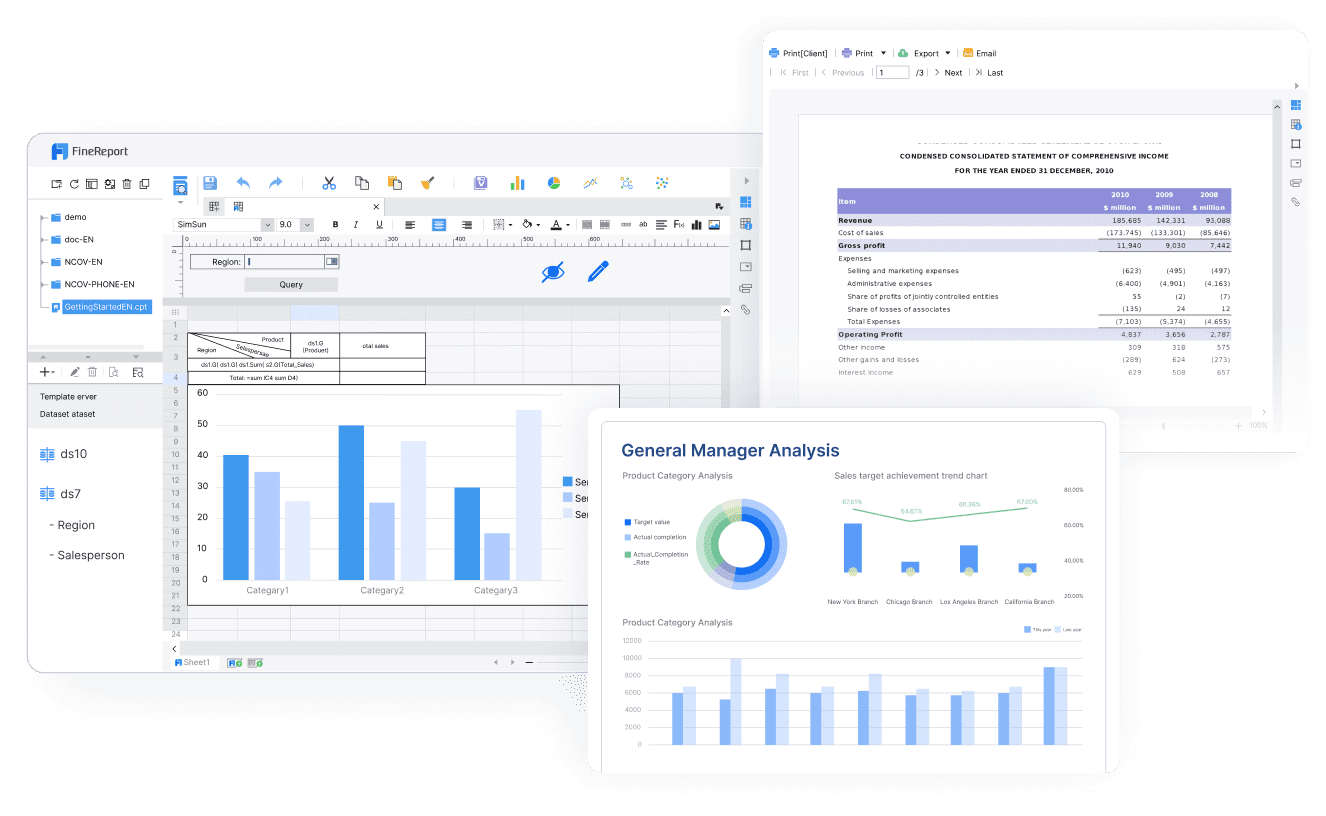
FineReport can present this in an executive cockpit with exception indicators, ranking tables, and commentary sections. Dora can then convert those assets into structured, timely summaries.
Financial reporting with Business Central insights for management visibility
Business Central data becomes more useful when periodic reporting is connected to broader management visibility.
Pair scheduled reports with visual summaries, exception flags, and commentary-ready metrics
This is where FineReport works well as the reporting foundation. It can standardize the CFO dashboard and management pack while preserving the trust of governed data and report templates.
Connect report outputs to recurring review meetings and performance dashboards
Reports should fit real management rhythms:
Monthly close review
Weekly cash review
Quarterly board meeting
Department budget review
Forecast adjustment session
Dora helps here by acting as a Daily Briefing Secretary that can schedule report summaries, prepare meeting-ready narratives, and push the right report package before each review cycle.
Turn numbers into executive narratives and action points
A good CFO report answers three layers:
What happened?
Why did it happen?
What should we do next?
Summarize key drivers behind revenue, margin, expense, and cash movement changes
Finance teams often spend hours writing commentary. Dora reduces that manual burden by converting trusted report outputs into structured narratives such as:
Revenue declined due to lower volume in one segment
Gross margin weakened because of product mix and higher direct costs
SG&A exceeded budget in two departments
Cash improved due to receivable collection timing rather than operating improvement
Present risks, opportunities, and recommended next steps alongside the statements
Executive narratives should end with action orientation:
Risks requiring immediate owner attention
Opportunities for margin recovery
Pending budget reallocations
Working capital actions
Follow-up meetings required
This is where Dora should be positioned as a governed enterprise Data Agent, not a generic chatbot. It uses trusted FineReport assets, semantic rules, permissions, KPI definitions, and reusable Skills to make the commentary process more controllable and auditable.
Configure, review, and distribute reports in Dynamics 365 Business Central
Once the reports are designed, the next challenge is repeatable delivery. Finance teams need outputs that remain stable, comparable, and easy to review period after period.
Configurating financial reports in Dynamics 365 Business Central for repeatable delivery
Repeatable reporting depends on standardized setup.
Set up reporting periods, saved views, and standardized filters for monthly close routines
Recommended controls include:
Locked reporting period definitions
Standard saved report views
Naming conventions for monthly and YTD versions
Consistent budget version selection
Controlled dimension filters by audience
Report Element: Report delivery configuration Definition: The operational setup that makes recurring report generation consistent. Business value: Reduces close friction and prevents last-minute filter mistakes. AI use:Dora can trigger scheduled summaries and recurring report pushes based on the approved reporting calendar.
Use naming conventions and governance controls so reports stay comparable over time
Without governance, teams create multiple similar versions of the same report and trust starts to erode.
Use conventions for:
Report status
Owner
Approved version
Draft vs active template
Entity/department scope
Audience level
FineReport can help by centralizing standardized management reports and report templates, while Dora respects those governed assets during AI-assisted consumption.
Validate outputs against built-in finance reports in Business Central
Trust comes from reconciliation. Custom reports should be checked against standard finance outputs before executive distribution.
Reconcile custom account schedules with standard reports to confirm trust and completeness
Recommended validation checks:
Compare income statement totals to standard statement outputs
Reconcile balance sheet totals and retained earnings logic
Match selected cash views to underlying entries and movement logic
Confirm budget comparisons use the right version and period
Report Element: Reconciliation control Definition: Cross-checking custom reports with trusted baseline reports and ledger totals. Business value: Prevents inaccurate reports from reaching executives. AI use:Dora can summarize failed checks, prepare an exception digest, and route issues to finance owners before final publication.
Use exceptions and cross-checks to catch mapping issues before reports reach executives
Create pre-release checks for:
Missing dimensions
Empty budget sections
Sign reversals
Broken subtotal formulas
Unmapped accounts
Outlier balances
A Risk Alert Officerdigital employee in Dora can monitor these exception conditions and push alerts to responsible users when a monthly reporting pack is not yet clean enough for executive review.
Avoid common reporting mistakes and troubleshooting delays
A practical workflow to master financial reports in Microsoft Business Central
The best way to improve business central financial reporting is to formalize a repeatable workflow from executive requirement to published management pack.
Step-by-step process from requirements to CFO presentation
A practical process looks like this:
Gather executive reporting requirements by audience and review cycle.
Define the KPIs, statements, comparison periods, and commentary needs.
Map G/L accounts and account categories to the right statement structure.
Assign and validate dimensions for department, project, location, or business unit views.
Load and verify budgets and comparison versions.
Build account schedule rows, columns, totals, and filters.
Reconcile outputs to standard Business Central reports and ledger totals.
Publish the governed report in FineReport for formatted executive delivery.
Enable Dora Skills for summary, exception monitoring, and scheduled briefing.
Review feedback after each cycle and refine templates.
Build a monthly reporting pack finance leaders can trust
A strong monthly pack usually includes:
Income statement
Balance sheet
Cash overview
Budget variance summary
Department or segment analysis
Exception list
Commentary page with actions and owners
FineReport can package these into a board-style formatted report and executive cockpit. Dora can then turn the same trusted assets into a recurring AI-assisted reporting workflow.
When to use community guidance and escalation paths
Not every issue is a layout issue. Some are structural.
Use:
Internal documentation for standard report logic
Partner support for account schedule design and data model issues
Community guidance when report behavior is unclear
Separate escalation for structural data problems, such as dimension design or posting configuration
This separation is important because AI-assisted reporting can only be as reliable as the reporting foundation beneath it.
How an AI Data Agent Automates Report Consumption
Traditional finance reporting still leaves one major bottleneck: after the report is built, people must manually consume it, interpret it, explain it, and follow up. That is where Dora adds enterprise value.
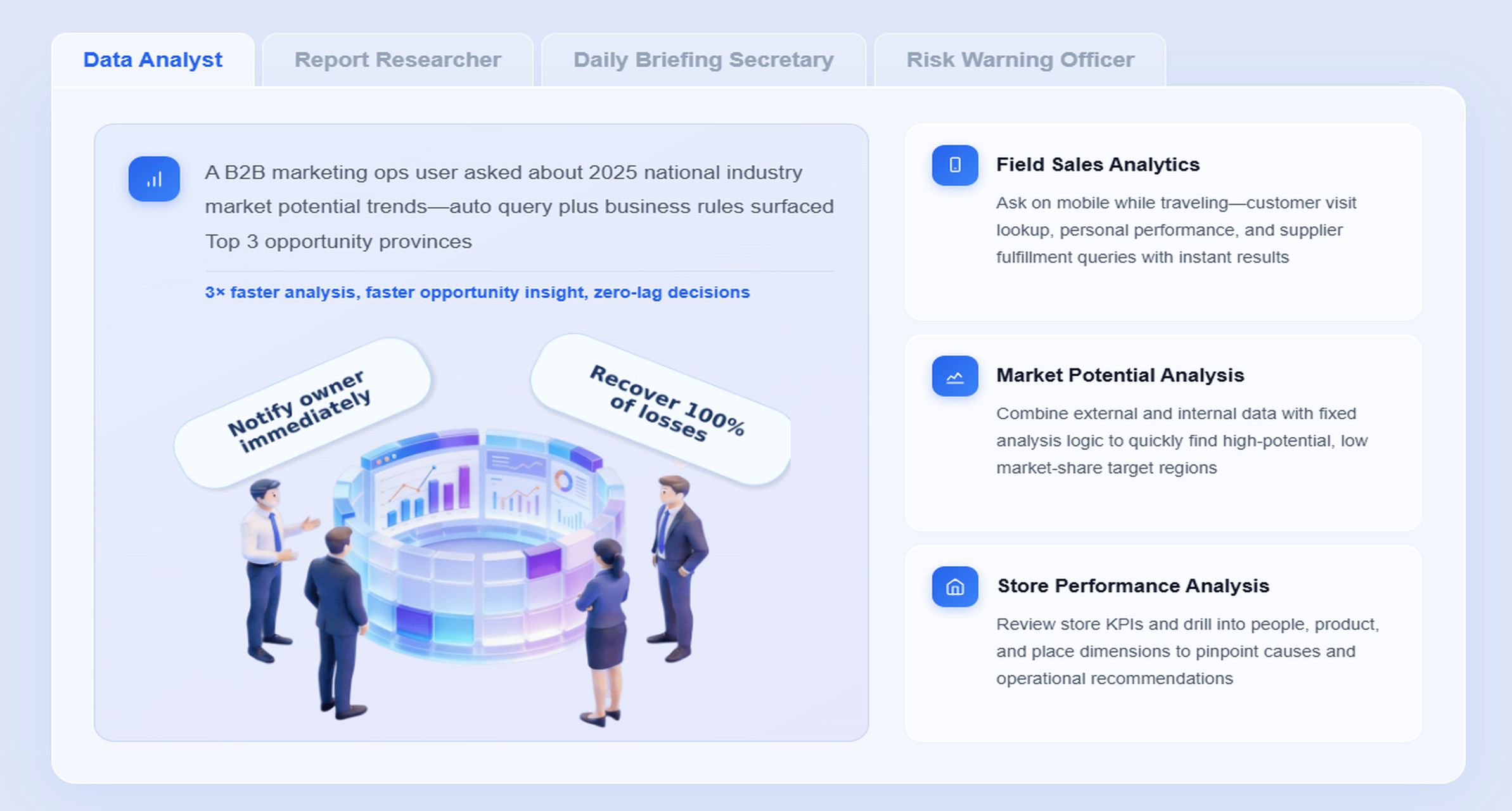
For this scenario, the most relevant Dora digital employees are:
“Summarize this month’s CFO financial pack, highlight revenue and SG&A variances versus budget, show which departments are driving the gap, and list the items that need owner follow-up before the executive review.”
Here is how the governed AI workflow works in practice:
Retrieve trusted FineReportfinancial report assets Dora accesses the approved FineReport income statement, balance sheet, cash overview, and variance cockpit built on Business Central data.
Understand KPI definitions, filters, templates, and business semantics Dora interprets what revenue, gross margin, SG&A, cash movement, department variance, and budget version mean based on the governed semantic layer and report rules.
Generate a structured report summary in chat Dora returns a management-ready answer with chart explanations, variance ranking, and a narrative summary instead of only reproducing raw numbers.
Detect exceptions and material issues Dora applies threshold logic or approved exception rules to identify overspend, margin decline, missing data sections, or other financial anomalies that matter to leadership.
Push summaries and alerts to the right owners
Department leaders, controllers, or finance managers receive scheduled summaries or variance alerts tied to their scope and permissions.
Produce follow-up records and recurring briefings Dora can support daily, weekly, or monthly finance briefings, preserving continuity across close, review meetings, and action tracking.
Why this works in enterprise finance:
FineReport provides the trusted reporting foundation. It standardizes formatted executive reports, management cockpits, templates, and reporting workflows.
Dora provides the AI assistant layer. It lets users consume reports through natural language, not only through manual report reading.
The workflow is governed, not random.Dora uses Skills-based execution, permissions, semantic rules, KPI governance, and approved report templates.
It is easier to land than prompt-only AI experiments. Instead of asking a raw model to “figure out finance reporting,” Dora works on trusted enterprise reporting assets and reusable workflows.
It supports execution, not only analysis.Dora can summarize, answer, alert, push, and follow up, which is what finance leaders need in recurring reporting cycles.
For executives, this means Dora is not an AI experiment. It is a landed digital employee for recurring reporting work such as monthly management packs, budget variance reviews, finance risk summaries, and owner follow-up.
For IT and data teams, the role shifts from manually producing every report request to improving data connections, semantic logic, permissions, report templates, and reusable agent Skills.
For business and finance users, the value is lower operating friction. They get timely report summaries, chat-based answers, scheduled briefings, and exception pushes without chasing analysts for every explanation.
The following practices make CFO-ready business central financial reporting more reliable and easier to scale.
1. Standardize report templates, KPI definitions, and business terms
If every team defines margin, overhead, or budget variance differently, the reporting process will fail. Create one governed reporting language for finance and management.
2. Build a semantic layer inside the reporting workflow
This is especially important for AI-assisted reporting. FineReport should hold the trusted report logic, templates, dimensions, and KPI structure that Dora uses for natural-language consumption and governed Skill execution.
3. Treat data quality as part of the AI implementation
Dora cannot turn weak posting discipline into reliable executive reporting. Dimension completeness, budget alignment, account mapping, and reconciliation checks must be part of the rollout.
4. Start with high-value recurring reports instead of automating every report
The best starting point is the monthly CFO pack, weekly cash review, or budget variance briefing. These recurring scenarios create visible business value and are easier to govern.
5. Define alert thresholds, responsibility rules, and review controls
AI reporting only becomes operationally useful when exceptions trigger the right response. Set materiality thresholds, owner routing rules, escalation logic, and human review steps for generated narratives.
6. Preserve permission governance and expand gradually
Dora should respect FineReport access boundaries. Start with summaries and approved follow-up workflows, then expand to more advanced Skills and scenario coverage over time.
Building this manually is complex. FineReport helps teams standardize trusted reports, operational cockpits, templates, and reporting workflows. Dora turns those assets into an AI assistant that can answer report questions in chat, generate structured summaries, push scheduled briefings, monitor exceptions, and follow up with responsible owners.
For Business Central financial reporting, this combination is practical because finance leaders usually need both:
A trusted reporting foundation for income statements, balance sheets, budget variance packs, and management dashboards
An AI consumption layer that helps users query, summarize, explain, push, and follow up on those reports
FineReport + Dora is not only a reporting upgrade; it is a practical fourth-generation Agentic BI path. FineReport provides governed reports and operational cockpits. Dora provides the AI assistant layer for scenario execution, with more controlled Skills, lower token waste, faster execution paths, and more stable workflows than prompt-only agents.
Get Ready-to-Use Dashboard Templates in Fine Gallery
The strongest Dora pitch is scenario + product + service: FineReport provides the trusted reporting foundation, Dora provides the AI digital employee, and implementation service connects data, governance, semantic setup, Skills, report templates, permissions, and rollout.
If your goal is to turn Business Central finance data into CFO-ready reports that are not only accurate, but also easier to consume and act on, this is the path that scales.
It should cover the income statement, balance sheet, cash flow, budget variance, and performance by department, project, or other key dimensions. It also needs clear drill-down paths so finance leaders can validate the numbers behind the summary.
Account Schedules let finance teams define report rows, columns, and calculations without relying on raw ledger views alone. They are useful for building structured statements and comparisons such as actual versus budget or current period versus prior period.
Dimensions make it possible to analyze results by business segment instead of only seeing company-wide totals. This helps CFOs understand which departments, products, or projects are driving performance and where follow-up is needed.
You can set up G/L budgets and use financial reports or Account Schedules to place budget, actual, and variance figures side by side. This makes it easier to spot overspending, timing differences, and structural performance issues during monthly review.
FineReport helps teams publish governed dashboards and executive-ready report layouts, while Dora adds natural-language summaries, scheduled briefings, and exception alerts. Together they make monthly reporting faster, easier to explain, and more actionable for leadership.
Product Trial
FineReport
Pixel-perfect reports · Interactive dashboards · Easy data entry · Digital twins