FineReport is a Java-compatible enterprise reporting and dashboard platform built to help teams design pixel-perfect reports faster with less custom coding.
FineReport vs JasperReports at a glance: which java reporting tool fits your team?
When evaluating a java reporting tool, FineReport and JasperReports often appear on the same shortlist because both can produce professional, print-ready output in Java environments. The difference is less about whether they can generate reports and more about how your team gets there.
FineReport

- One-sentence overview: FineReport is a visual reporting platform designed for fast delivery of pixel-perfect reports, dashboards, and enterprise reporting workflows with strong business-user accessibility.
- Key Features:
- Drag-and-drop report designer
- Pixel-perfect layout control
- Broad data connectivity
- Parameterized reports and drill-down
- Web publishing, scheduling, and distribution
- Dashboard and data entry extensions
- Pros & Cons:
- Pros: Faster report creation, lower dependence on hand-coded layouts, easier collaboration between IT and business teams, polished output for enterprise documents
- Cons: Commercial platform, may be more than some teams need for very lightweight developer-only projects
- Best For: Organizations that want rapid report delivery, strong formatting control, and participation from both developers and business teams
JasperReports
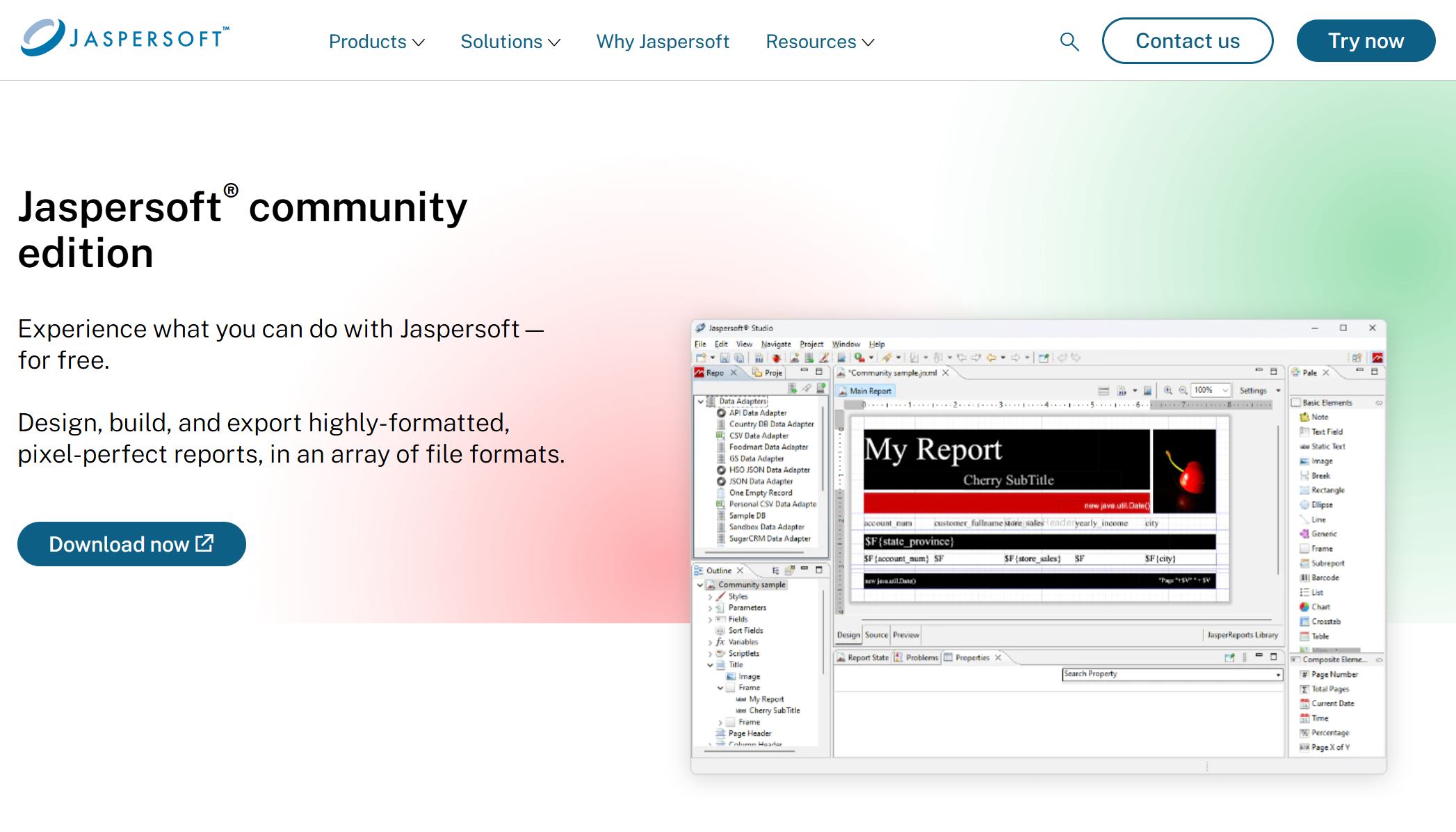
- One-sentence overview: JasperReports is a widely used Java reporting library that gives developers deep control over report generation through a more technical, code-oriented workflow.
- Key Features:
- Java-based reporting engine
- XML report templates
- Pixel-perfect report generation
- PDF, Excel, HTML, and print exports
- Flexible embedding in Java applications
- Large open-source footprint
- Pros & Cons:
- Pros: Strong developer control, mature ecosystem, open-source appeal, good fit for embedded reporting use cases
- Cons: Steeper learning curve, more technical setup and maintenance, less approachable for non-developers, slower iteration for layout-heavy reporting changes
- Best For: Developer-led teams that prefer open-source tooling and are comfortable managing report logic, templates, and integration through a technical stack
The core trade-off is straightforward: FineReport emphasizes faster delivery and visual efficiency, while JasperReports emphasizes developer flexibility and lower licensing barriers. If your priority is shipping large volumes of polished reports quickly, FineReport usually has the edge. If your team is highly technical and prefers deeper hands-on control, JasperReports remains a practical option.
This comparison is most useful for:
- Java developers embedding reports into applications
- BI and reporting teams supporting multiple departments
- Enterprises producing invoices, financial statements, regulatory documents, and operational reports
- Organizations deciding between a visual platform and a code-centric reporting library
How FineReport and JasperReports handle pixel-perfect report design
Pixel-perfect output is one of the main reasons companies search for a java reporting tool in the first place. Reports such as invoices, bank statements, tax forms, labels, and compliance documents leave little room for formatting errors.
Layout control and template precision
Both FineReport and JasperReports are capable of producing fixed-layout documents, but they approach template design differently.
FineReport
- One-sentence overview: FineReport focuses on visual template building, making it easier to control page layout and precise formatting without relying heavily on code.
- Key Features:
- Drag-and-drop page design
- Cell-based and free-form report layout options
- Fine control over tables, merged cells, images, charts, headers, and footers
- Print-oriented page setup and pagination controls
- Templates for complex tabular reporting
- Pros & Cons:
- Pros: Efficient for highly formatted operational reports, easier to align business expectations with final output, faster adjustments to spacing and positioning
- Cons: Teams that prefer pure code definitions may find the visual-first model less aligned with their workflow
- Best For: Enterprises producing structured documents such as invoices, statements, production forms, and formal management reports

JasperReports
- One-sentence overview: JasperReports offers detailed report definition through XML templates and a powerful rendering engine, but layout precision often depends more on technical expertise.
- Key Features:
- Band-based report structure
- XML template definitions
- Precise placement of text fields, images, and components
- Support for charts, subreports, and conditional display
- Compilation and rendering pipeline for template execution
- Pros & Cons:
- Pros: High level of control, flexible for advanced developers, proven for many pixel-perfect use cases
- Cons: More effort to maintain complex templates, layout changes can become cumbersome in large reporting libraries
- Best For: Development teams that want detailed report-engine control and are comfortable working with technical report definitions
For common use cases like:
- invoices
- financial statements
- shipping documents
- compliance reports
- product labels
- payroll slips
FineReport generally reduces the effort required to reach a polished result. JasperReports can absolutely achieve the same outcome, but the path is often more technical and slower when many stakeholders request frequent formatting changes.
Designer experience and learning curve
The design experience is where these two platforms diverge most clearly.
FineReport
- One-sentence overview: FineReport lowers the entry barrier by offering a visual design workflow that helps teams produce production-ready reports quickly.
- Key Features:
- WYSIWYG-style designer experience
- Drag-and-drop components
- Visual parameter setup
- Easier adjustment of styles, borders, merged cells, and print formatting
- Better accessibility for analysts and report designers
- Pros & Cons:
- Pros: Shorter onboarding, faster business feedback cycles, less dependence on specialized developers for every layout tweak
- Cons: Teams seeking an entirely code-first reporting process may prefer a library-style approach
- Best For: Mixed teams where developers, BI staff, and business users all participate in report delivery

JasperReports
- One-sentence overview: JasperReports is more developer-oriented and typically requires greater familiarity with templates, report structure, and Java-side integration.
- Key Features:
- XML template model
- Studio-based design support
- Java integration for filling and exporting reports
- Subreport and expression handling
- Flexible data source handling for custom implementations
- Pros & Cons:
- Pros: Strong control for technical teams, suitable for custom embedded workflows
- Cons: Steeper learning curve for new contributors, less friendly for non-technical report authors, more friction during iterative design
- Best For: Teams led by Java developers who are comfortable owning the full report lifecycle
If a new team member needs to start creating production-ready reports quickly, FineReport is usually the faster path. In JasperReports environments, new contributors often need more time to understand report structure, template management, expressions, and deployment workflows.
Export quality across PDF, Excel, and print formats
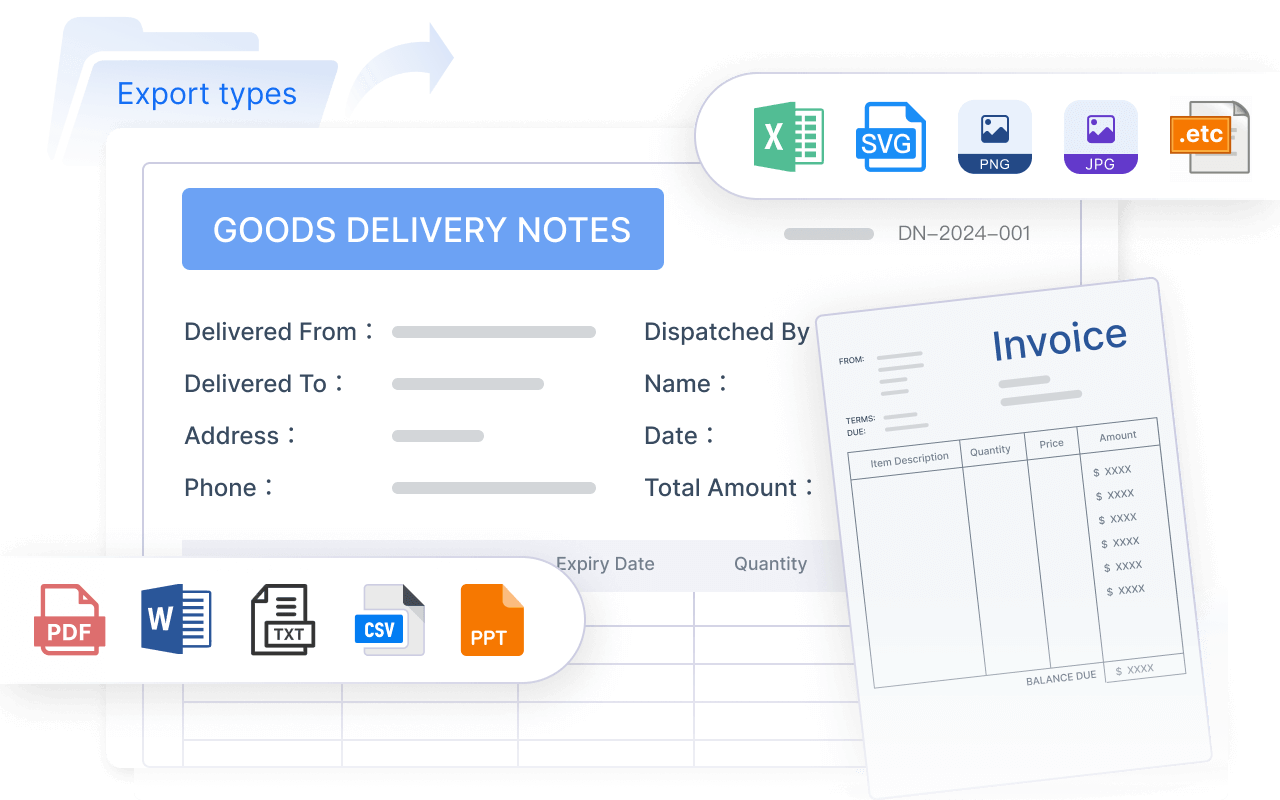
Export fidelity is where many reporting projects succeed or fail. A report that looks correct on screen but breaks in PDF or Excel creates downstream issues for operations, finance, and compliance teams.
FineReport
- One-sentence overview: FineReport is built to preserve formatting consistency across common enterprise output formats, especially for print-sensitive reporting.
- Key Features:
- PDF export
- Excel export
- Print-ready report formatting
- Pagination and page-break controls
- Layout consistency for formal documents
- Pros & Cons:
- Pros: Strong fit for enterprise documents where layout consistency matters, fewer hand-fixes after export in many business scenarios
- Cons: Export expectations should still be tested for highly customized edge cases
- Best For: Teams that need reliable delivery across PDF, Excel, and printed reports
JasperReports
- One-sentence overview: JasperReports supports a wide range of export formats, but maintaining consistent formatting across them can require more tuning.
- Key Features:
- PDF, Excel, HTML, and other exports
- Print-ready rendering engine
- Configurable export behavior
- Mature support for report output generation
- Pros & Cons:
- Pros: Broad format support, powerful engine, flexible export settings
- Cons: Alignment, pagination, and Excel presentation may need extra adjustment depending on template complexity
- Best For: Teams that can invest technical effort into testing and optimizing cross-format output
In practice, formatting consistency matters most for:
- board-ready financial packs
- customer-facing statements
- regulatory submissions
- operational forms used in print workflows
- Excel files that must remain readable after export
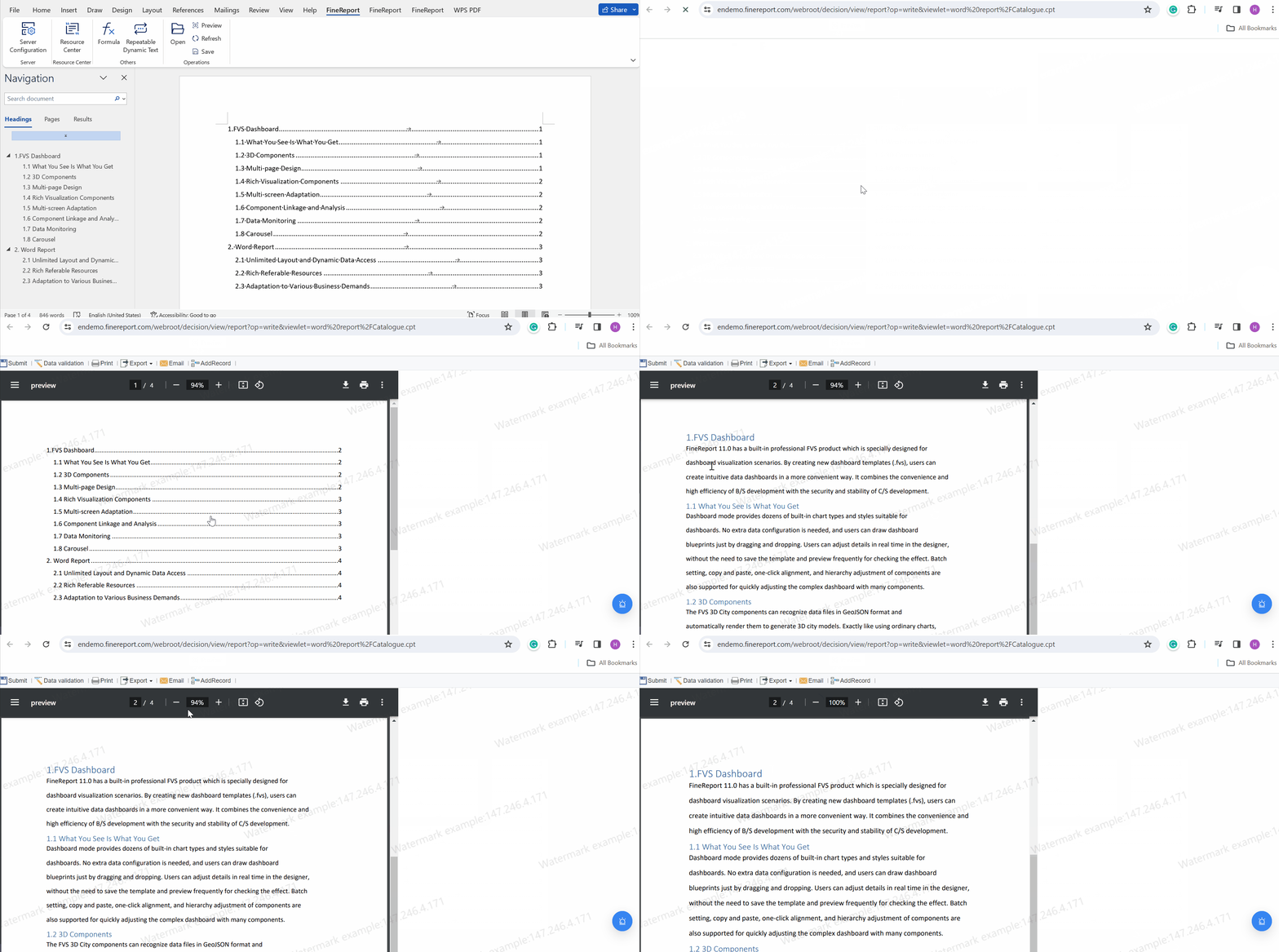
For these use cases, FineReport often provides a smoother route to dependable output.
Development speed and maintenance effort in real projects
A java reporting tool should not be judged only by output quality. The real cost emerges over time: integration effort, template maintenance, revision cycles, and collaboration between technical and non-technical teams.
Initial setup, integration, and report creation workflow
FineReport
- One-sentence overview: FineReport is designed to shorten the path from data connection to finished report through a more integrated and visual workflow.
- Key Features:
- Data source configuration for common enterprise systems
- Visual report template creation
- Built-in parameter and presentation setup
- Web publishing and distribution options
- Reduced need for manual layout coding
- Pros & Cons:
- Pros: Faster setup for report-heavy projects, fewer repetitive coding steps, easier handoff from requirements to report build
- Cons: Commercial adoption may involve procurement and platform evaluation
- Best For: Teams that want to move quickly from reporting requirements to deployed output
JasperReports
- One-sentence overview: JasperReports provides a flexible engine for Java integration, but common reporting tasks usually involve more manual setup and technical assembly.
- Key Features:
- Java API integration
- XML template compilation and execution
- Data-source binding
- Export pipeline configuration
- Embedding into Java applications and services
- Pros & Cons:
- Pros: Excellent for custom application integration, adaptable to many architectures, strong appeal for developers
- Cons: More moving parts, more manual wiring, and more effort to implement common enterprise reporting workflows
- Best For: Engineering teams that want to build and manage a customized reporting stack
For typical tasks such as:
- connecting a relational database
- creating parameters
- designing a print-ready template
- publishing for user access
- adjusting layout after stakeholder feedback
FineReport generally requires less manual coding and fewer hand-built steps.
Ongoing changes, versioning, and team collaboration
Reporting requirements rarely stay fixed. Departments request new columns, revised groupings, different branding, updated calculations, and export tweaks. This is where maintenance effort becomes visible.
FineReport
- One-sentence overview: FineReport is strong in environments where reports evolve frequently and multiple roles need to collaborate on updates.
- Key Features:
- Easier visual changes to templates
- More accessible report editing for non-developers
- Reusable report components and data setups
- Better collaboration between IT and business teams
- Pros & Cons:
- Pros: Faster turnaround for layout updates, reduced bottlenecks on developers, smoother collaboration when requirements change often
- Cons: Governance is still needed to manage template standards across large organizations
- Best For: Enterprises with many report owners, frequent requests, and mixed technical skill levels

JasperReports
- One-sentence overview: JasperReports can support long-term reporting programs, but updates are typically more dependent on developer involvement.
- Key Features:
- Template-based maintenance model
- Versionable report definitions
- Flexible expressions and data mapping
- Embedding control within broader Java delivery pipelines
- Pros & Cons:
- Pros: Good for disciplined engineering teams with established version control practices
- Cons: Slower business-side iteration, more difficult handoff to non-technical report designers, higher maintenance friction for formatting-heavy changes
- Best For: Teams where developers remain the primary owners of report logic and presentation
If your reporting process includes repeated back-and-forth between business stakeholders and IT, FineReport typically reduces cycle time.
Scalability for frequent report requests and changing business needs
Scalability is not only about runtime performance. It also means whether a team can handle dozens or hundreds of report requests without becoming a bottleneck.
FineReport
- One-sentence overview: FineReport scales well for organizations that need to produce and revise many reports across departments with consistent output quality.
- Key Features:
- Centralized reporting capabilities
- Broad report template support
- Faster design and revision cycles
- Enterprise distribution and access workflows
- Suitable for high report volume environments
- Pros & Cons:
- Pros: Strong operational scalability, faster turnaround under growing business demand, better support for departmental self-service within governed processes
- Cons: Platform rollout should be planned carefully in large enterprises
- Best For: Organizations with high reporting volume and pressure to ship new reports quickly
JasperReports
- One-sentence overview: JasperReports can scale technically, but organizational scalability depends heavily on available development capacity.
- Key Features:
- Mature Java reporting engine
- Broad embedding potential
- Template reuse
- Automation possibilities through custom development
- Pros & Cons:
- Pros: Reliable engine for scalable programmatic generation, effective when integrated into established engineering systems
- Cons: New report throughput may slow when every change requires technical resources
- Best For: Engineering-driven environments with stable report requirements and adequate developer bandwidth
For enterprises supporting finance, operations, HR, procurement, and compliance at the same time, FineReport often aligns better with the need to deliver more reports with less engineering strain.
Feature-by-feature comparison for enterprise reporting needs
Beyond layout and speed, teams choosing a java reporting tool also need to assess connectivity, interactivity, embedding, and support.
Data connectivity, parameters, and dynamic reporting capabilities
FineReport
- One-sentence overview: FineReport provides enterprise-friendly data connectivity and dynamic reporting features that reduce the need for custom plumbing.
- Key Features:
- Connectivity to relational databases
- Support for stored procedures and multiple data sources
- Parameterized reports
- Filters, prompts, and drill-down interactions
- Reusable data and template components
- Pros & Cons:
- Pros: Strong fit for business reporting scenarios, easier setup for dynamic reports, efficient for multi-source enterprise needs
- Cons: Complex edge-case integrations may still require technical customization
- Best For: Teams building interactive operational and management reports from multiple business systems
JasperReports
- One-sentence overview: JasperReports is flexible with data access and dynamic report logic, but implementation is usually more developer-driven.
- Key Features:
- JDBC and Java-based data handling
- Parameter support
- Dynamic expressions
- Subreports and reusable elements
- Broad compatibility with custom Java workflows
- Pros & Cons:
- Pros: Flexible for custom architectures, strong for technical customization, adaptable to many data strategies
- Cons: More manual effort for common enterprise reporting patterns, steeper path for reusable dynamic reporting at scale
- Best For: Developers who want granular control over data handling and rendering logic
Web embedding, dashboards, and application integration
FineReport
- One-sentence overview: FineReport goes beyond static reporting by supporting embedded reporting, web access, and dashboard-oriented use cases in a unified platform.
- Key Features:
- Web-based report access
- Embedding into internal portals and applications
- Dashboard capabilities
- Role-based access and report distribution
- Centralized report consumption workflows
- Pros & Cons:
- Pros: Useful for enterprises that need both reporting and broader analytics presentation, easier consumption for end users
- Cons: Teams seeking only a lightweight rendering engine may not need the wider platform scope
- Best For: Organizations embedding reports into business portals or combining pixel-perfect reports with dashboard delivery
JasperReports
- One-sentence overview: JasperReports is effective for embedding into Java applications, especially where developers want to shape the full user experience.
- Key Features:
- Java application embedding
- Programmatic report generation
- Export and delivery integration
- Flexible use in custom web architectures
- Pros & Cons:
- Pros: Strong embedded reporting potential, good for custom app-driven consumption models
- Cons: More responsibility on the development team for access control, user workflows, and surrounding infrastructure
- Best For: Product teams embedding reporting into custom-built Java applications
If your use case includes not just generating reports but also distributing, viewing, and managing them for broader business audiences, FineReport typically offers a more complete out-of-the-box path.
Community, ecosystem, and support options
FineReport
- One-sentence overview: FineReport offers vendor-backed support and a productized platform experience that can reduce risk for enterprise deployments.
- Key Features:
- Commercial support
- Structured product guidance
- Enterprise-focused implementation path
- Vendor-led updates and platform evolution
- Pros & Cons:
- Pros: Faster access to support, clearer accountability, useful for mission-critical reporting programs
- Cons: Not open-source, so organizations prioritizing community-led tooling may prefer alternatives
- Best For: Enterprises that value formal support, product stability, and implementation guidance

JasperReports
- One-sentence overview: JasperReports benefits from a large ecosystem and long-standing community presence, especially attractive to open-source-minded teams.
- Key Features:
- Broad user adoption
- Community discussions and examples
- Familiarity among Java developers
- Optional commercial ecosystem around the broader product family
- Pros & Cons:
- Pros: Mature ecosystem, strong developer mindshare, flexible entry point
- Cons: Community support can vary in depth and speed, enterprises may still need paid support for mission-critical use cases
- Best For: Technical teams comfortable learning from community materials and managing more of the stack themselves
Pros, cons, and best-fit scenarios
Choosing the best java reporting tool depends on your delivery deadlines, reporting complexity, team structure, and budget model.
When FineReport is the stronger choice
FineReport
- One-sentence overview: FineReport is usually the stronger choice when speed, report polish, and cross-functional collaboration matter most.
- Key Features:
- Visual report design
- Pixel-perfect formatting
- Faster enterprise report creation
- Easier business-user participation
- Web publishing and dashboard support
- Pros & Cons:
- Pros: Shorter time to value, reduced coding effort, strong fit for polished business documents, better support for iterative changes
- Cons: Commercial investment required, may be broader than needed for very narrow reporting-only projects
- Best For: Companies that need fast delivery, highly formatted output, and lower dependence on specialized report developers
FineReport stands out when:
- business teams frequently request new reports
- report formatting must be highly polished
- developers are overloaded with layout changes
- the organization wants a more scalable reporting workflow
- dashboards and report distribution matter alongside report generation
When JasperReports is the stronger choice
JasperReports
- One-sentence overview: JasperReports is the stronger choice when a developer-led team wants deep technical control and prefers an open-source-oriented route.
- Key Features:
- Java-native reporting engine
- XML template model
- Flexible embedding
- Strong customization potential
- Established ecosystem
- Pros & Cons:
- Pros: Lower entry cost for open-source adoption, high control for technical teams, effective for embedded custom applications
- Cons: Slower layout iteration, steeper learning curve, greater maintenance burden for evolving enterprise reporting
- Best For: Teams with strong Java expertise, existing Jaspersoft knowledge, or a clear preference for a code-centric reporting stack
JasperReports makes sense when:
- the reporting workload is owned almost entirely by developers
- the organization already has JasperReports skills in-house
- customization through code is a strategic preference
- licensing flexibility is a primary concern
- reporting is embedded into a custom application with highly specific workflows
Which tool is the best choice for your reporting goals
If your goal is to choose the best java reporting tool with confidence, use this simple decision framework.
Choose FineReport if:
- you need pixel-perfect reports delivered quickly
- business users or BI teams need to participate in report creation
- your organization manages many report requests across departments
- you want strong PDF, Excel, and print formatting with less manual effort
- you need reporting plus dashboards, web access, and enterprise distribution
Choose JasperReports if:
- your reporting stack is developer-led
- you prefer an open-source or code-first approach
- you need deep control over embedding and custom rendering workflows
- your team is comfortable managing templates, integration, and maintenance technically
- your report demand is stable enough to absorb a slower iteration cycle
In a direct comparison, JasperReports remains a credible and proven option. But for organizations prioritizing faster delivery, easier design, and enterprise-ready pixel-perfect output, FineReport is often the better overall choice. It fits especially well when reporting is not just a developer task, but a shared operational need across the business.
FAQs
Both can produce pixel-perfect output, but FineReport is usually easier for faster layout-heavy delivery. JasperReports is a strong choice when your team wants more code-level control and is comfortable with a technical workflow.